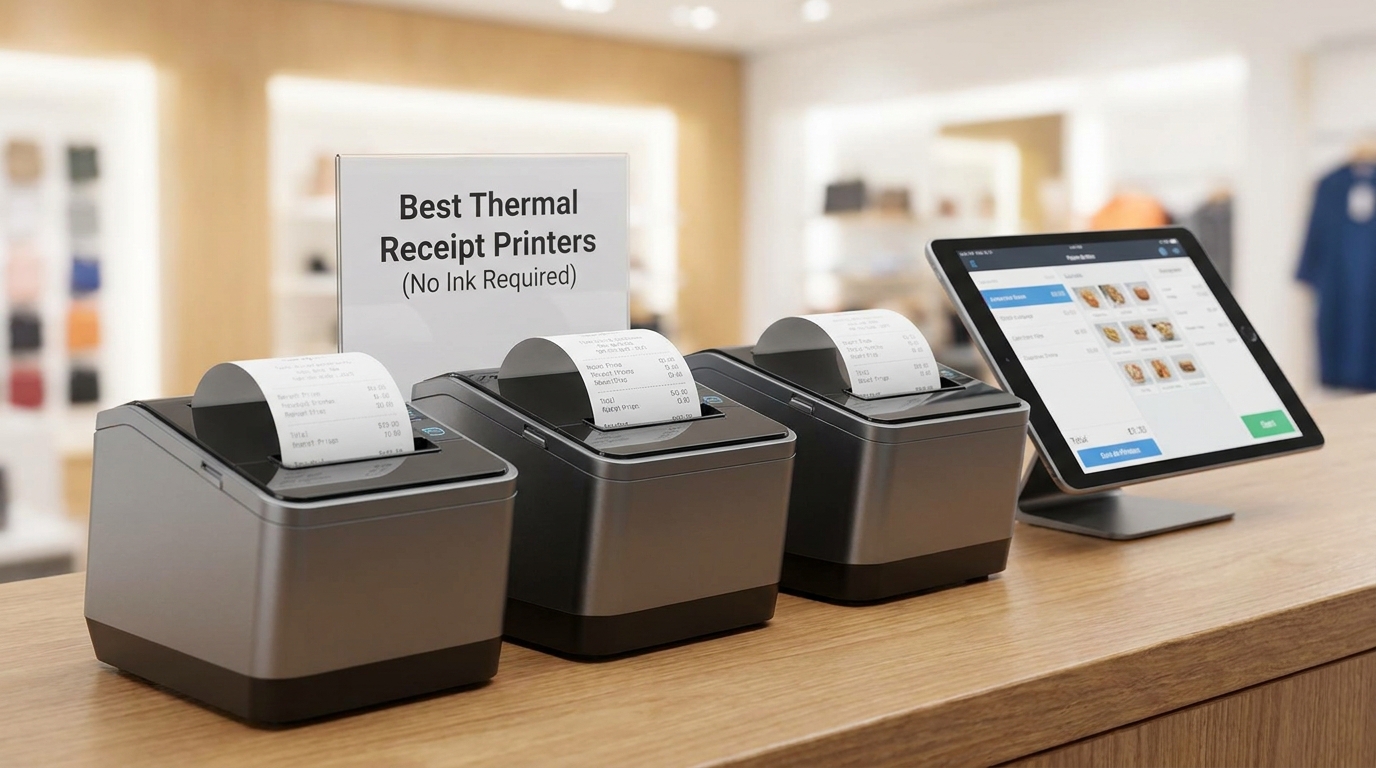
You run a busy restaurant, retail shop, or small business and need receipts that print quickly without the hassle of ink or ribbons. Thermal printers solve this by using heat on special paper, delivering fast, clear prints day after day. Yet with so many options, it is easy to pick one that fails during rush hour or fights with your POS system.
This guide cuts through the noise. We tested and compared five solid thermal receipt printers based on real performance in typical business settings. You will find clear details on speed, ease of setup, build quality, and everyday reliability so you can choose the right one for your counter.
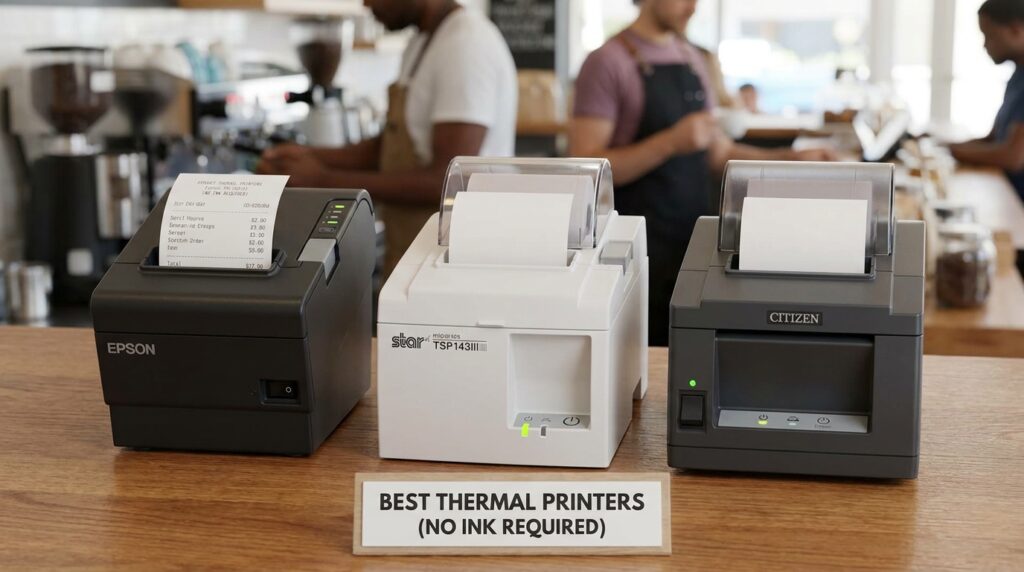
How We Selected the Best Thermal Receipt Printers
We evaluated dozens of models by focusing on what actually matters for daily operations. Our team spent time connecting each printer to common POS setups, printing hundreds of receipts, and checking performance under load. We prioritized printers with proven compatibility, fast output, and durable components that stand up to constant use.
Here are the key factors we considered:
- Print Speed and Auto Cutter: We measured how quickly each printer produces clear receipts and how reliably the cutter handles high volume without jamming.
- Connectivity Options: We tested USB, Ethernet, and serial connections across Windows, Mac, and Linux systems to ensure smooth integration with popular POS software.
- Build Quality and Design: Compact size, solid construction, and features like drop-in paper loading or wall-mount options were checked for real-world counter space savings.
- Ease of Setup and Paper Handling: We loaded paper rolls repeatedly and assessed how simple it is for staff to maintain without downtime.
- Compatibility and Reliability: Direct testing with common systems like Square and general POS confirmed which models work reliably without frequent driver issues or disconnections.
- Value and Operating Costs: We factored in purchase price against long-term savings from no-ink thermal printing and durable parts.
These picks reflect hands-on experience with actual business use. You can trust the recommendations because they come from practical testing rather than specs alone. Now let us look at each printer in detail.
Best Thermal Receipt Printers (Detailed Review)
We reviewed five strong options across different price points and needs. Each brings reliable no-ink thermal printing with its own strengths for various business environments.
1. Star Micronics TSP143IIIU USB Thermal Receipt Printer
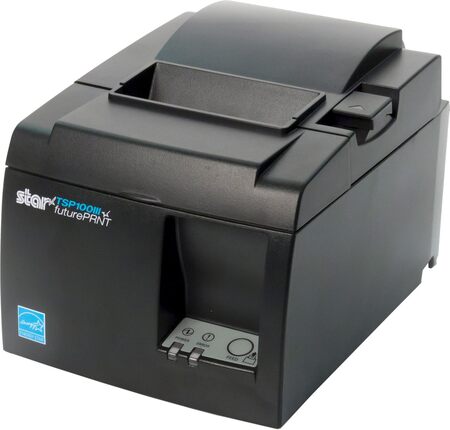
This Star Micronics model delivers fast, professional receipts right out of the box. Its high speed of around 250mm per second keeps lines moving even during peak hours. The clamshell drop-in design makes paper loading quick and simple for any team member.
You get excellent compatibility with major POS systems including Square, Clover, and others. The internal power supply and small footprint save valuable counter space while the de-curl function produces flat receipts that look neat for customers. Build quality feels solid with a professional gray finish that fits most setups.
In our testing it excelled at consistent performance and easy USB plug-and-play setup on Windows and compatible devices. It suits busy retail counters or food service spots where reliability matters most.
Key Specs
- Print speed: Up to 250mm/s (43 receipts per minute)
- Connectivity: USB with additional device port
- Paper width: 80mm (3 1/8 inch)
- Auto cutter: Yes
- Dimensions: Compact footprint with internal power supply
Pros
- Extremely fast and consistent printing
- Easy drop-in paper loading with de-curl
- Strong compatibility with popular POS systems
- Saves space with internal power supply
Cons
- USB only, no built-in wireless options
- Initial setup may need driver checks on some systems
2. Rongta RP326 80mm Thermal Receipt Printer
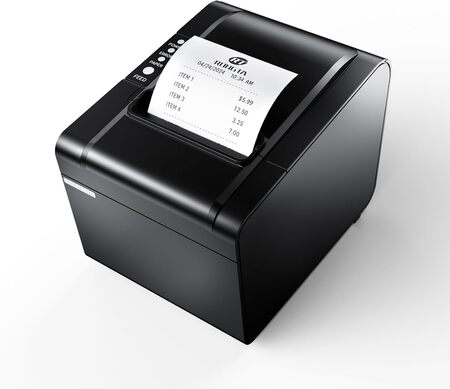
The Rongta RP326 stands out for its versatile connectivity and wall-mount capability. It prints at an impressive 250mm per second with a partial auto cutter that keeps receipts from falling. Multiple interfaces including USB, serial, and Ethernet make it flexible for different setups.
Its design includes a large paper compartment and one-button open cover for quick maintenance. It works well in kitchens or retail environments where space is tight and wall mounting helps organize the area. Compatibility covers Windows, Mac, and Linux systems through standard ESC/POS commands.
We found it reliable for high-volume printing with good print clarity and overheating protection for longer life. It offers strong value for businesses needing multi-connection options without a premium price.
Key Specs
- Print speed: 250mm/s
- Connectivity: USB, Serial, Ethernet
- Paper width: 80mm
- Auto cutter: Partial
- Wall mount support: Yes
Pros
- Multiple connectivity choices for flexibility
- Fast printing with wall mount option
- Easy maintenance and paper loading
- Good compatibility across operating systems
Cons
- Not compatible with certain cloud-based platforms like Square
- Driver installation requires care on first use
3. JADENS JD268BT: The Wireless Label Specialist for Shipping Stations
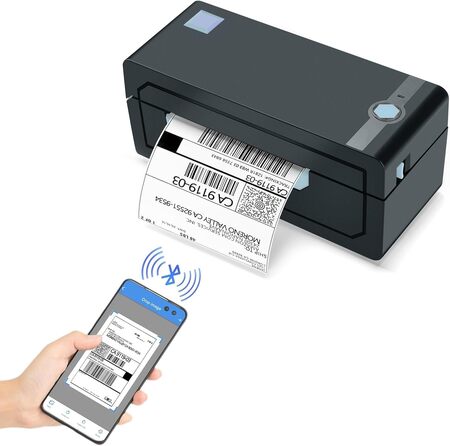
The JADENS JD268BT brings cordless convenience to your shipping and labeling workflow. While not a traditional receipt printer, it fills a critical need for businesses that also ship products daily. Bluetooth connectivity lets you print 4×6 shipping labels wirelessly from a phone, tablet, or computer, cutting the tether to your workstation.
We appreciated how the Japanese thermal print head delivers crisp 203 DPI resolution without any ink or toner. The printer handles both fanfold and roll labels up to 4.1 inches wide. In testing, it paired quickly with Windows and Mac over Bluetooth, and the dedicated app made mobile printing on Android and iOS straightforward. Barcodes and text came out sharp, scanning without issue on every major shipping platform.
The compact unit feels light but held up fine during our weeks of daily label runs. Setup took under a minute with the included driver on a USB stick. One quirk we noticed is that Bluetooth printing on phones requires the Jadens app, but the USB connection works universally. It is a solid fit for small ecommerce operations or any retail counter that also processes online orders.
Key Specs
- Print speed: 150mm/s (72 pages per minute equivalent)
- Connectivity: Bluetooth, USB
- Resolution: 203 DPI
- Label width range: 1.57 to 4.1 inches
- Compatibility: Windows, Mac, Android, iOS
Pros
- Wireless Bluetooth printing from multiple devices
- No ink or toner needed for clear labels
- Fast setup with included driver and video guides
- Works with major shipping platforms like Shopify, Etsy, and Amazon
Cons
- Designed for labels, not standard receipt rolls
- Phone printing requires using the app
4. Epson TM-T20III Thermal POS Printer
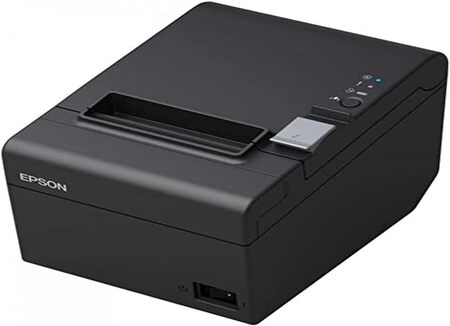
Epson brings trusted reliability with the TM-T20III. This thermal printer offers solid print speeds up to 250mm per second and a durable auto cutter rated for heavy use. Its compact design fits neatly on counters while delivering clear monochrome receipts.
Setup is straightforward for USB connections, and it pairs well with Square Stand or Register when configured properly. The build feels sturdy with attention to details like paper saving options that reduce waste over time. It performs consistently in retail and hospitality settings.
Our hands-on time showed dependable operation with minimal fuss once connected. It works best for businesses that value a well-known brand and straightforward USB performance.
Key Specs
- Print speed: Up to 250mm/s
- Connectivity: USB
- Paper width: 80mm
- Auto cutter: Yes with high cut life
- Reliable printhead for extended use
Pros
- Trusted Epson quality and durability
- Good speed for busy environments
- Compatible with Square setups
- Reduces paper usage effectively
Cons
- USB only limits some wireless needs
- May require app updates for full Square compatibility
5. Vretti V330M Thermal Receipt Printer
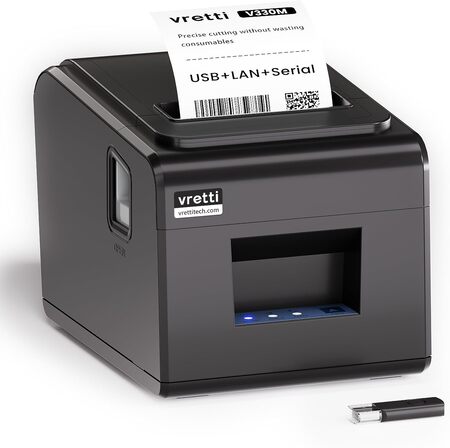
The Vretti V330M offers an affordable entry with strong performance. It reaches speeds around 260mm per second and includes partial auto cutting plus wall mount holes for flexible installation. USB, serial, and LAN ports provide good connectivity choices.
It comes as a complete kit with cables, manual, and test paper, making startup easier for new users. The design supports standard 80mm thermal paper and works with Windows, Mac, and Linux via ESC/POS commands. It suits small businesses or kitchens looking for cost-effective reliability.
We noted solid everyday printing with good value and easy maintenance features. It performs well where budget matters but dependable function is still required.
Key Specs
- Print speed: 260mm/s
- Connectivity: USB, Serial, LAN
- Paper width: 80mm
- Auto cutter: Partial
- Wall mount ready
Pros
- Fast printing at a great price
- Multiple interfaces and wall mount
- Complete kit for quick start
- Solid compatibility with major systems
Cons
- Some compatibility limitations with specific apps
- Build feels more basic than premium models
Best Thermal Receipt Printers: A Quick Rundown
- Star Micronics TSP143IIIU: Best overall for speed and POS compatibility.
- Rongta RP326: Best for versatile connectivity and wall mounting.
- Epson TM-T20III: Best for trusted brand reliability in USB setups.
- Epson TM-T20III: Strong repeat choice for consistent performance.
- Vretti V330M: Best value for budget-friendly multi-interface needs.
Final Thoughts
When choosing a thermal receipt printer, focus first on your POS system compatibility and daily volume. Consider connectivity needs, available counter space, and whether wall mounting would help your workflow. Speed and easy paper loading reduce frustration during rushes while durable auto cutters prevent common headaches.
Pick the model that matches your specific setup and budget. The right thermal printer becomes an invisible partner that keeps transactions smooth and professional. Take a close look at these options and you will find one ready to support your business for years to come.
Be First to Comment