A guest can sound clear across the table and distant on the recording. A lapel mic gives you a way to keep the microphone close to the speaker while leaving the camera where you want it.
The hard part is choosing a mic that fits the way you film. A plug can look right and still need an adapter. A kit can include two mics and give your editor only one channel to work with.
We researched the market, compared wired and wireless options, and selected five picks for common interview setups. Whether you film customer stories on a phone or record conversations for a video podcast, we’ll help you find a mic that fits your gear and editing plans.

How We Selected the Best Lapel Mics for Interviews
We started with a practical question about each setup. What has to happen between clipping the mic onto a guest and getting a usable file? That led us to check how each model connects, what comes in the box, and where the audio gets recorded.
We compared manufacturer documentation with listings for the exact versions featured here. We gave more weight to features that help during a seated conversation, such as recording both voices separately or confirming the mic is connected before the guest starts.
- Device fit: Check the mic input on the gear you already use so you can tell whether an adapter belongs on your shopping list.
- Speaker count: Decide whether you need to mic one guest or capture both sides of the conversation.
- Recording channels: Separate channels let you adjust each speaker’s volume independently in the edit.
- Placement: A compact clip or a longer cable can give you more room to position the mic around different outfits and camera angles.
- Power and backup: Know what needs charging and whether the system can save a second copy during an important interview.
These picks suit different ways of filming. Start with the one that matches how you record most often.
Best Clip-On Lapel Mics for Sit-Down Interviews
We’d start with who needs a mic and what you’ll record them on.
1. Purple Panda Lavalier Microphone Kit
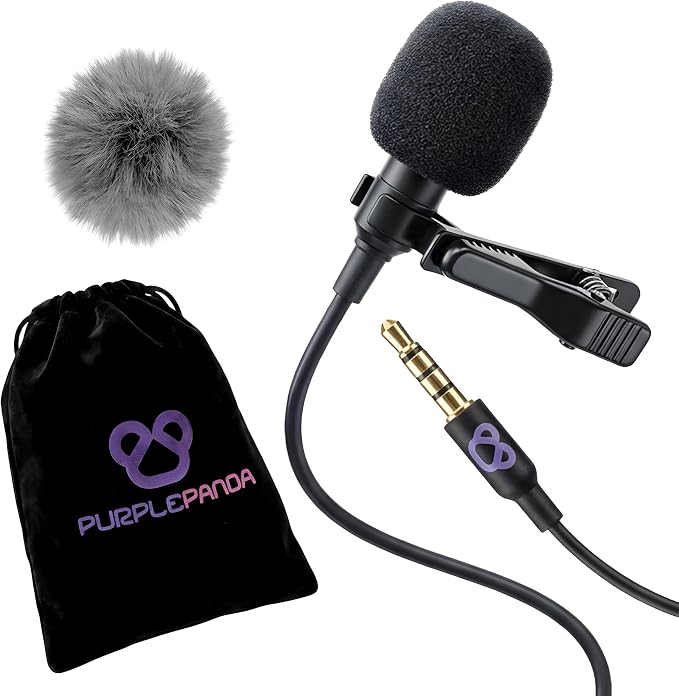
We’d pick the Purple Panda kit for a solo business owner who films one guest at a time with an action camera. Its wired recording setup makes sense when the guest stays seated and you can run a cable between the chair and the camera.
The included extension cord adds 9.8 feet of reach, so you can move the tripod back for a wider shot without pulling the cable taut. The mic also needs no battery of its own, which means one fewer item to charge before a shoot.
We like that the kit supplies a TRS plug adapter for the mic’s native TRRS plug. That gives you a way to match the wiring of a compatible input. It’s useful if you switch between an action camera setup and a recorder with a suitable mic jack.
The catch is that the plug adapter and the camera adapter do different jobs. For instance, the GoPro Media Mod is a separate accessory. Check the mic input for your exact GoPro, DJI, or Insta360 model before counting on this kit for a shoot.
Once you’re connected, we’d clip the mic to the outside of clothing, about six to eight inches below the chin. Leave a little slack near the clip and record a sample while the guest turns toward you, so you can catch any rubbing before the interview.
Who should skip it
- Hosts who want both speakers individually miked using the contents of one kit. This package supplies one lapel mic.
- Crews who need a clear space between the camera and the guest where a cable would be in the way.
2. RØDE Lavalier GO
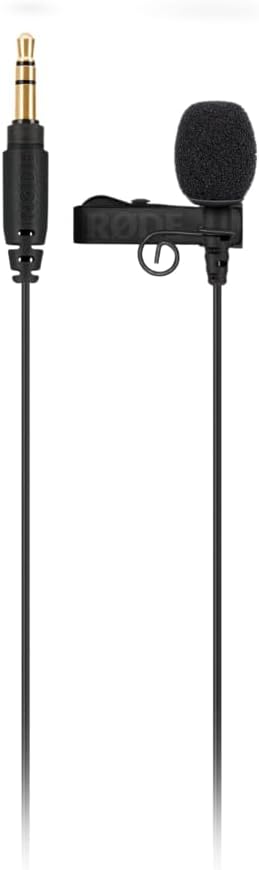
We’d choose the black Lavalier GO for a producer who already owns a compatible wireless transmitter and wants a small mic on the guest’s shirt. Its 3.5 mm TRS plug connects to supported RØDE transmitters, so the bodypack can sit out of the shot.
The 4.5 mm capsule picks up sound from all directions, which gives you some flexibility when placing it on a lapel. We’d still keep it near the guest’s mouth and clear of fabric, especially if they’ll be turning between the host and the camera.
The included clip has built-in cable management, and the cable measures about 47 inches. That gives you room to route it down to a pocket. The supplied foam pop filter is also useful if sharp bursts of breath come through during your sound check.
The main thing to check is the socket. RØDE specifies 2.7 volts of plug-in power, so we’d verify that the input supplies power before relying on a recorder or camera. For direct phone use, check RØDE’s mobile adapter guidance for the connectors your device needs.
Who should skip it
- Anyone building a wireless setup from scratch who expects a transmitter and receiver in the box. You’ll need compatible gear to send the audio wirelessly.
- Phone crews who want a mic that plugs straight into USB-C or Lightning. RØDE’s mobile setup requires adapters or a compatible audio interface.
- Teams that plan to connect directly to a camera across the room. Check the cable length against your seating plan before choosing a wired connection.
3. BOYA BY-V10 V2.0
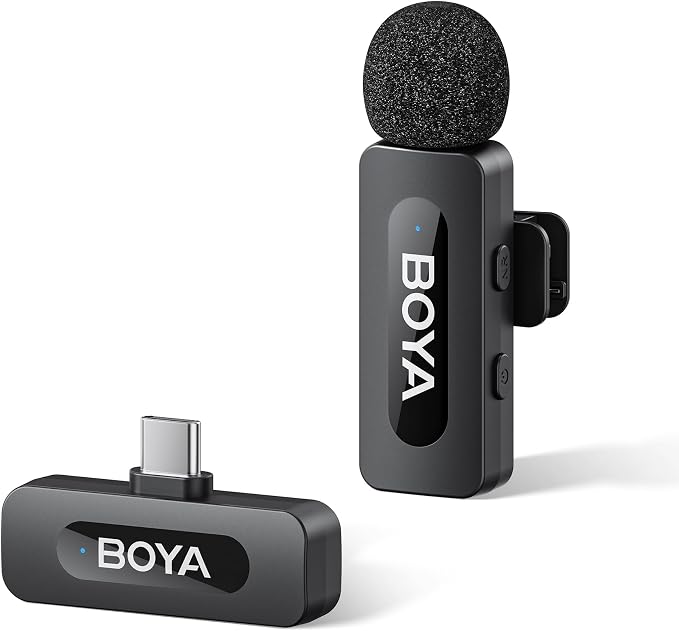
We’d use the BOYA BY-V10 V2.0 for a guest interview filmed on a compatible USB-C phone when the host’s questions will be cut. This version pairs a single clip-on transmitter with a USB-C receiver, so there’s no cable running from the guest to the phone.
The receiver supports charging during recording. If you’re filming several interviews on the same phone, you can connect a power cable to the receiver and charge the phone without unplugging the mic between takes. We’d value that more on a busy shoot than extra wireless range.
The rotating clothing clip gives you some choice about where to attach the transmitter, especially when a guest arrives in a shirt with no lapel. The mic also has a noise reduction button, so you can listen to a sample with the setting on and off.
The tradeoff is the single transmitter configuration. It’s fine if only the guest’s answers make the cut. If the finished piece includes both sides of the conversation, we’d choose a setup that gives the host a mic of their own, too.
BOYA says the transmitter and receiver pair automatically when powered. Before the interview, we’d plug the receiver into the phone, power on the transmitter, and record a few words in the app you’ll use. Play the sample back to check what the app actually captured.
Who should skip it
- Hosts who need two clip-on mics for an interview where both speakers will appear throughout the final video.
- Teams whose main recording device uses Lightning or a camera’s 3.5 mm mic input. This package comes with the USB-C receiver.
4. MAYBESTA Wireless Mini Microphone
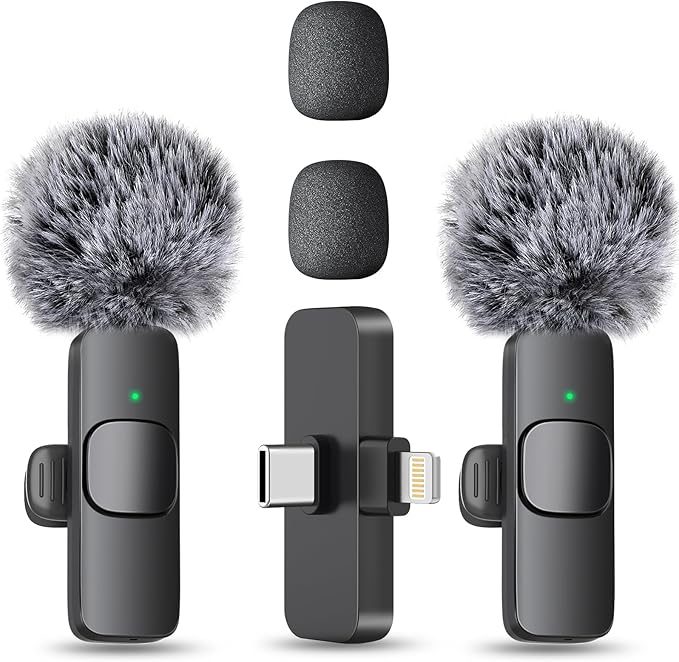
We’d consider the MAYBESTA WM356-1 for a small team that films host and guest conversations on phones with different ports. This package has two clip-on microphones and one receiver, so both people can wear a mic without running cables to the phone.
The receiver has USB-C and Lightning connections. That’s useful when one team member films on a compatible older iPhone and another uses a USB-C phone. We’d still record a short sample on each device and in each app the team plans to use.
The important tradeoff is in the edit. The product listing specifies one recording channel, so we’d treat this as a shared audio feed. If your guest speaks softly and the host speaks loudly, check the balance while both are seated and wearing their mics.
For setup, plug the receiver in and power on the mics. The guide says solid green lights confirm the connection. We’d have each person speak in turn during playback so you can check that you’re hearing both voices before the conversation gets underway.
The guide lists up to six hours of use per mic, and the receiver itself doesn’t need charging. For a day of interviews, we’d charge both mics before the first session and check their status during breaks. Each speaker needs their own powered unit.
Who should skip it
- Editors who need an independent channel for each speaker so they can turn down one voice while leaving the other untouched.
- Camera crews who need a receiver that plugs into a 3.5 mm mic jack. The listed receiver connections are USB-C and Lightning.
5. RØDE Wireless GO (Gen 3)
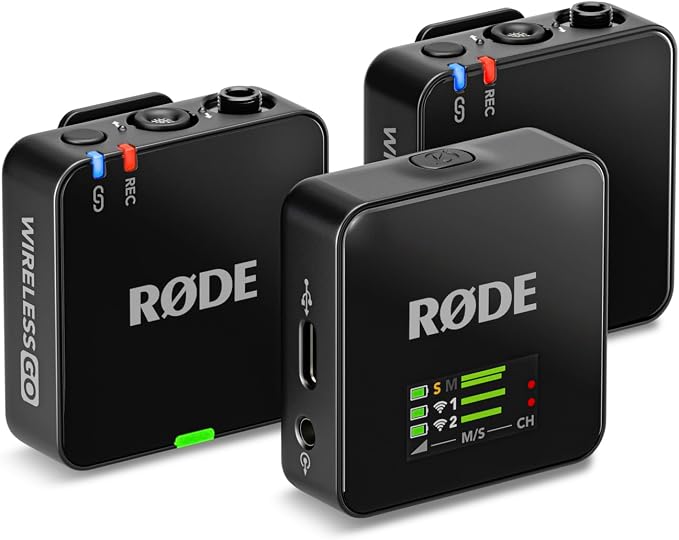
We’d pick the RØDE Wireless GO (Gen 3) for a two-person video podcast or a client interview that would be hard to reshoot. It pairs two clip-on transmitters with one receiver, and each transmitter has its own built-in mic.
For editing, Split mode gives each speaker a separate output channel. That lets you adjust the guest’s level without changing the host’s when your device records both channels. We’d verify the separation in a short recording before starting a session.
Each transmitter can also record a local backup in 32-bit float. If the wireless feed drops briefly, you can use that file to patch the gap. The format gives you room to adjust levels in editing and applies to the files saved on the transmitters.
We’d verify the charging hardware before ordering. The retail listing title mentions a charging case. RØDE’s standard kit contents specify a charging rail and an accessory case, and the manufacturer lists the battery-powered Charge Case+ separately. Confirm which case the seller ships if you need it.
Before recording, we’d use the transmitter’s record button or enable Always recording mode in RØDE Central. Check for the red recording light on both units. If you end up using the backup, plan time to copy the files and sync them with your footage.
Who should skip it
- Solo phone creators who want a direct plug-in kit and have little use for separate channels or backup files.
- Crews that need tiny wired capsules on both speakers right out of the box. The transmitters have built-in mics, and separate lavaliers are sold separately.
How These Lapel Mics Compare
Use the table to match each mic to the gear you bring and the way you plan to edit.
| Product | Best for | Key feature | Main limitation |
|---|---|---|---|
| Purple Panda Lavalier Microphone Kit | One guest on an action camera | 9.8-foot extension cord | Requires a compatible camera mic input |
| RØDE Lavalier GO | Crews with compatible transmitters | Small 4.5 mm capsule | Requires plug-in power |
| BOYA BY-V10 V2.0 | One guest on a USB-C phone | Phone charging during recording | One transmitter |
| MAYBESTA Wireless Mini Microphone | Phone teams using both port types | USB-C and Lightning receiver | One recording channel |
| RØDE Wireless GO (Gen 3) | Two speakers edited independently | Separate channels and local backups | Charging case contents need confirmation |
Final Thoughts
We’d choose based on how you’ll use the finished interview. A short customer testimonial may need only the guest’s answers. A full conversation gives you more reason to plan for both voices, especially if different people will record and edit the footage.
Within your budget, count the accessories you’ll need and give some thought to where the guest and camera will sit. Once you’ve chosen a mic, make your first recording a short rehearsal in the actual room. Listen to it before the guest arrives.
Be First to Comment