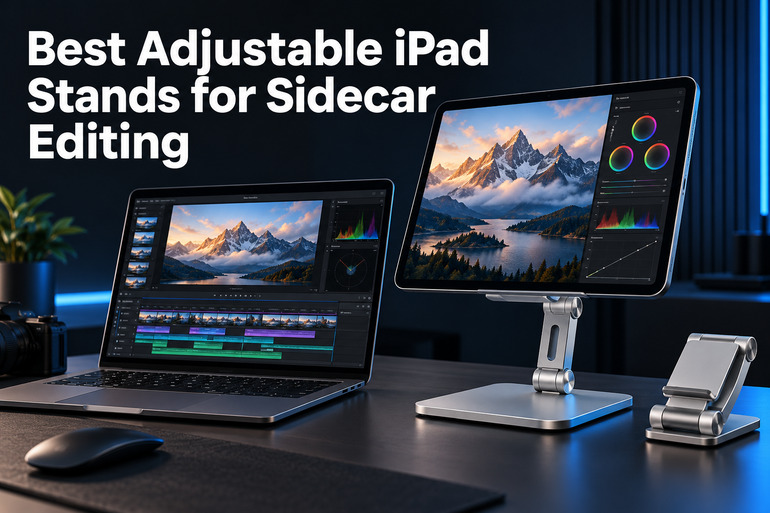
An iPad can give your editing workspace extra breathing room, but finding a comfortable place for it takes thought. With Apple’s Sidecar feature, we can extend a compatible Mac desktop onto an iPad, keeping another window within reach while we work.
Choosing a stand gets confusing when similar designs promise different kinds of adjustment. We need to look beyond the photos: tablet fit, case clearance, and screen position matter, especially when a small business desk already holds a keyboard, mouse, and other essentials.
We examined the category, researched the market, and compared these five options to identify their strongest uses and important limits. Our recommendations explain which designs deserve consideration for your setup, including one phone stand whose narrow compatibility makes it a conditional choice.
How We Selected the Best Adjustable iPad Stands
We focused on the practical job of positioning an iPad beside a Mac for editing, reviewing documents, and keeping reference material visible. Our assessment draws on published product information and Apple’s guidance, rather than personal testing or unsupported promises about productivity.
We also checked model details against the linked products. That matters because a stand’s physical compatibility does not establish Sidecar compatibility, and a broad tablet claim does not tell you whether your case or preferred screen position will work.
- Tablet fit: Your exact iPad size should fall within the stand’s stated limits.
- Useful adjustment: Tilt and height options should suit where you want your second screen.
- Case clearance: Published cradle or bracket measurements help you avoid an awkward fit.
- Support design: Bases, contact pads, and holders deserve attention before you trust them with your tablet.
- Daily handling: Consider whether you regularly remove the iPad, change its position, or pack the stand away.
- Clear limitations: Missing measurements matter when your workspace needs a precise fit.
These options offer different approaches worth considering. We explain the tradeoffs below so you can choose with fewer assumptions.
Best Adjustable iPad Stands for Sidecar Editing
We would start with your iPad’s dimensions and the position you want beside your Mac. Those two details make the following choices much easier to assess.
1. Lamicall iPad Stand Adjustable Tablet Holder, Sturdy Aluminum
We see the Lamicall as a sensible option for writers, consultants, and solo business owners who want a straightforward desktop holder for a secondary screen. Its appeal is a simple resting cradle, particularly when your iPad frequently moves between desk work and other tasks.
The product specifications describe support for devices from 4 to 13 inches, adjustable viewing angles, and vertical or horizontal placement. For our purposes, that makes it worth considering when screen tilt matters more than a precisely measured rise above the desk.
Lamicall also specifies an 18 mm opening for the supporting hooks. We appreciate having a concrete measurement: you can check the combined thickness of your tablet and case instead of treating a general iPad compatibility claim as a guarantee of fit.
Its metal construction and rubber contact pads are useful design details, although they do not establish how firmly every iPad will sit during editing. We would assess this mainly as a viewing support, without assuming it is a drawing surface.
For devices larger than 12 inches, Lamicall’s placement guidance recommends horizontal positioning if stability is an issue. We would follow that advice, then check the screen’s position from your usual seat before deciding whether this style suits your daily work.
A few things to note:
- Skip it if your tablet and case exceed the stated 18 mm clearance; we would measure any raised grip or cover that must pass into the hooks, too.
- If your desk requires an exact screen height, we would confirm that measurement before ordering. Adjustable tilt alone does not establish that the iPad will align with your Mac display.
2. Nulaxy Height Angle Adjustable Phone Stand for Desk
We would consider the Nulaxy T1 only for someone using a small, compatible iPad mini as an occasional Sidecar screen. Nulaxy’s official product listing identifies this ASIN as a phone stand for devices measuring 4 to 8 inches, which sharply limits its relevance.
Its height adjustment runs from 6.3 to 9 inches, while the holder plate adjusts from 10 to 45 degrees. We like that both ranges are stated, giving you useful figures to consider before choosing a position beside your computer.
The support construction combines an aluminum alloy rod, weighted metal base, rubber cushioning, and an opening for a charging cable. Those details explain the design, but we would not stretch its small device rating to accommodate a larger iPad simply because it appears to balance.
Before buying, we would check both the stand’s size limit and Apple’s supported iPad list, which begins at the fifth generation for iPad mini. That generation falls within this stand’s advertised size class; the general “iPad mini” wording should not replace checking your model.
Notes of caution:
- Skip this option for an iPad larger than 8 inches. We would not assume that an 8.3 inch mini or a full size iPad is covered by a listing that stops at 8 inches.
- An older mini that physically fits may still lack Sidecar support. We would verify the generation before buying a stand specifically to extend your Mac desktop.
- If you need a published tablet weight limit or confirmed case clearance, ask for those details first. We could not verify either measurement in Nulaxy’s listing for this model.
3. Nulaxy Dual Adjustable Foldable iPad Stand
We would shortlist the Nulaxy A5 for freelance editors and business owners who want a tablet holder they can put away between sessions. The official model listing connects this ASIN to the A5, helping distinguish it from Nulaxy’s smaller phone stands.
Its main attraction is two adjustable joints, which lets you change height and angle. We see that flexibility as useful when experimenting with the iPad’s position beside a laptop, particularly if your working arrangement changes between desks or rooms during the week.
Nulaxy specifies an aluminum alloy body and a fully folding design for devices from 4 to 14 inches. We value that combination for packing away a second screen setup, though a stated size range cannot establish every tablet and case combination’s fit.
The limitation is measurement detail. We could not verify a maximum load, case clearance, or numerical height range in the manufacturer description. If your editing station needs a particular screen height, we would get that confirmed before treating the A5 as a match.
For longer sessions, Apple’s connection guidance recommends connecting the iPad directly to the Mac with its USB charge cable to keep it charged. We would plan that connection alongside the stand’s placement, leaving the screen where you can comfortably review your work.
A few cautions:
- If you use a bulky protective case, we would confirm cradle clearance before ordering. The published screen size range does not answer that separate fit question for your setup.
- If your main task involves sustained Pencil pressure, we would seek specific confirmation of suitability first. We found no published load or pressure rating that establishes this model as a dedicated drawing support.
4. UGREEN Tablet Stand Holder for Desk Dual Rod Support Aluminum
We would consider this UGREEN stand for an editor who wants an adjustable desktop support that also folds away. The current product listing identifies the silver dual rod version, so we would check that design when choosing among similarly named UGREEN accessories.
The dual rod structure uses two metal supports, and the description specifies joints for adjusting height and angle. We like this arrangement as an option for refining screen placement, although the construction alone does not prove superior stability under every tablet load.
UGREEN lists silicone contact padding and rubber feet, along with an aluminum alloy structure and folding design. These are relevant details for a stand you expect to handle regularly. We would still check the seated tablet before starting a session or changing its position.
There is a compatibility wrinkle: the listing details say 4 to 13 inches in the feature bullets but refer to 12.9 inches elsewhere. We would confirm the exact fit for a 13 inch iPad instead of assuming those descriptions are interchangeable.
For Sidecar editing, our priority would be an easy view of the second screen while using the Mac’s controls. We would choose the working position first, then assess whether the stand’s adjustment suits it, particularly when the iPad is intended to hold reference windows.
A few things to note:
- For a 13 inch iPad, confirm compatibility with the seller because the listing contains different upper size descriptions.
- We could not verify an exact maximum load or cradle clearance; confirm both if your case adds substantial bulk or weight.
- If you need a precise screen elevation, obtain the usable height range before ordering rather than relying on adjustable product photos.
5. AboveTEK Elegant Tablet Stand, Aluminum iPad Stand Holder
We would consider the AboveTEK TS-129S for a fixed office desk where the iPad often stays mounted. Its bracket holder design makes it worth examining when you prefer a supported mount around the tablet rather than simply resting it on a lower ledge.
AboveTEK’s adjustment description specifies a rotating cradle and a bracket that changes viewing angle. We see the practical attraction in positioning the tablet for different tasks, although your preferred editing arrangement should determine the position rather than the stand’s promotional images.
The most useful detail is its holder expansion range: 5.6 to 7.5 inches for one holder and 7.2 to 9.1 inches for the other. We would measure the tablet edge that the bracket grips, including its case, before choosing this model.
AboveTEK also describes an aluminum alloy base and a cable cutout in the neck. We appreciate the provision for cable organization on an editing desk, but would still plan the cable path around the tablet’s port and the position of the Mac.
The drawback is inconsistent sizing language: the manufacturer description mentions both 6 to 13 and 7 to 13 inch devices. We would use the actual bracket measurements as the starting point and request confirmation wherever your tablet’s dimensions or case make the fit uncertain.
Notes of caution:
- Skip it if the tablet edge you intend to grip falls outside both stated bracket ranges. A familiar iPad model name is not enough to establish compatibility with the holder.
- If you regularly move the iPad between this stand and a keyboard case, we would consider whether releasing and refitting a bracket suits that routine before committing to this mounting style.
Final Thoughts
We would choose an adjustable iPad stand by checking physical fit first, then deciding how much movement your workspace needs. Case clearance, useful screen height, and the way you remove or reposition the tablet matter more than broad claims about universal compatibility.
Next, match those requirements to your business needs, available desk space, budget, and editing habits. We favor clear specifications and a setup you can arrange without guesswork. Choose the stand that fits the work you actually do.
Be First to Comment