It is difficult to deliver a polished video when you keep looking down to read notes or stop to remember the next line. An iPad teleprompter can keep your script close to the camera without forcing you to memorize every sentence.
Choosing one is not as simple as picking the largest holder. Tablet dimensions, camera placement, mirror compatibility, remote controls, and software support all affect whether a setup works in your home office, classroom, or small studio.
We examined current product information, compared practical trade-offs, and selected five options for different recording setups. This guide highlights where each one works well, what to verify before buying, and which limitations could make it the wrong fit.
How We Selected the Best iPad Teleprompters
We first checked whether each model genuinely supports an iPad-based workflow. Then we compared tablet fit, camera alignment, script readability, control options, and how practical each design is for repeat recording.
Manufacturer documentation came first, with retailer listings used when brand specifications were unavailable. Where compatibility was unclear or contradicted the intended use, we highlighted that limitation instead of treating a marketing label as proof.
-
Device fit: Check your iPad’s dimensions, including its case, against the holder’s stated limits.
-
Script readability: We considered glass size, text reflection, and reading distance for different recording spaces.
-
Camera alignment: A suitable mount helps keep the script close to the lens for more natural eye contact.
-
Control options: Compatible remotes and apps make it easier to adjust scrolling without interrupting a recording.
-
Setup and storage: Foldable designs, carry cases, and quick-release mounts can simplify repeated shoots.
-
Verified compatibility: We distinguished confirmed iPad support from products intended for computer-based workflows or devices with unclear specifications.
These criteria help us identify practical choices for different creators rather than relying on feature lists alone. Below, we explain the strengths and limitations worth considering before you buy.
Best iPad Teleprompters for Script Reading
Our selections cover dedicated optical teleprompters, a portable tablet-based option, a dual-device stand, and a built-in-screen alternative. The right choice depends on your iPad model and how you record.
1. NEEWER Teleprompter X14 III with RT113 Remote/App Control
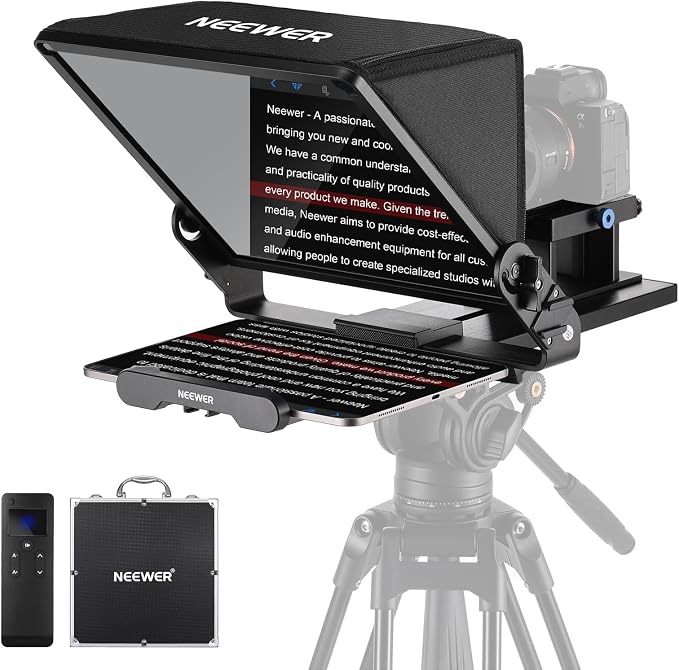
The NEEWER X14 III suits educators, consultants, and small-business creators who record longer scripted videos with an iPad and a dedicated camera. Its 14-inch beam-splitter glass reflects text near the lens, helping you read while keeping your gaze on the audience throughout a take.
NEEWER specifies 75% light transmission and a reading range of up to 10 feet in its official specifications. That distance can help when your camera sits several feet away, while the glass’s 45-degree tilt provides a practical viewing angle without forcing you to look sharply down.
Its included RT113 Bluetooth remote pairs with the NEEWER Teleprompter app for play and pause, scrolling-speed changes, page turns, and font-size adjustments. Those controls are useful during solo recording because you can change the pace without reaching over the camera or interrupting your delivery.
The foldable frame simplifies transport and storage, and the supplied carry case protects the unit between shoots. A quick-release plate fits Manfrotto 501PL plates, while 1/4-inch, 3/8-inch, and cold-shoe mounting points can accommodate compatible accessories for a more complete recording setup.
The main trade-off is the footprint: the 14-inch glass, camera, and tripod need stable space, and your tablet must fit the holder’s width limit. Follow the manufacturer’s setup guidance and check camera clearance, script focus, tilt, and stability before filming.
A few cautions:
-
Check whether your tablet fits the holder’s stated maximum width of 8.7 inches.
-
Confirm your tripod and camera mounting arrangements before setting up the complete rig.
-
Consider the space required for the glass, camera, and supporting equipment.
2. NEEWER Basics X12B Aluminum Alloy Teleprompter 12
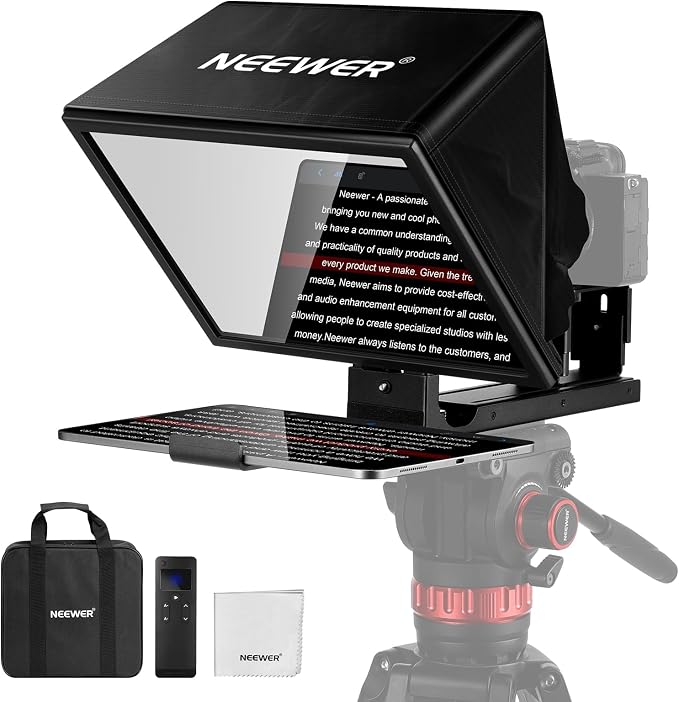
The NEEWER Basics X12B suits tutors, coaches, and small-business owners recording scripted content with an iPad and a separate camera. Its 12-inch beam-splitter glass reflects text toward the lens, while the aluminum-alloy body is designed to fold for storage between shoots at home or in a small studio.
The manufacturer says the unit opens without assembly, includes a carry bag, and uses an adjustable hood to help reduce glare. It lists a reading distance of up to 10 feet and 75% light transmission in its product specifications, helping you assess whether the viewing area suits your recording space.
The included RT113 remote works with the NEEWER Teleprompter app to start or pause scrolling, change speed, move between pages, and adjust font size. The app supports iOS and Android, allowing you to control your script from a compatible tablet instead of repeatedly touching the screen during a take.
Fit is an important consideration. NEEWER specifies tablet dimensions up to 9.84 by 8.68 inches, explicitly excludes the 12.9-inch iPad Pro, and requires camera lenses with a focal length greater than 28 mm. Its compatibility guidance also excludes wide-angle lenses.
The appeal is straightforward operation without a complicated assembly process. However, the X12B is intended for a separate camera while the phone holder displays text only. Check the included equipment and manufacturer’s directions before recording, especially if you use a larger iPad or an unusual lens.
A few things to note:
-
Skip it if you need support for the 12.9-inch iPad Pro.
-
Check compatibility if your camera uses a wide-angle lens.
-
Remember that the mounted phone is for displaying the script, not recording video.
3. Glide Gear TMP 100 Teleprompter for DSLR, Tablet, and Smartphone
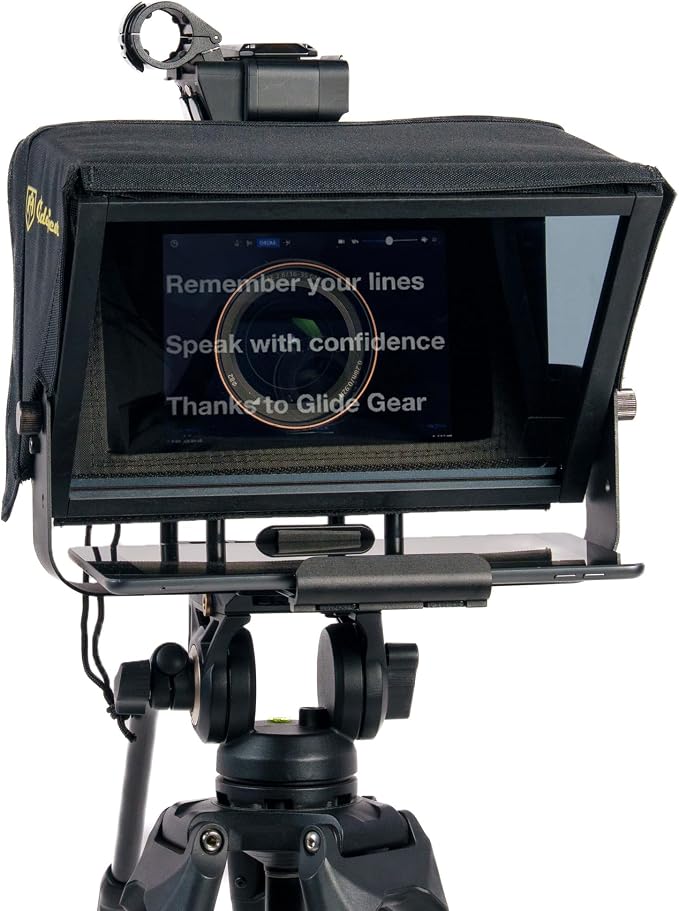
The Glide Gear TMP 100 suits solo creators, tutors, coaches, and small-business owners who record with a DSLR or smartphone while reading an iPad script. Its traditional beam-splitter design places reflected text near the lens, helping you keep your gaze camera-facing during scripted videos.
Check fit first. Glide Gear lists a maximum device size of 10.5 by 8 inches, names iPad Air, mini, and standard iPads as compatible, and explicitly excludes iPad Pro in its compatibility details. Measure your tablet with its case attached before placing an order.
The collapsible body and adjustable glass angle help pack the unit away between shoots and align the reflection with your camera. A protective hood reduces glare, and the carry bag supports transport; the frame also provides tripod and accessory mounts for lights or microphones, according to the manufacturer’s product information.
The TMP 100 does not include its own prompting app, so you will need software that supports mirrored text before loading your script. This can be useful if you already have a preferred app, but it adds a setup step for creators who are new to optical teleprompters.
For best results, follow the manufacturer’s setup guide and use the included offset adapter if you plan to prompt from a phone. Adjust the glass angle, secure the camera position, and test focus before recording. Measuring your setup twice is worthwhile before ordering.
A few cautions:
-
iPad Pro owners should look elsewhere because the listed compatibility excludes those models.
-
Creators who want an included teleprompter app will need separate software.
-
People using tablets larger than the stated dimensions should check fit first.
4. Large Screen Teleprompter Holder for Tablet and Phone with 70.8-Inch Tripod
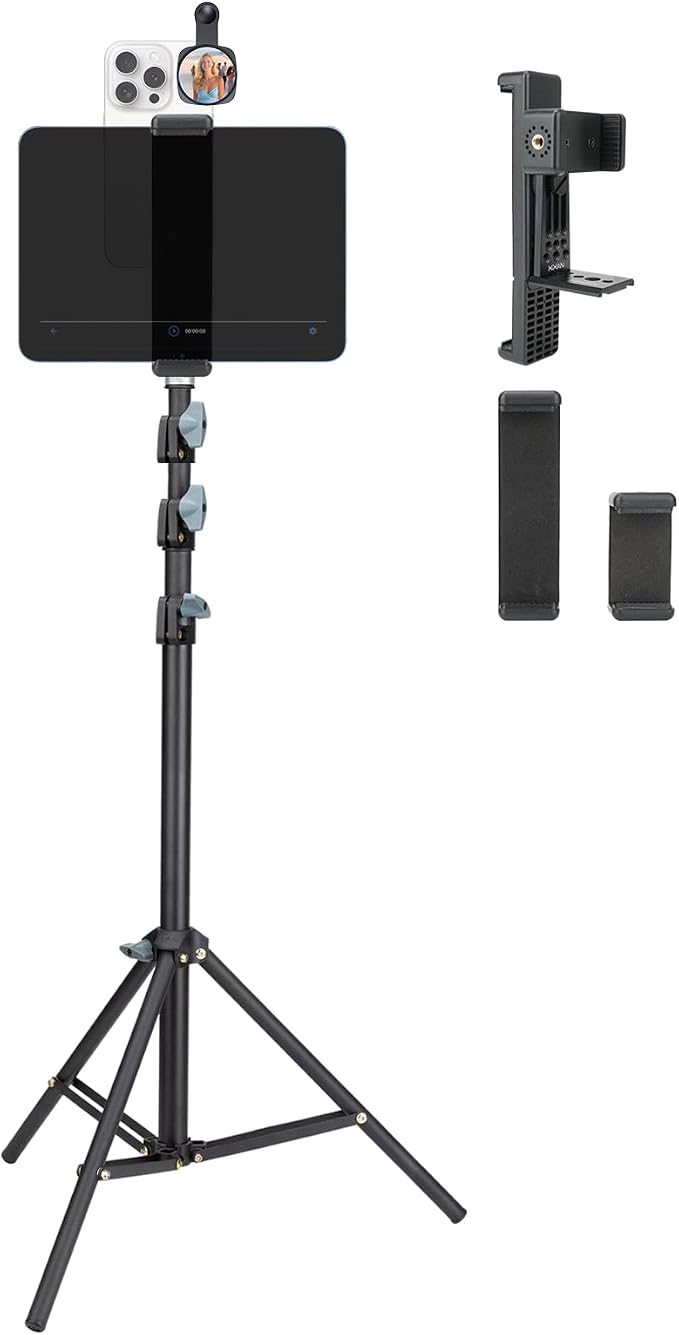
The Xixan tablet-and-phone holder is aimed at creators who need an adjustable-height, dual-device stand for livestreams, talking-head clips, or demonstrations. Its clearest documented feature is the telescoping tripod, which adjusts from 20.5 to 70.8 inches, giving seated or standing presenters more flexibility in positioning their devices.
The retailer describes an aluminum-alloy frame, anti-slip clamps, a stated weight of about 1.2 kilograms, and three clamp sizes for devices between 2.2 and 8.7 inches. Its listing details also describe a dual-device arrangement that can help when a tablet supplies notes while a phone handles recording.
We would treat compatibility as something to verify rather than assume. The listing title names tablets and phones, but its detailed specification field identifies smartphone compatibility, and it does not clearly document the optical beam-splitter glass found on traditional teleprompters. Review the available product information before relying on it for eye-line prompting.
That makes it best viewed as a flexible two-device mount unless the seller confirms it supports the exact prompting method you need. The adjustable height and clamp selection may suit creators filming at a desk, presenting while standing, or streaming from a wider setup, provided the devices remain correctly aligned.
Before ordering, confirm whether the tablet can sit at the correct eye line without obscuring the camera, whether your iPad fits the clamp, and which accessories arrive in the box. Because the available specifications are limited, we recommend checking the current listing carefully before purchase.
A few things to verify:
-
Ask the seller to confirm tablet compatibility and the intended prompting arrangement.
-
Check whether the product provides the optical text reflection you require.
5. Elgato Prompter with Built-In Screen
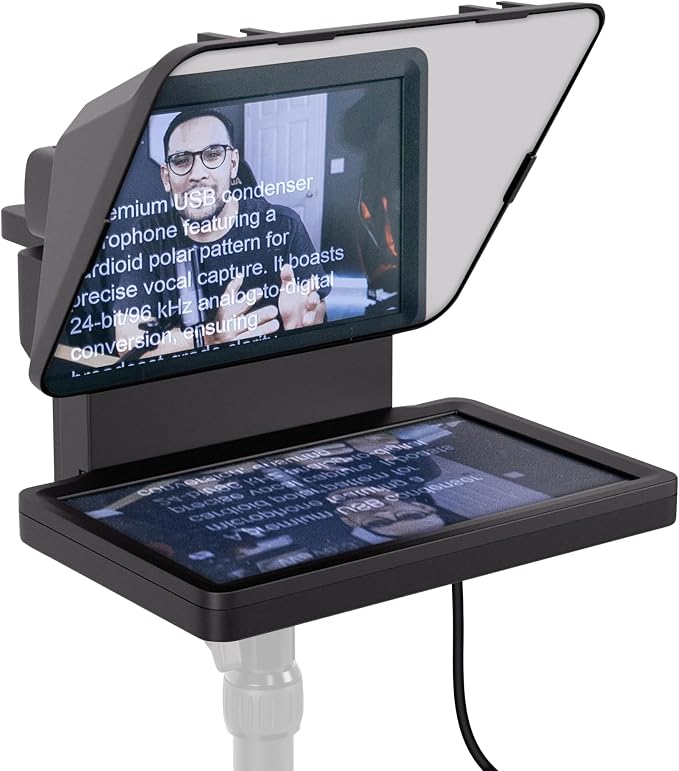
The Elgato Prompter is best for creators who record from a Windows PC, Mac, or supported Android device and want a built-in prompting display rather than using an iPad as the script source. Its integrated 9-inch screen can show text, apps, and windows through computer-driven software, making it relevant to desktop recording.
That integrated display simplifies a computer-based workflow because you do not need to position a separate tablet behind the glass. Elgato specifies 1024-by-600 resolution, 400-nit brightness, USB connectivity, and 70/30 beam-splitter glass in its official specifications. The unit weighs approximately 690 grams without accessories, making it relatively compact for a desk setup.
Elgato lists a recommended reading distance of up to six feet for this model, positioning it toward desk recording rather than large-stage presentations. Standard mounting threads support compatible tripods, desk stands, and microphone arms. You should still confirm your camera’s dimensions and lens clearance against the manufacturer’s specifications.
The critical caveat for this guide is compatibility. Elgato explicitly says the Prompter does not support iOS or iPadOS, so you cannot connect an iPad or iPhone and use it as the script source. Its system requirements specify Windows 11, macOS 13.3 or newer, and Android 11 or newer for display use.
For a computer-based creator, its built-in screen and app display can be convenient. For an iPad-only creator, however, those features do not solve the core requirement. Check the official compatibility guidance against your operating system before deciding whether this model suits your workflow.
A few cautions:
-
Skip it if you need to display scripts directly from an iPad or iPhone.
-
Avoid it if your recording setup does not include a supported computer or Android device.
-
Check camera and lens dimensions before committing to the mounting arrangement.
Final Thoughts
For the best result, match the prompting system to your actual recording chain. Tablet size, camera type, lens clearance, reading distance, and remote controls can matter more than headline screen size. Confirm device compatibility before ordering, especially when your iPad is a Pro model.
We recommend treating unclear listings as a reason to verify rather than guess. Choose an optical glass unit for direct eye-line reading, or a supported built-in display for computer-led work. The right setup should help you speak naturally without adding friction to every recording.
Be First to Comment