Poor laptop audio can make even a productive video call frustrating. When clients, colleagues, or classmates struggle to hear you clearly, it becomes harder to communicate confidently. A dedicated USB microphone can help improve voice capture without requiring a complicated recording setup.
The trouble is that choosing one isn’t always straightforward. Some microphones focus on simplicity, while others add monitoring, noise processing, and recording features that you may never use. With so many options promising excellent sound, figuring out which features actually matter for your workspace can quickly become overwhelming.
We examined the category, researched the available options, and compared five microphones that stand out for different meeting needs. Our guide breaks down their useful features, practical limitations, and ideal users, helping you choose a microphone that fits your daily routine rather than paying for capabilities you don’t need.

How We Selected the Best USB Microphones for Video Calls
We focused on microphones that make everyday communication easier, particularly for remote workers, entrepreneurs, students, and small business owners. We checked manufacturer documentation for pickup patterns, connection options, physical controls, and included accessories, paying particular attention to what you can use immediately without additional equipment.
We also considered the realities of working from home or a shared office. A microphone needs to fit your desk, suit your surroundings, and remain convenient during back-to-back meetings. We distinguished basic USB functionality from features that require companion software, and we avoided treating technical specifications as guarantees of superior call quality.
- Call-focused pickup: We considered how each microphone captures voices, helping you choose an option suited to solo calls or shared conversations.
- Simple setup: Direct USB connectivity makes getting started easier, especially when you want to avoid unnecessary cables and additional hardware.
- Mute and monitoring: Convenient mute controls and headphone monitoring can make meetings less awkward and help you manage your audio.
- Room and desk fit: Compact designs, suitable stands, and directional pickup can make a difference in smaller workspaces.
- Software requirements: We considered which functions work straight out of the box and which require companion applications.
- Room to grow: Additional processing and XLR connectivity may be worthwhile if you expect to expand into podcasting or video production.
These five microphones offer different levels of control, from straightforward desk setups to more advanced recording options. We start with the most practical considerations and explain where each model fits best.
Best Plug-and-Play USB Mics for Video Calls
The right microphone depends on how you work, where you take calls, and how much control you want over your audio. Here’s what makes each of our picks worth considering.
1. Logitech for Creators Blue Yeti Nano USB Microphone for Gaming
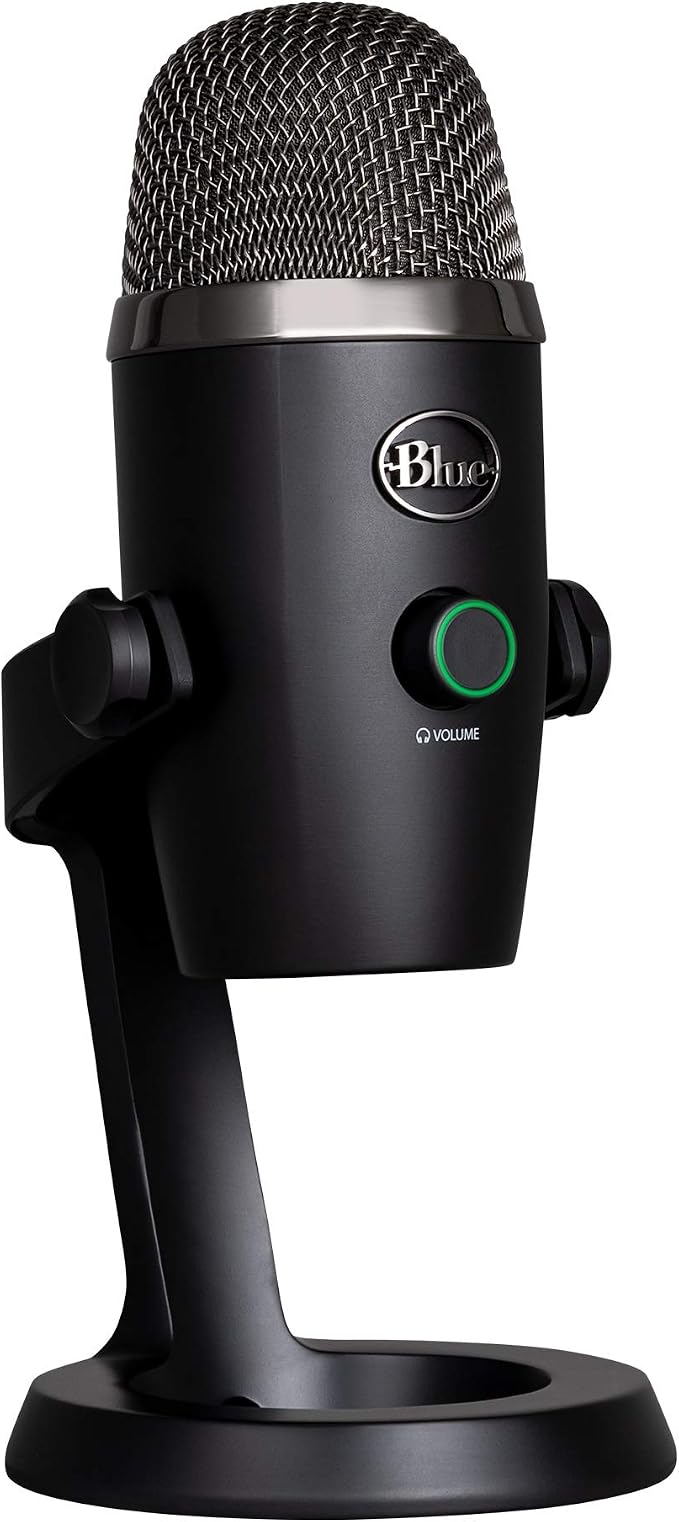
The Blue Yeti Nano is a sensible choice for solo professionals who want a compact desktop microphone for client meetings, webinars, and everyday video calls. Its included metal stand keeps the setup simple, making it easier to add dedicated audio without filling your desk with extra equipment.
One of its biggest advantages is the choice between cardioid and omnidirectional pickup. According to Logitech’s official specifications, cardioid mode focuses on sound from the front, while omnidirectional mode captures sound from multiple directions. This gives you flexibility for individual calls or small group discussions.
The microphone connects to your computer over USB and includes a headphone output for direct monitoring. Its on-mic controls let you manage mute, pickup patterns, and volume without constantly switching between applications. Logitech also supports basic setup without requiring a separate driver installation on compatible computers.
For everyday meetings, start with cardioid mode and position the microphone reasonably close to your mouth. Select it as your audio input in your preferred meeting app. Blue VO!CE adds options for adjusting your voice, but those features require Logitech G HUB, as explained on the manufacturer’s product page.
The main limitation is that changing pickup patterns cannot eliminate background noise or compensate for poor microphone placement. If nearly all your calls involve one person speaking at a time, you might rarely use omnidirectional mode. Still, the Yeti Nano offers a useful balance of convenience and flexibility for a dedicated home-office microphone.
Who should skip it:
- Consider another model if you specifically need a USB-C connector at the microphone end.
- Skip it if you expect a microphone alone to eliminate loud conversations or other room noise.
- A simpler, smaller option may suit you better if your laptop already provides satisfactory call audio.
2. Razer Seiren V3 Mini USB Microphone
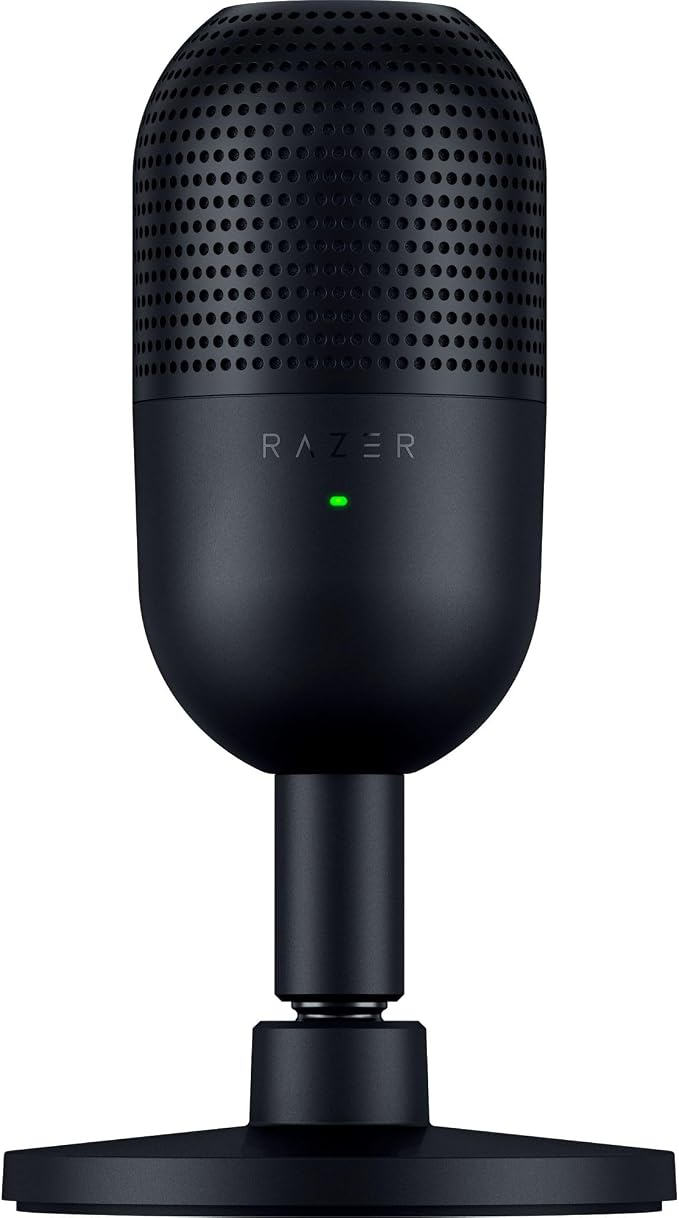
The Razer Seiren V3 Mini suits remote workers, students, and solo creators who want a small microphone with straightforward controls. Its compact design fits comfortably beside a laptop, while the official product details explain how the tiltable stand can accommodate different desk positions or be detached for use with a compatible boom arm.
Inside, a 14 mm condenser capsule works with a supercardioid pickup pattern. Razer describes this directional design in its manufacturer specifications. The pattern emphasizes sound from the front, which can help keep attention on the speaker when other sounds occur nearby. Placement and room acoustics still matter, however.
A standout feature is the top-mounted touch-to-mute sensor. The mute control and LED indicator make it convenient to silence yourself quickly and check your microphone’s status at a glance. That’s particularly useful during busy workdays when you may need to cough, answer someone nearby, or briefly step away from a meeting.
Getting started is straightforward: connect the USB cable, select the microphone in your computer’s audio settings, and choose it in your meeting application. Razer says standard use doesn’t require Synapse or separate driver installation. The optional software unlocks additional settings, lighting controls, and audio-mixing features through the official setup information.
The main compromise is its focus on a single speaker. Supercardioid pickup does not guarantee that keyboard sounds, nearby conversations, or other distractions will disappear. The microphone is also less suitable for a team gathered around one laptop, especially when everyone needs to speak from a different direction.
Who should skip it:
- Choose another microphone if you need multiple pickup patterns for different meeting arrangements.
- Check compatibility before buying if your main call device is a phone or tablet.
- Look elsewhere if you need advanced audio controls without installing optional software.
3. RØDE NT-USB+ Professional-Grade USB Condenser Microphone
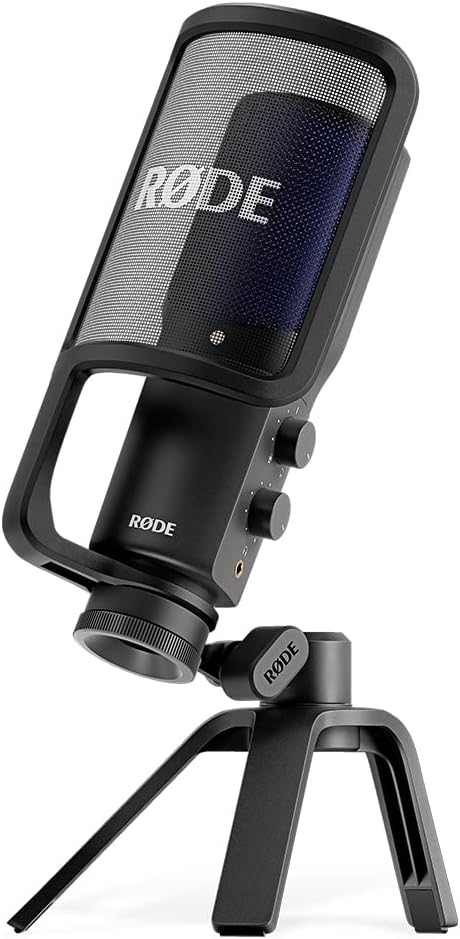
The RØDE NT-USB+ is worth considering for professionals who want a microphone for meetings but also plan to record presentations, tutorials, webinars, or other content. It offers a more recording-focused setup, with a desktop-friendly design that doesn’t require a separate audio interface for basic USB connectivity.
Its cardioid condenser capsule emphasizes sound arriving from the front, while USB-C supports connection to compatible computers and mobile devices. RØDE’s official specifications list 24-bit, 48 kHz audio conversion. These specifications provide useful recording flexibility, although higher recording figures alone don’t guarantee better-sounding video calls.
The included desk stand and detachable pop filter help you get started without immediately shopping for extra accessories. A 3.5 mm headphone output provides zero-latency monitoring, and the microphone includes controls for managing your listening experience. The manufacturer’s product information outlines these features and the available connection options.
If you want more control over your voice, compatible RØDE software provides access to APHEX processing, including Aural Exciter and Big Bottom. You can explore these options through the available software features, but they aren’t necessary for basic plug-and-play operation. That makes the microphone useful for people whose needs extend beyond video meetings.
Its main drawback is that a condenser microphone can capture unwanted room sounds when placement and surroundings aren’t ideal. Keep it close enough to capture your voice clearly, and avoid positioning it beside noisy equipment. Mobile users should also check their device’s connector, since some Lightning connections require a separate compatible cable.
Who should skip it:
- Skip it if you only need a basic meeting microphone and won’t use its recording or monitoring features.
- Check your device’s connection requirements before planning to use it with a phone or tablet.
- Consider a smaller option if you have very limited desk space.
4. Shure MV7+ USB-C & XLR Podcast Dynamic Microphone
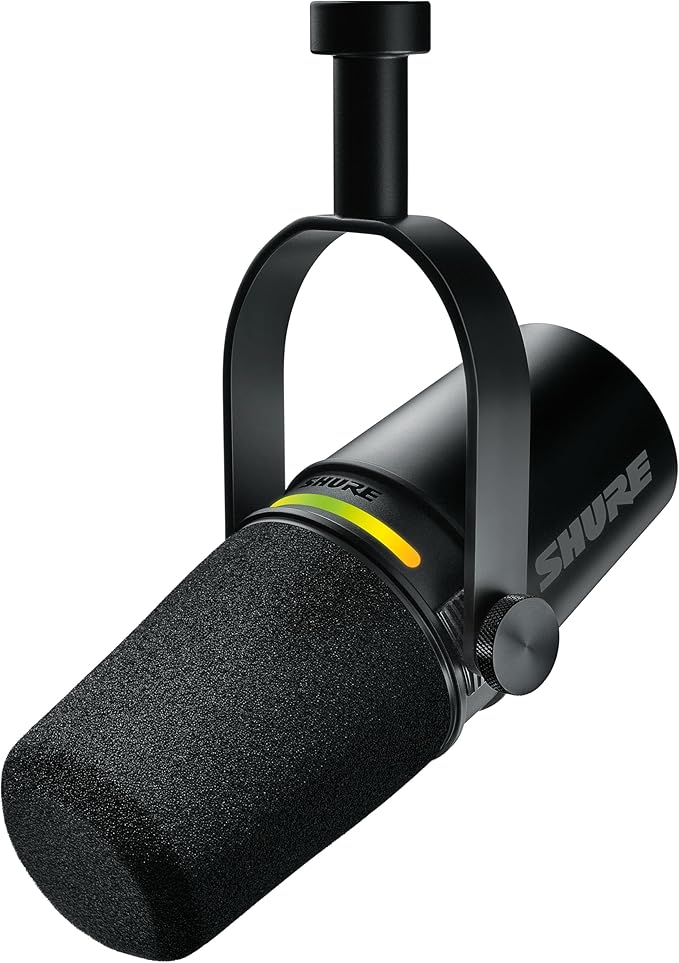
The Shure MV7+ is best suited to professionals who spend considerable time on calls and also create podcasts, interviews, presentations, or tutorials. Its directional dynamic design and built-in processing offer more control than a basic desktop microphone. Shure’s official product documentation provides details on its recording features and connections.
One advantage is its combination of USB-C and XLR connectivity. You can begin with USB-C for a computer-based setup, then connect through XLR if you later add a compatible audio interface or mixer. The microphone also includes a 3.5 mm headphone output for monitoring, as outlined in the manufacturer’s guide.
Its additional features include Auto Level, real-time denoising, and Digital Popper Stopper. These tools help manage changing vocal levels, certain background noises, and plosive sounds. The official feature overview also describes the customizable LED touch panel, which provides mute control and visual feedback.
You can connect the microphone and use it for basic audio capture without adjusting every available setting. However, getting the most from its noise processing and voice-shaping options involves learning the supported Shure MOTIV software. That additional flexibility is appealing for people who want more control over both meetings and content production.
The dynamic design makes this model an appealing option for some untreated home offices, particularly when you can position it close to your mouth. It still won’t make every noisy room sound professional, and distance matters. You should also plan for a suitable mounting arrangement if the desk setup doesn’t accommodate the microphone comfortably.
Who should skip it:
- Skip it if you only need a simple microphone with basic voice capture and a mute control.
- Consider another model if you have no use for XLR connectivity or advanced audio adjustments.
- Check the mounting requirements before buying, since a compatible boom arm or stand may be an additional purchase.
5. HyperX SoloCast 2 Gaming USB Condenser Microphone
The HyperX SoloCast 2 is a practical option for remote workers, students, and creators who want a tidy microphone without a complicated collection of accessories. Its compact design combines a tilting stand, internal shock mount, and built-in pop filter, helping keep the setup manageable on a smaller desk.
Its cardioid condenser capsule focuses on sound from the front, making it suitable for individual calls and voice recording. HyperX lists support for up to 96 kHz and 24-bit audio in its official specifications. These capabilities offer flexibility for recording projects, though they aren’t essential for ordinary video meetings.
The included USB cable simplifies the initial setup, while the tap-to-mute control makes it easy to silence the microphone during a call. An LED indicator shows mute status, so you can check whether you’re transmitting audio without hunting through application settings. HyperX also includes threaded mounting support for compatible microphone arms, which helps when the desk stand isn’t ideal.
For everyday calls, connect the microphone, select it as your computer’s input, and position it close to your mouth. The optional HyperX NGENUITY software provides additional filters, including high-pass, low-pass, and voice-enhancement options. These settings give you more control if you record content as well as attend meetings, but basic USB use doesn’t require all of them.
The primary limitation is its single cardioid pickup pattern, which is designed more for one speaker than several people sitting around a table. HyperX provides computer compatibility information, so verify support if you plan to connect it to a phone or tablet. Its compact stand is convenient, although a shared desk may require a different mounting arrangement.
Who should skip it:
- Skip it if you need several pickup patterns for group meetings.
- Confirm mobile-device support before buying if you mainly take calls on a phone or tablet.
- Consider another option if you specifically need a USB-C-to-USB-C cable included.
Final Thoughts
When choosing a USB microphone for video calls, focus on the things that affect your working day: clear voice capture, convenient mute controls, compatible connections, and a design that suits your room. Features such as extra recording formats and advanced processing can be useful, but only when they support something you actually do.
Think about your workspace, meeting habits, and plans for recording or streaming before making your decision. The best choice is one that makes communicating easier without adding unnecessary complexity. Once your setup fits your routine, you can spend less time adjusting equipment and more time getting things done.
Be First to Comment