Recording 4K video puts more pressure on your memory card than everyday photography. If your card cannot keep up with the camera’s data requirements, recording may stop unexpectedly or certain video settings may become unavailable. Choosing the right card is an important part of getting reliable footage.
Shopping for one can be confusing because manufacturers advertise impressive read speeds, write speeds, and different speed classifications. These numbers don’t all mean the same thing, and a card that’s fast at transferring files isn’t automatically suitable for every recording format. That makes comparing options more complicated than it first appears.
We researched the market, examined manufacturer specifications, and compared five SD cards to help make your decision easier. Our recommendations cover different capacities, performance levels, and recording requirements, giving you a clearer idea of which card best matches your camera, shooting habits, and production workflow.
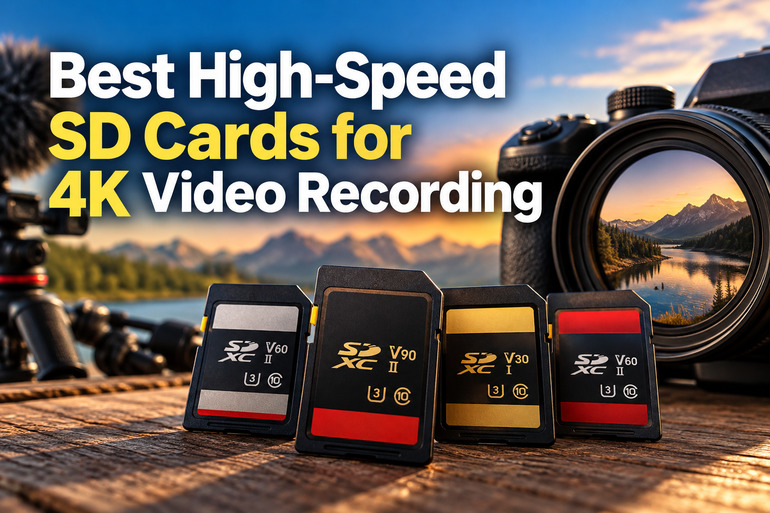
How We Selected the Best SD Cards for 4K Video Recording
We compared these memory cards by focusing on the specifications that matter most when recording high-resolution footage. We prioritized manufacturer documentation, current product listings, and recognized SD card standards instead of relying on impressive marketing numbers alone.
We also considered how each option fits different recording needs, from everyday 4K projects to demanding professional production. When model generations or specifications weren’t entirely clear, we treated that uncertainty as something worth highlighting rather than making assumptions.
- Video speed class: We considered whether the V30, V60, or V90 rating provides the sustained write performance your camera needs for its recording settings.
- Write performance: We looked at published write speeds without treating maximum read speeds as proof of recording performance.
- Storage capacity: We considered how much footage you can reasonably store before needing to transfer files or change cards.
- Interface compatibility: We compared UHS-I and UHS-II options to help you avoid paying for performance your camera cannot use.
- File transfer efficiency: We considered how quickly you can move footage to your computer when using a compatible card reader.
- Manufacturer transparency: We favored products with accessible specifications, useful compatibility guidance, and clearly documented warranty information.
Each card offers something different, depending on your equipment and recording habits. Let’s take a closer look at their strengths, limitations, and best uses.
Best High-Speed SD Cards for 4K Video Recording
Our selections range from practical cards for everyday recording to faster options designed for demanding production workflows. The best fit depends on your camera’s requirements, preferred recording settings, and how much footage you need to store.
1. SanDisk 64GB Extreme PRO SDXC UHS-I Memory Card
The SanDisk 64GB Extreme PRO SDXC UHS-I is a practical option for independent creators, photographers, and small production teams recording 4K video with compatible cameras. Its capacity works well for shorter shoots, occasional video projects, and situations where footage is transferred regularly between recording sessions.
SanDisk identifies this model as a Class 10, U3, V30 card. Its official specifications list read speeds up to 200MB/s and write speeds up to 90MB/s for the 64GB version. These figures are maximum speeds, not guaranteed results in every recording setup.
The V30 rating is especially useful because it indicates a minimum sustained write speed of 30MB/s under the applicable standard. The SD Association’s video speed guidance explains how these classifications help match memory cards to recording requirements. Your camera’s manual will tell you which rating its supported video modes require.
One appealing feature is its UHS-I interface, which suits compatible cameras that don’t need UHS-II performance. SanDisk also advertises faster transfers with compatible equipment, although actual speeds depend on your card reader and computer. Checking the manufacturer’s compatible reader guidance helps set realistic expectations for moving footage.
The biggest limitation is the 64GB capacity. Longer recording sessions and high-bitrate video can fill that space quickly, while demanding formats may require a higher speed class than V30. Before using it for an important shoot, check your camera’s minimum card requirements and estimate how much storage your recording settings will consume.
A few cautions:
- Skip it if your camera specifically requires V60 or V90 performance.
- Consider more storage if you regularly record long sessions.
- Don’t mistake its maximum read speed for sustained video write performance.
2. Lexar Professional 2000x 128GB SD Memory Card
The Lexar Professional 2000x 128GB SD card is worth considering for videographers, advanced hobbyists, and production teams using compatible UHS-II cameras. Its larger capacity gives you more room for extended shoots, while its high-speed specifications make it suitable for workflows that involve demanding capture settings and frequent file transfers.
Lexar’s official product specifications list read speeds up to 300MB/s and write speeds up to 260MB/s, alongside a V90 rating. That final specification is particularly relevant for video: V90 indicates a minimum sustained write speed of 90MB/s under the applicable standard.
This combination can be useful when your camera supports demanding recording modes or when you capture video alongside rapid bursts of high-resolution photographs. Lexar also lists protection against temperature extremes, shock, vibration, and X-rays. These documented features may offer additional reassurance when you regularly transport your equipment between locations.
The UHS-II interface can help compatible cameras and readers take advantage of faster transfers. Lexar states that the card works with UHS-I devices too, although performance then depends on the slower interface. To make the most of its advertised transfer speeds, you’ll need a compatible UHS-II reader. Otherwise, moving large video files may take longer than expected.
One drawback is that 128GB can still be restrictive during particularly long shoots or when recording footage-heavy projects. Its performance may also exceed what you need for ordinary 4K recording. Before buying, check your camera’s required speed class and confirm that UHS-II support offers a meaningful benefit for your workflow.
Notes of caution:
- Skip it if your camera only needs a basic UHS-I V30 card.
- Consider greater capacity for extended, high-bitrate recording sessions.
- Factor in a compatible UHS-II reader if fast transfers matter to you.
3. SanDisk 128GB Extreme PRO SD Memory Card
The 128GB SanDisk Extreme PRO SD card listed here is intended for creators who want more storage and fast performance from a compatible UHS-II card. It may suit mirrorless camera users, DSLR photographers, and small production teams that benefit from quicker transfers and demanding capture capabilities.
The linked product listing advertises read speeds up to 300MB/s. SanDisk’s older UHS-II specifications list write speeds up to 260MB/s for the relevant card generation. However, similarly named products can have different specifications, so it’s important to verify the exact version.
That distinction matters because SanDisk also offers newer UHS-II cards with different performance ratings. Before ordering, check the model number and the speed-class symbols printed on the card or packaging. For video recording, these details are more useful than the Extreme PRO name alone when determining whether a card meets your camera’s requirements.
When the card matches the published specifications, its transfer performance can help reduce the time spent moving footage to your editing computer. You’ll need a compatible UHS-II reader to take advantage of the interface’s capabilities. The 128GB capacity also gives you more room to work than a 64GB card, although your recording settings will determine how quickly that space fills.
The main concern is the possibility of confusion between product generations or inconsistent listings. We recommend matching the exact card you receive to the manufacturer’s documentation before using it for an important shoot. Avoid assuming that every SanDisk card with a similar name offers identical maximum speeds or the same video speed class.
A few things to note:
- Skip it if you prefer a product listing with completely clear model identification.
- Verify the exact speed-class rating before recording demanding formats.
- Consider more storage for long projects involving high-bitrate footage.
4. Kingston 256GB Canvas React Plus SD Card
The Kingston 256GB Canvas React Plus SD card is a good option to investigate if you’re a videographer, freelance creator, or small production team that needs more room for extended 4K projects. Its combination of generous capacity, UHS-II connectivity, and a V60 rating makes it worth considering for demanding recording setups.
For this specific 256GB version, Kingston lists read speeds up to 280MB/s and write speeds up to 150MB/s. Its official specifications identify it as a Class 10, UHS-II, U3, V60 card. The V60 classification guarantees a minimum sustained write speed of 60MB/s under the applicable standard.
The larger capacity is a practical advantage during longer assignments because you can keep more footage on one card before transferring files. Its UHS-II interface can also speed up transfers when paired with a compatible reader. Kingston documents protection against water, temperature extremes, and X-rays, which may be reassuring when you’re regularly moving equipment between locations.
For creators who transfer footage frequently, the combination of storage and interface performance can make a busy production workflow more manageable. Still, maximum advertised read and write speeds aren’t guaranteed in every camera or computer. Check your equipment’s compatibility and the camera manufacturer’s recommended speed class before settling on a particular recording mode.
Its main limitation is the V60 rating rather than V90. That won’t be a problem for every 4K workflow, but certain demanding recording formats may require higher sustained write performance. We recommend matching the card to your actual camera settings instead of assuming that every 4K mode places the same demands on your storage.
A few cautions:
- Skip it if your camera specifically requires a V90 card.
- Confirm UHS-II support before expecting the highest transfer speeds.
- Check whether your recording settings actually require V60 performance.
5. ProGrade Digital SDXC UHS-II V90 Iridium Memory Card
The ProGrade Digital SDXC UHS-II V90 Iridium card is designed for professional videographers and experienced creators using compatible cameras for demanding production work. Its V90 classification makes it especially relevant when your camera requires high sustained write performance for high-bitrate 4K footage or other intensive recording formats.
According to the manufacturer’s product specifications, the 128GB version supports read speeds up to 300MB/s and write speeds up to 200MB/s. Its V90 rating guarantees a minimum sustained write speed of 90MB/s under the applicable standard, making that rating particularly useful when choosing a card for continuous recording.
The UHS-II interface is intended for compatible cameras and readers that can benefit from faster data transfers. ProGrade also identifies the card as compatible with its Refresh Pro utility, which provides functions for monitoring and maintaining supported card performance. Those features may be useful if you regularly manage large volumes of footage across multiple production sessions.
ProGrade documents additional protections, including shock and X-ray resistance, along with specified operating and storage temperature ranges. These features are useful considerations for creators who frequently transport their equipment. However, no memory card eliminates the need for careful handling and separate backups, especially when the recorded footage would be difficult or impossible to replace.
The main limitation is the 128GB capacity, which may not be enough for extended shoots involving large video files. V90 performance may also be unnecessary for cameras that only require V30 or V60 cards. Before purchasing, check your camera’s required speed class and decide whether the additional performance will actually benefit your recording workflow.
A few things to consider:
- Skip it if your camera doesn’t benefit from V90 performance.
- Choose more storage if you record long, high-bitrate sessions.
- Keep separate backups of important footage, regardless of card specifications.
Final Thoughts
Choosing a high-speed SD card comes down to balancing sustained write performance, capacity, interface compatibility, and your camera’s recording requirements. Speed-class ratings provide a useful starting point, while maximum read and write figures offer additional context for recording and transferring files.
We recommend checking your camera’s manual before purchasing, especially if you use demanding recording modes. Choose enough storage for your typical sessions, pair the card with compatible equipment, and maintain reliable backups. The best choice is the one that supports your production needs without paying for performance your equipment cannot use.
Be First to Comment