Recording a podcast with uneven voices, distracting background sounds, or several guests can become frustrating when your setup cannot balance sources cleanly.
A mixer can help, but channel counts, USB recording, headphone monitoring, and onboard effects vary widely, making the right choice confusing when you are just starting.
We researched five options using manufacturer specifications and manuals, prioritizing practical controls, recording routes, and fit for beginner shows so you can choose equipment that matches how you plan to record.
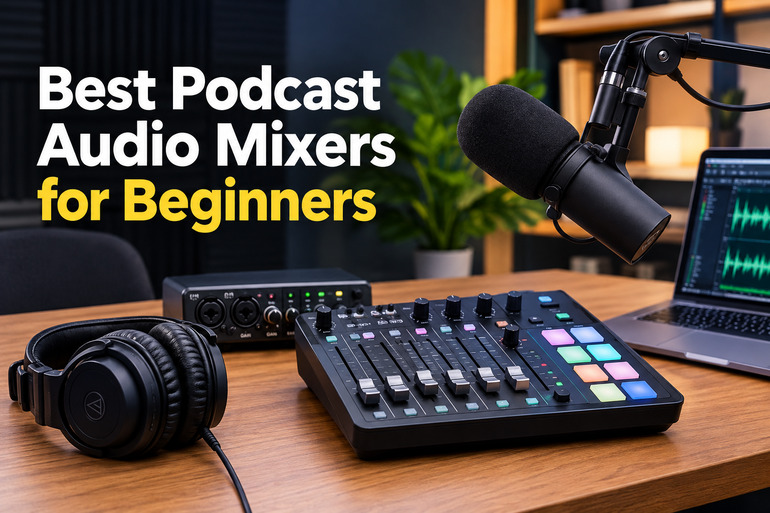
How We Selected the Best Podcast Audio Mixers
We compared the mixers using manufacturer specifications and manuals, looking for practical beginner fit rather than assuming more channels or effects automatically mean better results. We separated helpful features from those that require extra equipment.
Because this is a buyer guide rather than a hands-on test, we relied on product documentation for technical claims. Where a model’s recording limitations matter, we explain them.
-
Recording path: We checked whether recording uses USB, an SD card, or extra equipment.
-
Microphone capacity: We considered inputs needed by solo hosts, duos, and small groups.
-
Monitoring: We checked headphone options for hearing the mix while recording.
-
Voice controls: We compared EQ, compression, and effects that help without demanding advanced skills.
-
Guest and playback support: We considered Bluetooth, line inputs, and remote-call features.
-
Learning curve: We considered control layout and how much setup a beginner must manage.
These factors help match a mixer to your actual show, not just a long feature list. Here is how each option fits a different podcasting need.
Best Podcast Audio Mixers for Beginners
Our recommendations cover several types of podcast setups, from compact analog mixers to a dedicated podcast production station. The right choice depends on how many people you record and how you want to save your audio.
1. YAMAHA MG10XU 10-Input Stereo Mixer with Effects
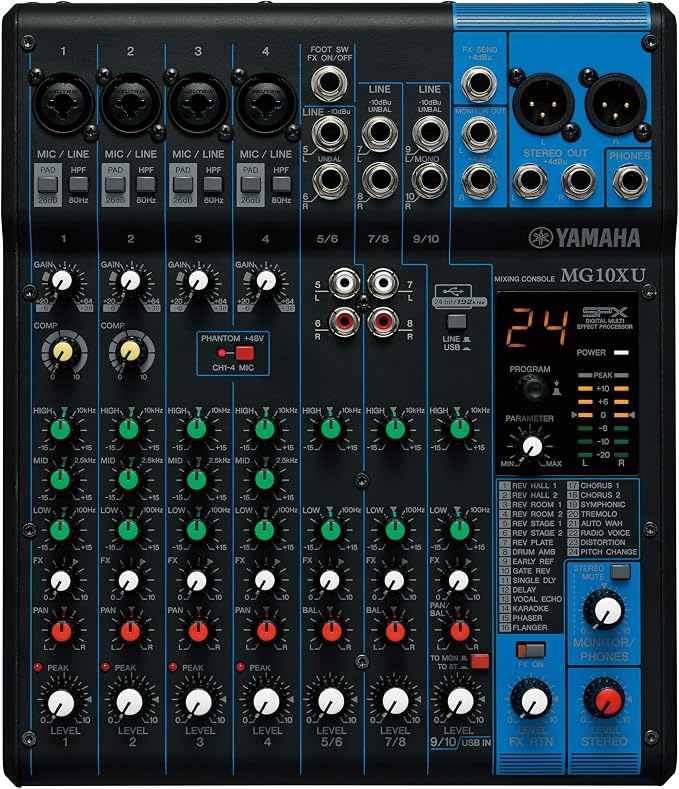
The MG10XU suits beginners building a small podcast desk who want to connect several microphones and other audio sources without relying entirely on software. Its official specifications list four mono mic/line channels and three stereo line channels, leaving room for guests and playback sources.
Its USB interface sends a stereo mix to a computer at up to 24-bit/192 kHz, which makes recording through a digital audio workstation straightforward. The important caveat is that the USB interface details describe a two-in/two-out connection, not separate multitrack capture from every mixer channel.
For spoken-word shows, the first two mic channels have one-knob compressors to help control broad volume swings, while three-band EQ lets you shape voice tone. The onboard SPX effects overview covers 24 effects, although most beginners will get better results by keeping them subtle.
The mixer provides +48V phantom power for compatible condenser microphones, XLR balanced main outputs, a headphone jack, and a monitor output. These controls also suit small meetings or simple live recordings, though the many knobs may take a few sessions to learn, as the output specifications help explain.
For a clean start, connect the mixer to your computer by USB, select it as the recording device, and adjust gain while speaking normally. Keep peaks out of the red and record a short test before an episode; Yamaha’s owner’s manual explains the controls and connections.
Who should skip it:
-
Skip it if you need every microphone recorded to a separate track over USB, because its interface is stereo two-in/two-out.
-
Beginners seeking a fully guided touchscreen workflow may prefer a podcast-focused recorder.
2. YAMAHA MG06X 6-Input Compact Stereo Mixer with Effects
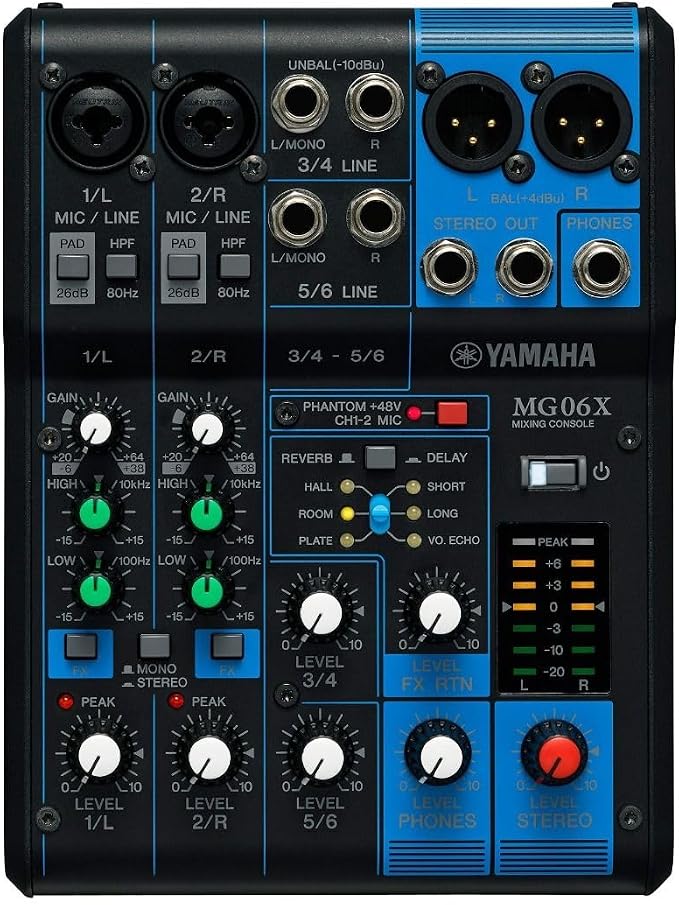
The MG06X suits a beginner podcaster who needs an uncomplicated analog mixer for two microphones and a small number of playback sources, especially when a computer interface or external recorder is already available. Yamaha’s channel layout lists two mic inputs and six line inputs.
The two mic inputs use D-PRE preamps, and +48V phantom power supports condenser microphones that require it. A PAD switch helps accommodate stronger signals, while balanced XLR outputs are useful when feeding powered speakers or a downstream recorder. Yamaha’s official feature list details its microphone facilities.
Unlike the MG10XU, this model does not have a USB audio interface, so it will not connect directly to a computer as a digital recording device. For podcast recording, you need an external interface or recorder between the mixer and your audio files, as the official specs table helps establish.
The built-in SPX section gives you six preset effects, including hall, room, and plate reverb, plus delay and voice echo. For spoken-word content, subtle settings are usually easier to manage than dramatic effects because they add space without making dialogue less clear. Yamaha explains these options in its effects overview.
Yamaha lists a metal chassis measuring 5.9 by 2.4 by 7.9 inches and weighing 0.9 kg, so it takes little desk space. Connect microphones, set gain conservatively, balance line sources, and monitor through the headphone jack before recording. The manufacturer’s dimensions and weight help establish its compact footprint.
A few cautions:
-
Skip it if you want to record directly to a laptop over USB without buying another device.
-
It is not suited to shows needing more than two microphone inputs at once.
-
Skip it if you need multitrack recording or channel-by-channel computer capture.
3. Pyle 4 Channel Audio Mixer with Bluetooth
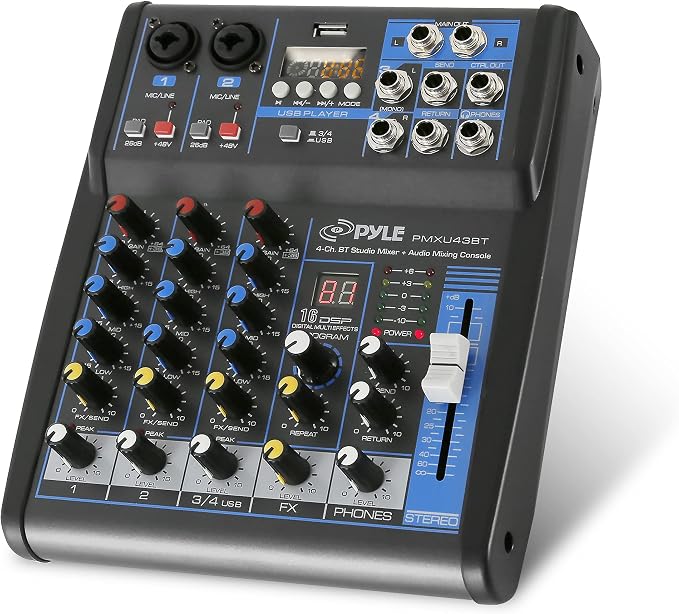
The PMXU43BT is aimed at beginner podcasters who want a compact mixer with Bluetooth playback and a USB path to a computer, without adding many separate boxes. It combines two XLR/quarter-inch combo mic inputs with stereo line inputs and a headphone output, according to the manufacturer listing.
Its built-in Bluetooth receiver lets you bring audio from a compatible phone or tablet into the mix, which can help with remote clips, intro music, or sound beds. This is playback connectivity, not a wireless-microphone system, so voices still need a suitable mic connection. The Bluetooth pairing instructions explain how to connect a source.
The mixer includes three-band EQ, built-in digital effects, +48V phantom power, a level meter, and USB connectivity for computer recording. Pyle’s manual also describes USB flash-drive playback of compatible MP3 or WAV files, letting you play prepared audio without routing it from a phone, as outlined in its USB playback guidance.
Its small footprint fits beside a laptop, and gain, EQ, and level controls introduce basic mixing for a starter show. However, Pyle’s product-page guidance says computer recording is one mono track, so do not assume USB records each input separately.
Before buying, check the exact model suffix on the seller’s listing and consult the matching manual, because PMXU43BT and PMXU43BT.5 materials can differ. Start with one microphone, test USB recognition in your recording app, and confirm the voice signal records correctly before guests arrive.
Notes of caution:
-
Skip it if separate tracks for each host or guest are essential to your editing workflow.
-
Avoid it if you need a documented, high-control multitrack podcast workflow rather than a compact starter mixer.
4. Mackie 402VLZ4 4-Channel Ultra Compact Mixer, Onyx Preamps
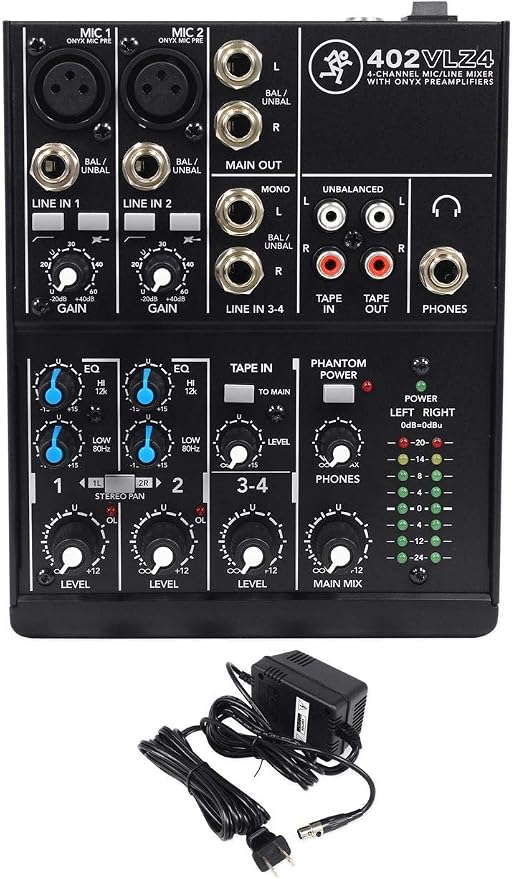
The 402VLZ4 suits a beginner creating a one- or two-microphone show who values a compact analog mixer and already owns, or plans to add, a USB audio interface. It is for podcasters who prefer physical gain controls over an all-in-one touchscreen workflow, as Mackie explains in its manufacturer overview.
It has two Onyx mic preamps with a 60 dB gain range, phantom power for condenser microphones, and four high-headroom line inputs. Those inputs let you blend voice microphones with line-level playback or other equipment without navigating a complex control surface.
The mic channels have a 100 Hz low-cut filter and two-band EQ, useful starting points for reducing low-frequency rumble and making broad tonal adjustments. These controls are simple, but they provide fewer detailed sound-shaping options than a mixer with three-band EQ or digital processing.
Mackie also provides selectable instrument inputs on the first two channels, eight-segment stereo meters, and a rugged steel chassis. Its sealed rotary controls are designed to resist dust and grime, while the high-contrast layout makes the level indicators easier to read at a glance.
The main podcasting trade-off is that this model is analog-only and has no built-in USB recording or SD-card recorder. Connect its outputs to an interface or recorder, set microphone levels while monitoring with headphones, and capture a short test before recording a full episode. The owner’s manual explains the connections and controls.
A few things to note:
-
Skip it if you need a standalone digital recorder or direct USB connection to your computer.
-
It is not ideal when your show requires more than two microphones.
-
Choose another mixer if detailed EQ and onboard podcast effects are priorities.
5. TASCAM Mixcast 4 Podcast Streaming Mixer, Recorder
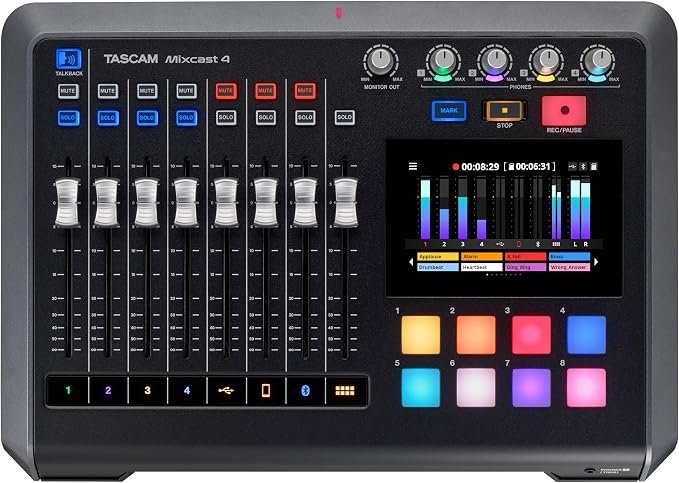
The Mixcast 4 suits beginner teams recording interviews, roundtables, or remote-caller episodes who want one console to handle more of the production chain in one place. It provides four mic inputs, four headphone outputs, a touchscreen, and dedicated sound pads for playback and effects, according to the feature overview.
Unlike simple analog mixers, Mixcast 4 can record directly to an SD card, with manufacturer documentation describing up to 14 recorded tracks. Its recording format details and 14-in/2-out USB audio interface also support recording or streaming through a computer, giving you flexible options as the show grows.
The four mic inputs include an auto-mix option, while Mix-Minus routing helps prevent a remote caller from hearing their own delayed audio return. Bluetooth, USB, or a four-pole headset cable can connect call-ins, though external calling apps and devices still need their own setup.
The touchscreen and programmable sound pads suit productions with introductions, transitions, audience cues, or recurring segments. Four headphone outputs let several people monitor together, reducing the need for a separate headphone distribution box in basic multi-person setups.
This is a more specialized and larger desk unit than a small analog mixer, and its routing, recording formats, and software options create a learning curve. Before recording, use a compatible SD card and follow TASCAM’s recording steps; the manual explains two-channel and multichannel capture.
Who should skip it:
-
Skip it if you only need a basic one-microphone setup with no sound pads or remote guests.
-
Its screen, pads, and routing may be more complexity than a very casual solo show requires.
Final Thoughts
Start by counting your microphones, deciding whether you need separate tracks, and choosing where recordings will be saved. Those practical details usually matter more than a long list of effects or inputs, and help prevent a mismatch with your workflow.
Then weigh desk space, headphone monitoring, and how much manual control you want while recording. Confirm the model’s current specifications and connection requirements before ordering. The best beginner setup is one you can understand, repeat, and use consistently as your podcast develops.
Be First to Comment