Recording yourself shouldn’t require stopping every few minutes to readjust your phone. Whether you’re creating tutorials, filming product demonstrations, hosting live streams, or making social media videos, an auto-tracking phone holder can help keep you in frame while you concentrate on your work.
Choosing the right one can be surprisingly confusing. Some models rotate automatically without an app, while others add lighting, remote controls, adjustable stands, or gimbal stabilization. Understanding these differences matters because a holder that works well for a stationary presentation may not suit a walking video or a dynamic demonstration.
We’ve carefully examined the category, researched available models, and compared their documented features to select five options worth considering. Our guide explains what distinguishes each device, where its features are most useful, and which limitations deserve attention, helping you choose equipment that fits your recording style, workspace, and creative needs.
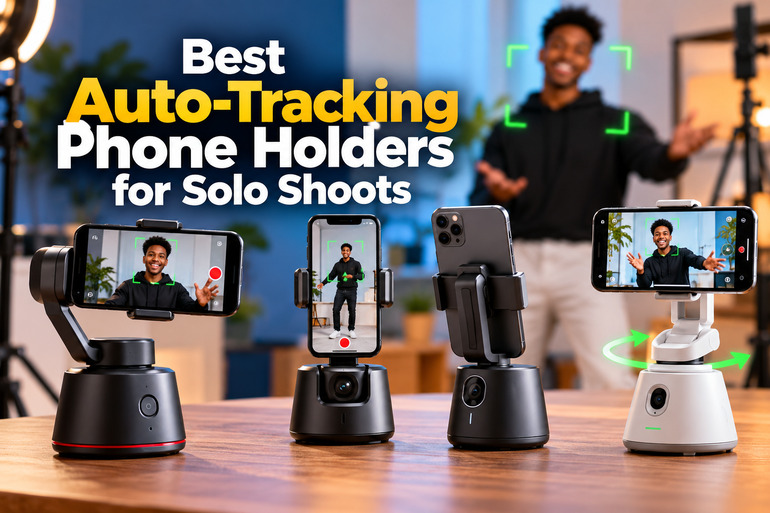
How We Selected the Best Auto-Tracking Phone Holders
We focused on the practical demands of solo recording rather than feature lists alone. That meant examining each product’s tracking method, mounting design, available controls, adjustability, and documented compatibility to understand how it might fit different filming situations.
We also consulted manufacturer information where available, along with product listings and accessible instruction manuals. Because these devices vary considerably in design and documentation, we considered the strength of the available evidence and avoided treating advertised tracking capabilities as guarantees of flawless performance.
-
Tracking capability: Reliable subject-following features help you stay in frame while demonstrating a process or moving around your workspace.
-
Mounting stability: A suitable base and secure phone grip reduce the risk of unwanted movement during stationary recording.
-
Height and angle adjustment: Flexible positioning helps you capture seated presentations, standing tutorials, and full-body videos.
-
Remote and gesture controls: Hands-free commands can make starting, stopping, and managing recordings easier when you’re filming alone.
-
Lighting and accessories: Integrated lights and useful mounting options can simplify your setup when space is limited.
-
Portability and power: Compact construction and rechargeable batteries matter when you record away from your usual workspace.
Each recommendation offers a different combination of convenience, adjustability, and tracking functionality. Let’s look at what each one can realistically contribute to your recording setup.
Best Auto-Tracking Phone Holders for Solo Shoots
Our recommendations range from a smartphone gimbal designed for moving footage to simpler tracking stands built around hands-free recording. The right choice depends on whether you prioritize camera movement, uncomplicated operation, lighting, or a taller filming position.
1. Insta360 Flow Gimbal Stabilizer for Smartphone, AI-Powered Gimbal
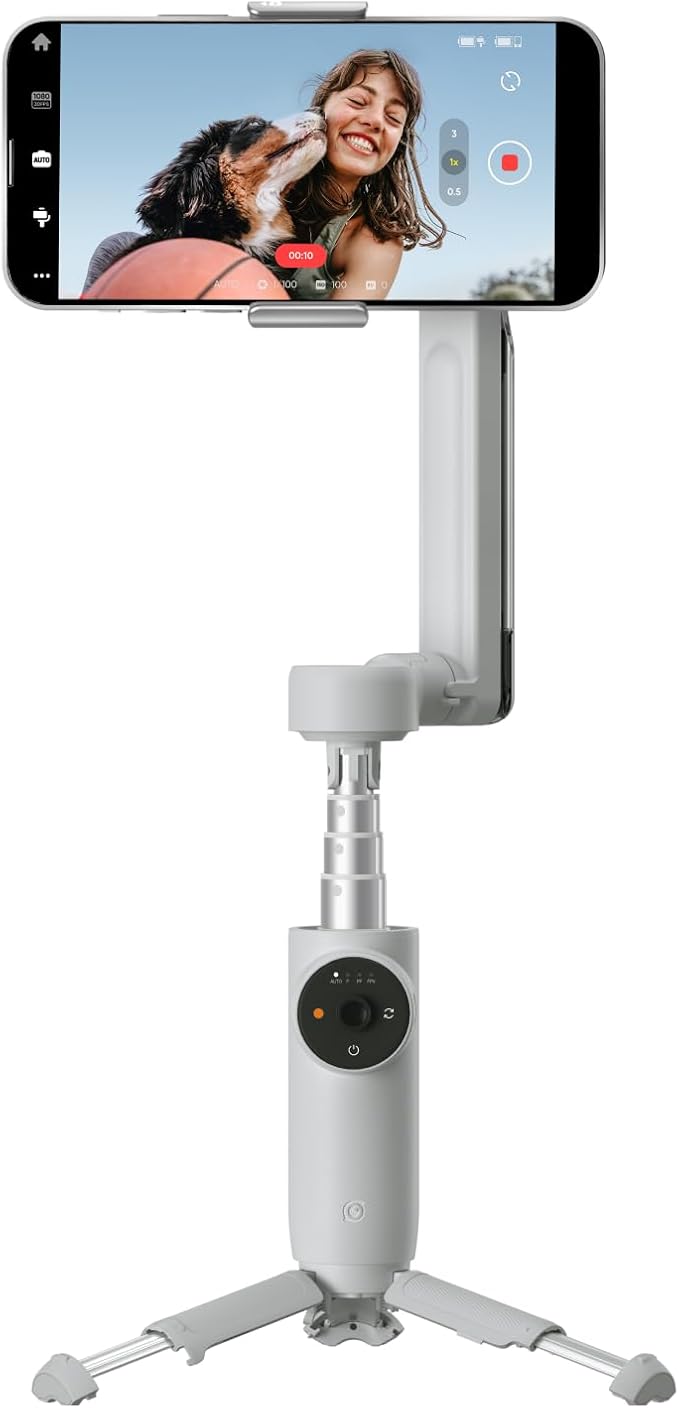
The Insta360 Flow suits solo creators who want to record while moving rather than remain in one position. Its distinguishing advantage is the combination of automatic subject tracking and mechanical stabilization, making it useful for walking tutorials, travel videos, demonstrations, and other footage where handheld movement is unavoidable.
The three-axis stabilization system compensates for unwanted camera movement, while Deep Track 3.0 helps follow a selected subject. These functions address two separate filming problems: keeping yourself framed and reducing distracting shakes. Tracking performance and certain features depend on the phone and recording conditions.
The design also incorporates a built-in selfie stick and a small tripod, allowing you to switch between handheld recording and stationary shots without carrying separate supports. The manufacturer’s technical specifications list a 2,900 mAh battery and up to 12 hours of runtime under specified test conditions. Actual results will depend on how you use the device.
Setup involves mounting and balancing your phone, then using compatible controls and features through the Insta360 ecosystem. Before buying, check the official phone compatibility guidance. Supported phone dimensions, weight, operating-system compatibility, and app-dependent features can all affect the experience.
The main limitation is that a gimbal requires more setup and attention than a simple stationary tracker. It is also not waterproof, and the published battery figure should not be treated as a guaranteed runtime for every recording session.
A few cautions:
-
Skip it if you only need a fixed stand for talking-head videos.
-
Check phone compatibility before relying on app-based tracking features.
-
Avoid treating its small built-in tripod as a substitute for every full-height stand.
2. Yeaki 71” Auto Face Tracking Tripod for iPhone with Light, 360° Rotating Phone Stand
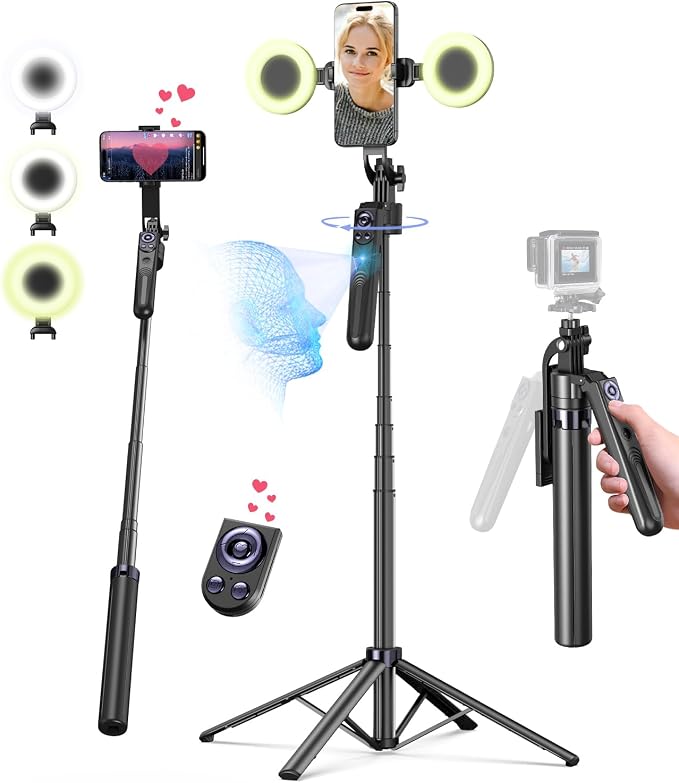
The Yeaki 71-inch auto-tracking tripod is a practical option for creators who primarily film standing presentations, fitness demonstrations, product showcases, or short-form social videos. Its extended height and integrated lighting make it particularly relevant when you want a freestanding recording setup without assembling several separate accessories.
The documented product specifications list a maximum height of 71 inches and a folded length of approximately 13 inches. This range lets you position your phone closer to desk height or higher for standing shots, although the best position depends on your subject and framing.
Automatic tracking operates without a dedicated app, using gestures to start or pause subject-following. The accompanying instruction manual describes an OK-hand gesture for activation and an open palm for stopping tracking. This is useful when you’re already in position and don’t want to walk back to the phone between takes.
The package documentation also lists two LED fill lights and a rechargeable remote. The lights can help supplement existing illumination, while the remote provides another way to operate the recording setup. We would still plan lighting around the room and subject rather than assume the included lights will illuminate every scene sufficiently.
One limitation is that the Yeaki is primarily a stationary support, not a three-axis gimbal. Its tracking can reframe you as you move, but it is not designed to eliminate the camera shake associated with carrying a phone while walking. Before recording, fully spread the base, check the phone grip, and confirm that the tracking camera can see you.
A few cautions:
-
Skip it if your main requirement is stabilized footage while walking.
-
Check the included lights’ positioning and output against your recording environment.
3. Auto Face Tracking Tripod, No App, Smart Shooting Phone Holder with Remote
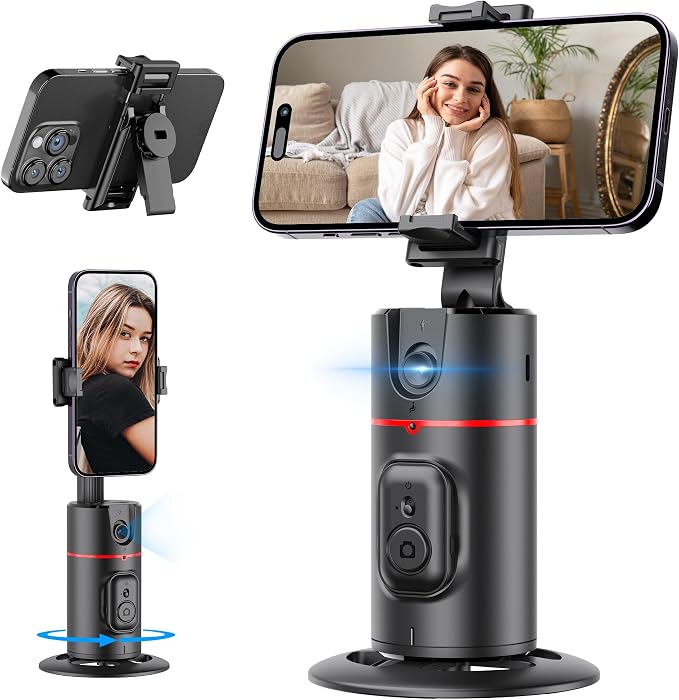
The Qirita P02 is a compact choice for solo creators who value portability and straightforward operation. It is especially suitable for desk-based tutorials, video calls, cooking demonstrations, and short social clips where a lightweight tracking unit is more convenient than carrying a tall floor stand.
Its main attraction is app-free tracking. The P02 instruction manual describes automatic face and body recognition, 360-degree rotation, and hand gestures for starting or pausing tracking. Because the device operates independently of a dedicated tracking app, it avoids making that app a necessary part of the basic tracking workflow.
The unit weighs approximately 270 grams and folds to about 22 centimeters. A hidden extension pole provides additional height, while the removable phone clip can serve as a desktop stand. These details make the design useful for people who move between a home office, a small studio, and occasional off-site recording sessions.
A standard quarter-inch tripod connection also allows the unit to be mounted on compatible third-party tripods. Its documented battery capacity is 1,200 mAh, with USB-C charging. However, we couldn’t establish a reliably verified battery-runtime figure for this model, so we would charge it before important recording sessions.
Its compact format is also its principal limitation. Compared with a tall stand, the built-in extension provides less flexibility for wide, full-body shots, and the available documentation does not establish the same stabilization capability as a mechanical gimbal. Use it on a stable surface and keep its tracking sensor unobstructed.
Notes of caution:
-
Skip it if you regularly need a full-height stand for standing or full-body videos.
-
Confirm that your existing tripod and phone fit the mounting arrangement.
4. Auto Face Tracking Tripod 360 Rotation with Stand, Android and iPhone Tripod
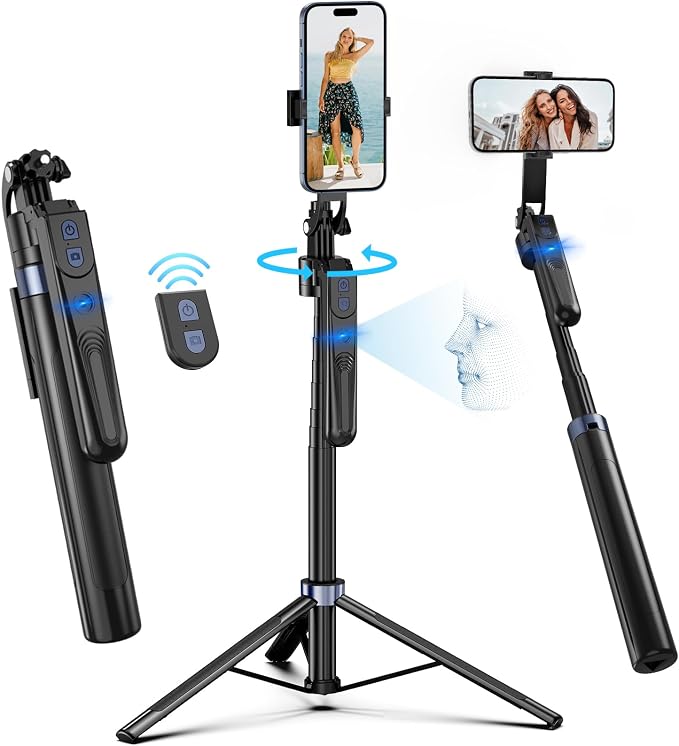
This auto-tracking tripod is worth considering for creators who want a taller, self-contained filming stand without relying on a dedicated phone-tracking app. It suits stationary tutorials, presentations, dance practice, and everyday social videos where keeping yourself centered matters more than smoothing handheld footage.
The instruction document associated with this listing identifies the unit as model ES-B180 and describes automatic face and body tracking with 360-degree rotation. Its setup instructions specify a maximum height of approximately 70 inches, giving you room to position the phone for seated or standing recordings.
Like other app-free trackers, it uses hand gestures to control tracking. An OK gesture starts the process, while an open-palm gesture pauses it. The included remote can trigger compatible phone-camera functions, which is helpful when you want to begin a take without reaching up to the holder. The instruction guide also explains the supported mounting and positioning options.
The listed construction uses aluminum, and the phone holder supports horizontal and vertical orientations. This gives you flexibility when switching between landscape presentations and portrait-oriented social content. For best results, extend the stand carefully, tighten its height lock, and check that your phone sits securely before activating tracking.
The main drawback is the limited evidence available about long-term reliability and manufacturer support. The model’s product identity and documentation are more readily verifiable than detailed independent durability testing. As with any app-free tracker, subject-following should not be confused with optical image stabilization or the shake reduction provided by a mechanical gimbal.
A few things to note:
-
Skip it if you need verified long-term durability data before purchasing.
-
Confirm that the phone holder accommodates your device and case.
5. K&F CONCEPT 71” Auto Face Tracking Tripod with Remote Control
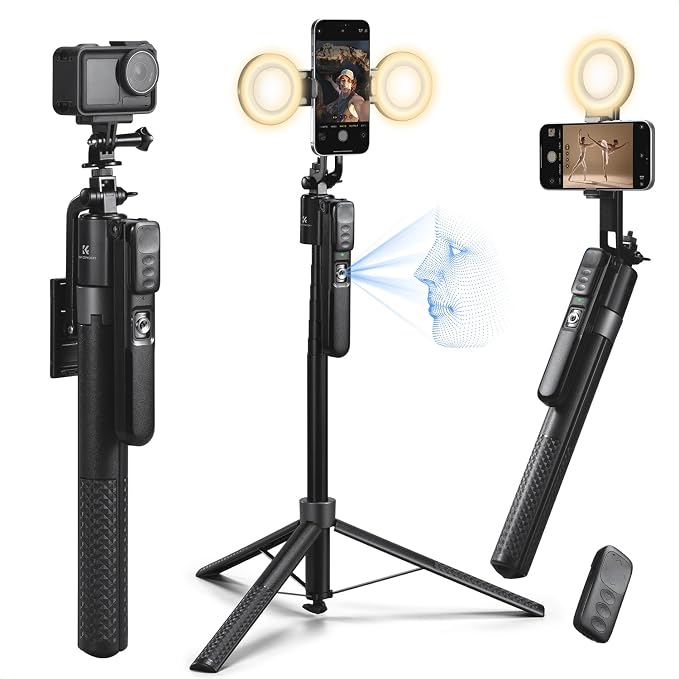
The K&F CONCEPT 71-inch tracking tripod is aimed at solo creators who want a tall, adjustable stand with lighting and remote control in one package. It is a useful candidate for home studios, product demonstrations, and standing presentations where moving the phone manually between takes would be inconvenient.
The available product listing describes automatic 360-degree face tracking and a stand extending to approximately 71 inches. That height offers flexibility for both seated and standing subjects. The design also converts the extended support into different filming arrangements, including a floor or desktop tripod configuration.
Two included fill lights are a notable addition for creators whose recording spaces have inconsistent illumination. The supplied remote adds hands-free control, while the manufacturer’s listed aluminum construction offers a lightweight alternative to bulkier studio support equipment. These features can simplify a small recording setup, although the included lights should be regarded as supplementary rather than a replacement for a complete lighting arrangement.
The product documentation and listing details identify the model as X106 and describe a maximum height of 71 inches and a folded length of approximately 37 centimeters. We recommend checking the exact phone compatibility and included accessories for the seller’s current package before ordering.
The chief limitation is that published information is stronger on the advertised features than on independent testing of tracking accuracy or durability. A tracking stand can reframe a moving subject, but it won’t smooth walking footage like a dedicated gimbal. Check the base, mounting grip, and remote operation before relying on it for an important shoot.
A few cautions:
-
Skip it if you need a compact device that fits comfortably in a pocket.
-
Verify phone compatibility and the included accessories before ordering.
Final Thoughts
Choosing an auto-tracking phone holder starts with your filming style: stationary presentations usually need dependable tracking and a stable base, while moving footage benefits from actual gimbal stabilization. Height, phone fit, lighting, remote controls, and charging requirements also deserve a close look before you commit.
Before ordering, verify the exact model, phone compatibility, included accessories, and control method. Test tracking in your space rather than assuming every feature will suit your filming conditions. The right setup keeps recording simple, dependable, and manageable on your own.
Be First to Comment