Travel creators carry irreplaceable photos and video through airports, field locations, hotel rooms, and editing desks. A portable drive helps keep projects together, but an ordinary model may not be built for dust, rain, or the knocks of a busy trip.
Choosing well is not as simple as picking the biggest capacity or fastest number on the box. SSDs and hard drives behave differently, and rugged claims can mean different levels of protection, making a poor match frustrating when you are away from your workstation.
We carefully examined the category, researched current manufacturer listings, and selected five picks after comparing capacity, speed, protection, portability, and practical limitations. Our recommendations span high-capacity storage and rugged field drives, helping you match a choice to your travel workflow.
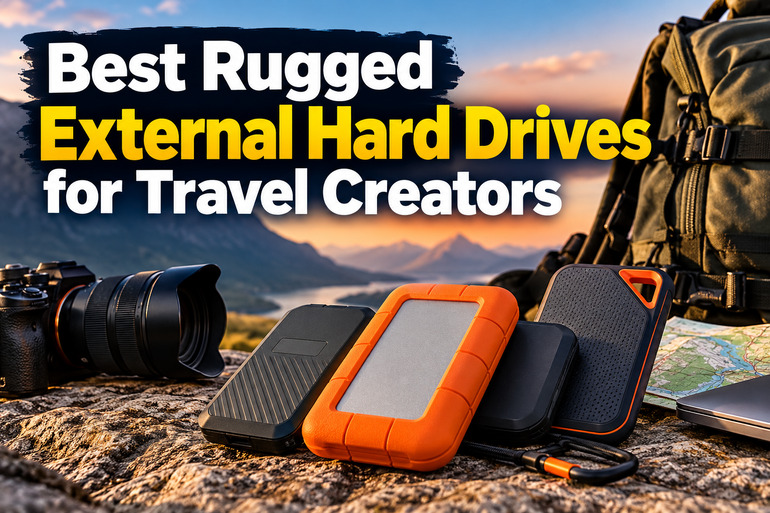
How We Selected the Best Rugged External Drives
We began with current manufacturer pages and specification sheets, prioritizing clearly stated capacity, connection standards, protection ratings, and warranty details. We treated “rugged” as a claim to verify, not a label to accept.
We also separated solid-state drives from a conventional hard drive. SSDs suit fast transfers and mobile handling, while HDDs can serve large archives but need more care. Actual speeds depend on the host, cable, and port.
-
Fit for your shoot: High capacity helps on long trips; smaller drives suit active-project storage.
-
Transfer speed: Matching interfaces helps your computer reach the drive’s useful speed.
-
Environmental protection: Dust, water-jet, and drop ratings help you assess travel risks.
-
Portability: Size, weight, and cable type determine how easily it fits your kit.
-
Data security: Encryption and passwords can reduce exposure if a drive is lost or stolen.
-
Support and warranty: Clear terms make support and replacement expectations easier to check.
These picks offer distinct strengths rather than a single universal winner. Let’s look at where each one fits best.
Best Rugged External Drives for Travel Creators
We have prioritized different travel needs here: large libraries, high-throughput editing, weather-aware field work, or lightweight day-to-day transfers.
1. SanDisk 8TB Extreme Portable SSD
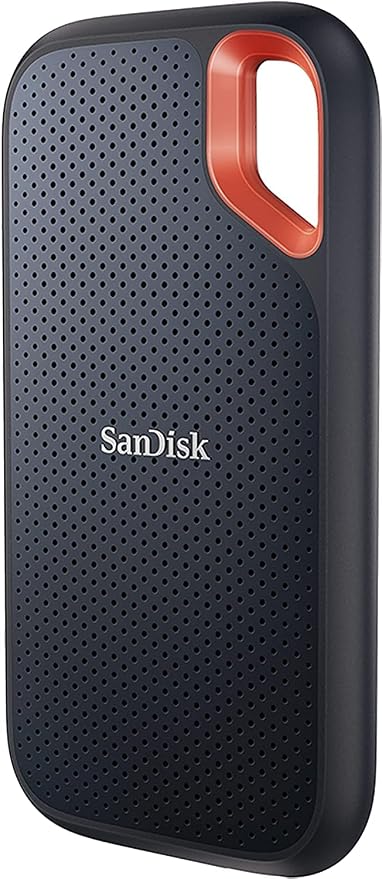
For travel filmmakers, photographers, and creators who need one large working drive, the 8TB SanDisk Extreme Portable SSD combines high capacity with a compact, travel-friendly solid-state design for creators. Its USB 3.2 Gen 2 connection suits compatible laptops and mobile devices on longer shoots.
SanDisk lists read speeds up to 1,050 MB/s and write speeds up to 1,000 MB/s in its official product specifications. These are maximum figures, not guaranteed transfer rates; host port, cable, file sizes, and workflow affect repeated copying of video folders.
For multi-day shoots, 8TB lets creators keep active projects and a sizable library together. This is especially helpful on extended assignments. The manufacturer’s durability details list an IP65 rating for dust resistance and water jets, plus drop protection up to three meters under controlled conditions.
The silicone shell and built-in carabiner loop are useful for a bag-based kit. SanDisk also lists a five-year limited warranty and 256-bit AES encryption with password protection. These features help with handling and privacy, but they cannot replace backups or careful travel habits for clients.
For best results, use a compatible USB-C port, keep the connector clean and dry, and check the official product page before each major multi-day trip. We recommend maintaining a second copy of important footage, because resistance reduces certain risks without making data invulnerable during travel.
A few cautions:
-
Best for carrying active footage, not for replacing an independent backup.
-
IP65 does not make it safe for immersion or careless handling.
2. WD 5TB My Passport Portable External Hard Drive, Black
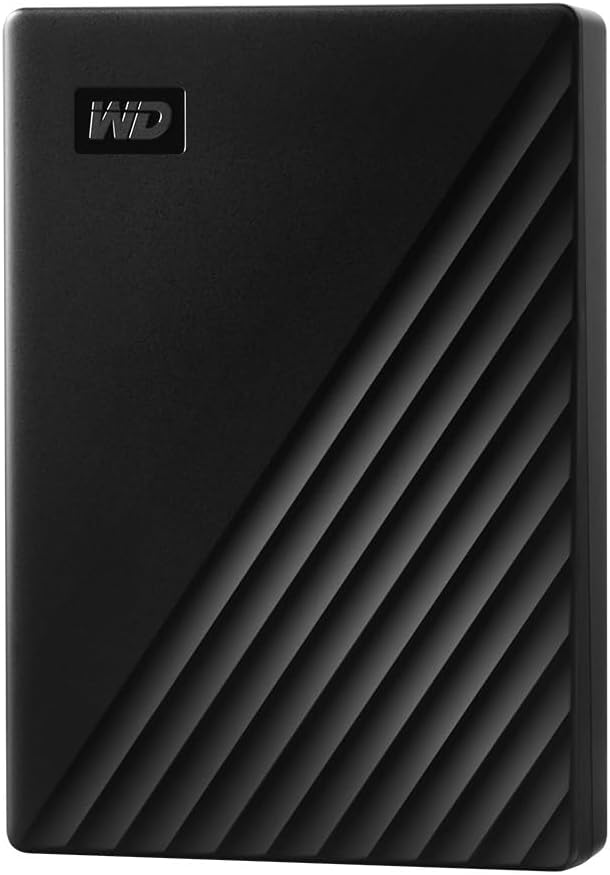
For creators needing a large backup or archive rather than a rugged on-location editing drive, the 5TB WD My Passport is the conventional hard-drive option here. It offers considerable capacity in a compact, USB-powered enclosure, but lacks the SSDs’ documented protection.
WD’s official specifications list USB 3.2 Gen 1, up to 5Gb/s link rate, backward compatibility with USB 3.0 and 2.0, and a 107.2 x 75 x 19.15 mm body. Actual file-copy speeds vary by computer and workload.
The My Passport stands out for capacity and data-protection tools. WD lists password protection, 256-bit AES encryption, and backup software. Used as a second copy of completed shoots, it separates an archive from laptop or camera-card files and planned handoffs.
At around 210 grams, the 5TB version remains packable, and WD lists a three-year warranty. Its Micro-B connector means confirm the cable works with your laptop or tablet; check OS setup and formatting for compatibility on your laptop in advance.
Unlike the IP65-rated options here, WD’s listed specifications give no dust/water rating or specific drop standard for this model. Carry it in a padded case, avoid bumps while running, and reserve it for backups and archives, not exposed outdoor shooting.
A few cautions:
-
Skip it if rain, dust, or rough field conditions are routine and you need a rated enclosure.
-
It is a mechanical hard drive, so handle it more carefully than a solid-state drive.
-
Confirm the connector and computer compatibility before traveling.
3. SanDisk 4TB Extreme PRO Portable SSD
The 4TB SanDisk Extreme PRO Portable SSD suits travel editors moving large footage folders or editing from external storage. It advertises 2,000 MB/s speeds for read and write, offering extra headroom on compatible editing systems for frequent transfers of large video files.
That maximum requires USB 3.2 Gen 2×2, a 20Gbps interface. A USB-C port alone does not guarantee Gen 2×2 support, so slower hosts or docks will bottleneck transfers. Check the manufacturer’s specifications against your exact computer before purchase.
SanDisk’s ruggedness specifications list IP65 dust and water resistance and drop protection up to three meters under controlled conditions. A forged aluminum chassis helps dissipate heat, while the silicone shell and carabiner loop are practical for carrying the drive between shoots.
It also has 256-bit AES encryption and password protection on supported systems, plus a five-year limited warranty. Those safeguards help protect client files, but do not replace a second copy. Four terabytes can suit active projects, though it may not cover every long trip.
For best results, use the included cable with a verified USB 3.2 Gen 2×2 port and allow ventilation during sustained transfers. Consult the support resources for firmware or troubleshooting. We would test it before a job so adapters do not limit speed on location.
A few cautions:
-
Choose another model if your computer lacks USB 3.2 Gen 2×2 and you only need basic portable storage.
-
The rugged rating does not mean the drive is immune to severe impact or water immersion.
4. Samsung T7 Shield Portable SSD 1TB
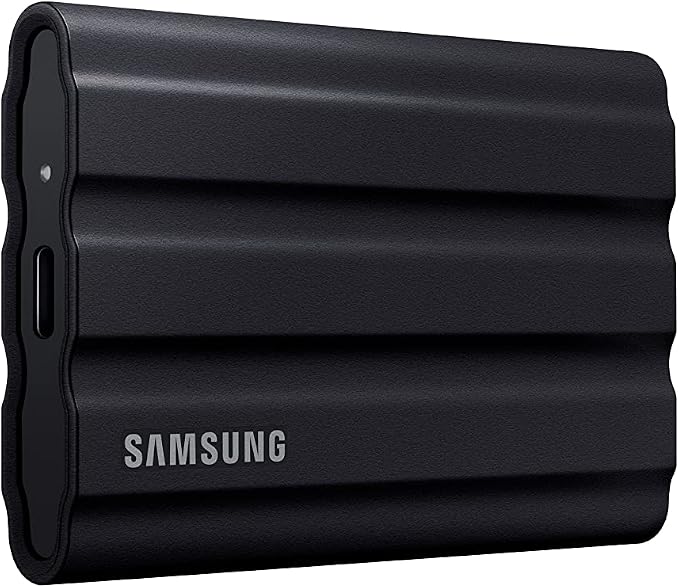
For photographers and creators outdoors, the 1TB Samsung T7 Shield handles active projects, not archives. Samsung rates it for up to 1,050 MB/s read and 1,000 MB/s write over USB 3.2 Gen 2 on compatible systems.
Samsung’s official specifications describe IP65 dust resistance, water-jet protection, and drop tests up to three meters under controlled conditions. Its rubberized exterior adds grip and cushioning, while Dynamic Thermal Guard manages heat during sustained file transfers. That combination is useful for large on-location projects, too.
At about 98 grams and 88 x 59 x 13 mm, it fits into a small camera pouch. Samsung’s size and security specs list USB 3.2 Gen 2 and AES 256-bit hardware encryption. This combination suits creators prioritizing quick transfers and protection.
The trade-off is capacity: this 1TB version can fill quickly with large video projects. IP65 does not allow immersion. Samsung’s water and dust guidance says resistance varies, liquid and dust damage are excluded from warranty, and the supplied cable is not waterproof.
Before a shoot, verify your device supports USB 3.2 Gen 2 if speed matters, and keep the connector and cable dry. We would use it for field ingest, then copy important files to another drive or secure location as soon as practical.
A few cautions:
-
Skip the 1TB version if you routinely carry several terabytes without offloading.
-
Choose a different workflow if your trips involve immersion, heavy rain exposure, or extreme conditions.
-
Never connect the drive while its port or cable is wet.
5. Samsung T7 Portable SSD 1TB, Titan Gray
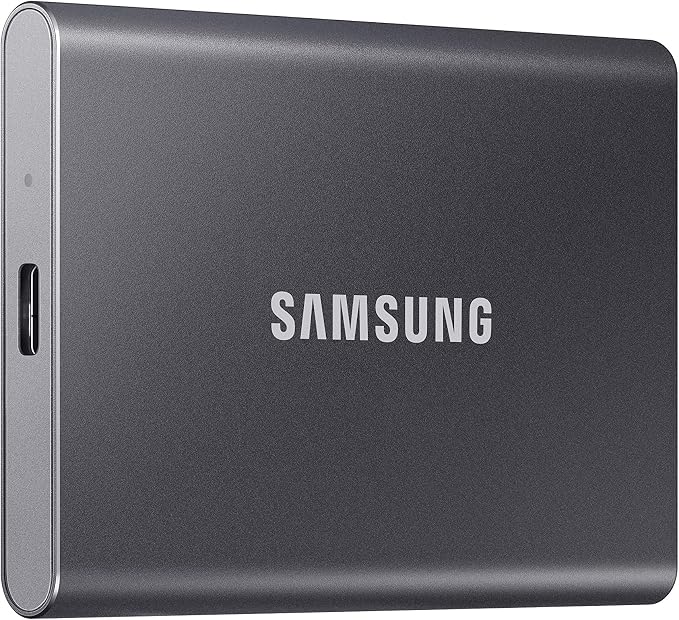
The standard Samsung T7 1TB suits travel creators wanting a light, fast drive for controlled work and file handoffs. It is smaller and lighter than many ruggedized drives, but the official product page does not list the Shield model’s IP65 dust and water rating.
Samsung lists USB 3.2 Gen 2 and sequential read speeds up to 1,050 MB/s, plus optional password protection using AES 256-bit hardware encryption. Its official T7 specifications give dimensions of 85 x 57 x 8 mm and weight around 72 grams.
The compact design is its clearest advantage. For creators commuting between laptop and studio, carrying current projects, or handing off files, it takes little space. The interface details note backward compatibility, but maximum throughput requires a compatible USB 3.2 Gen 2 host and cable.
Unlike the T7 Shield, the official product details make no IP-rated dust or water claim or specific three-meter drop rating. We would carry it for ordinary travel, not exposed wet or dusty shoots. Its shock-resistant design is useful, but does not guarantee safety from damage.
For best performance, connect directly to a compatible high-speed port, enable password protection if useful, and safely eject it before packing away. We would keep a second copy of irreplaceable footage, because speed and portability do not prevent theft, accidental deletion, or hardware failure.
A few cautions:
-
Skip it if dust, rain, or drops are routine risks on your shoots.
-
Its 1TB capacity may be limiting for long trips with high-resolution video.
Final Thoughts
Before choosing, match capacity to your footage, decide whether you will edit from the drive, and check which USB interface your computer supports. Treat rated speeds as maximums. Dust resistance, water-jet protection, immersion, and drop testing are not interchangeable.
Keep an independent copy of irreplaceable work, verify cables and software before leaving, and pack the drive within its stated protection limits. The best travel storage fits your routine and keeps work accessible without adding avoidable risks.
Be First to Comment