Video projects create large files, and those files quickly become difficult to organize across editing computers, portable drives, and cloud folders. A desktop network-attached storage (NAS) system can centralize footage so you can find, share, and protect your archive more consistently.
Choosing one is not straightforward. Bay count, network speed, expansion options, software, and drive compatibility can make similar-looking devices serve very different needs, especially for a small studio or business that cannot afford to lose original footage.
We researched current manufacturer documentation, compared the available models, and selected five options for different archive sizes and workflows. This guide explains where each NAS fits, what its specifications mean in practice, and which limitations are worth considering before you commit.
How We Selected the Best Desktop NAS Storage for Video Archives
We focused on video-archive needs: preserving large originals, sharing files across a team, and leaving capacity for future projects. We used current manufacturer documentation and verified limitations rather than assuming all NAS systems work alike.
We considered the full setup, not only the enclosure. Transfer speed also depends on your computer and switch, while usable capacity depends on drive choice and RAID. We favored clear specifications and called out fit-related caveats.
-
Drive capacity: More bays make it easier to grow an archive without replacing the entire system.
-
Network performance: Faster Ethernet helps only when your computer and network equipment support it too.
-
Data protection: RAID options can improve availability, but a separate backup is still essential.
-
Expansion: M.2 slots and expansion units offer ways to add fast storage or capacity later.
-
Ease of management: Clear software and drive-compatibility information can simplify routine administration.
-
Workflow fit: Processor, memory, and media features matter more when several users or applications access footage at once.
These five options suit personal libraries through studio archives. We begin with a balanced four-bay pick, then cover creator, high-speed, enterprise-capacity, and compact choices.
Best Desktop NAS Storage for Video Archives
Our picks cover different kinds of video libraries, from a freelancer’s project files to a production team’s long-term camera originals. Match the bay count and network connection to your actual workflow, and remember that a NAS should not be the only copy of important footage.
1. Synology 4-Bay DiskStation DS925+ (Diskless)
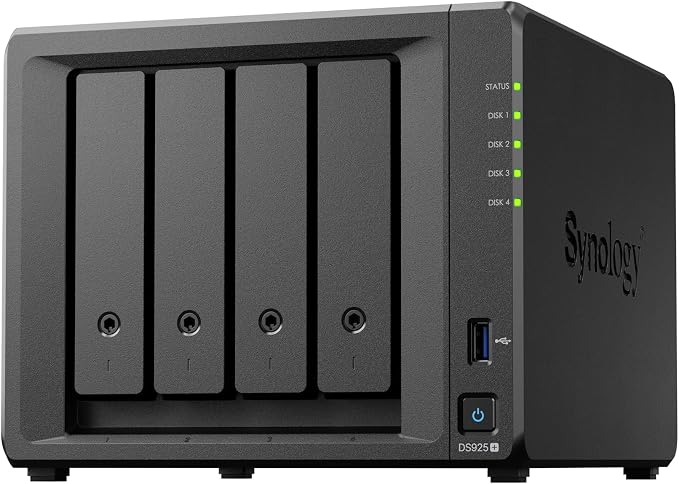
For a small production studio, agency, or growing video team that wants a shared archive without moving to rackmount hardware, the DS925+ is a balanced starting point. Its four-bay design leaves room for a redundant storage layout and later growth as project files accumulate.
The diskless listing leaves drive choice to you. Synology’s official specifications list an AMD Ryzen V1500B processor, 4 GB ECC memory, dual 2.5GbE ports, and two M.2 NVMe slots. Choose the drives around sustained workloads and planned retention, not just their advertised capacity.
With compatible network gear, dual 2.5GbE offers more headroom than a single gigabit link. Synology’s sequential performance figures reach 522 MB/s read and 565 MB/s write in manufacturer testing, but results vary with your network, disks, and workload under typical studio conditions.
We like that the M.2 slots support compatible cache or storage-pool uses, and that an optional expansion unit can add capacity later. This suits teams looking for a manageable shared archive that can scale as their footage library and project demands expand over time.
A key buying detail is drive compatibility. Synology’s newer Plus-series policies allow more third-party drive flexibility with DSM 7.3, but the company still recommends checking its verified list. Review the drive compatibility guidance before choosing disks or SSDs for your planned total capacity.
A few cautions:
-
Skip it if you need the enclosure to include drives; this version is diskless.
-
Check drive compatibility and support conditions before buying storage for the system.
2. ASUSTOR AS5404T 4-Bay NAS for Content Creators
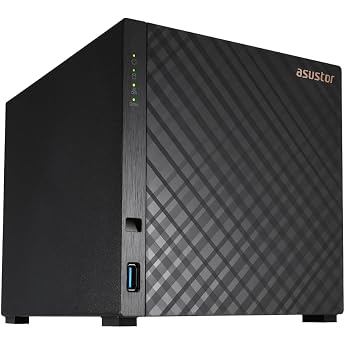
For a content creator, small video agency, or home studio wanting a large-drive archive alongside a faster SSD area, the AS5404T combines four SATA bays with four M.2 NVMe slots. You can plan bulk storage and faster tasks within one compact desktop system.
The hardware specifications list an Intel Celeron N5105 quad-core processor, 4 GB DDR4 memory expandable to 16 GB, and dual 2.5GbE ports. These help when your workstation and switch also support 2.5GbE; otherwise, the slower connection limits throughput.
ASUSTOR’s official datasheet also lists HDMI 2.0b and three USB 3.2 Gen 2 ports. HDMI can suit a local media-display setup, while the USB ports give you options for attaching external backup drives or transferring footage without routing every move through the network.
Compared with a two-bay system, its extra bays and NVMe slots offer more room to separate archive capacity from a faster working area for supported SSD workloads in one enclosure. ASUSTOR advertises 4K transcoding, but compatibility depends on the media format, software, and client device.
One limitation is the PCIe 3.0 x1 interface of its M.2 slots, and the base 4 GB memory may feel modest with several applications running. For a file-first archive, the bays, dual 2.5GbE, and upgrade path may matter more than extra services.
A few things to note:
-
Skip it if you need more than four internal SATA drives without an expansion unit.
-
Make sure your network supports 2.5GbE before expecting faster transfers across your office.
3. MINISFORUM N5 Air 5-Bay Desktop NAS
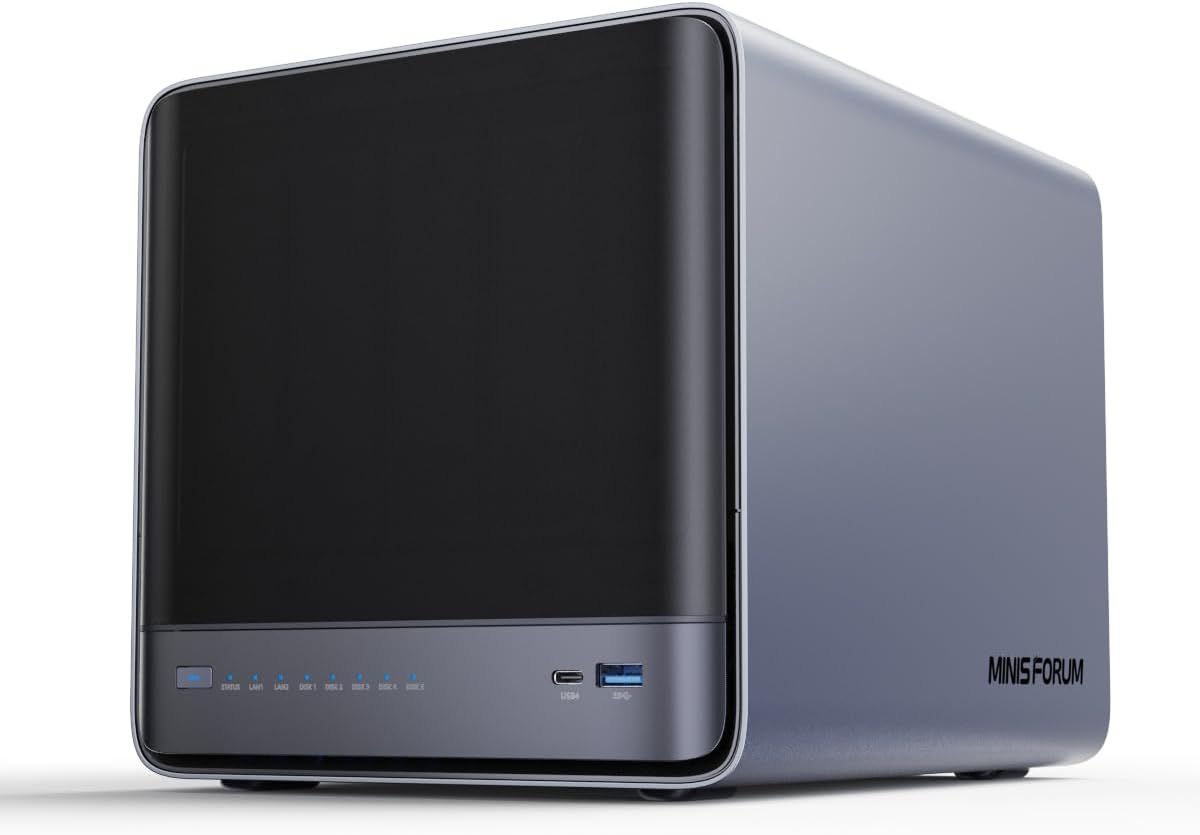
For a production team expecting its archive to grow, the N5 Air combines a five-bay design with a Ryzen processor. It suits people who may run more than file sharing, provided they are comfortable choosing and maintaining the software stack for their daily workflow.
MINISFORUM lists, in its current specifications, an AMD Ryzen 7 255 with eight cores and sixteen threads, up to 96 GB DDR5 memory, and five 3.5-inch or 2.5-inch SATA bays. This allows a sizeable drive array plus extra services, indexing, or concurrent access.
The official product page lists three M.2 NVMe slots and both 10GbE and 5GbE networking. With a compatible multigigabit switch, workstation, and cabling, those links provide a strong basis for large media transfers, although actual performance still depends on the drives and the workload.
MINISFORUM lists compact dimensions of 199 × 202 × 252 mm and a slide-out motherboard design that can ease servicing and upgrades. The product page describes two fans for drive-bay cooling. Allow airflow and consider drive noise beside an editing desk during long work sessions.
The trade-off is flexibility rather than a standardized appliance. The manufacturer’s current listing offers different memory and system-storage configurations, with support for Windows 11, Linux, and MinisCloud OS. Confirm the exact package and operating system you will maintain before storing irreplaceable footage long term.
Notes of caution:
-
Skip it if you want a fixed, turnkey NAS configuration with minimal software decisions.
-
A 10GbE connection is most useful when your other network equipment supports it.
4. ASUSTOR Lockerstor 10 Gen3 AS6810T 10-Bay Enterprise NAS
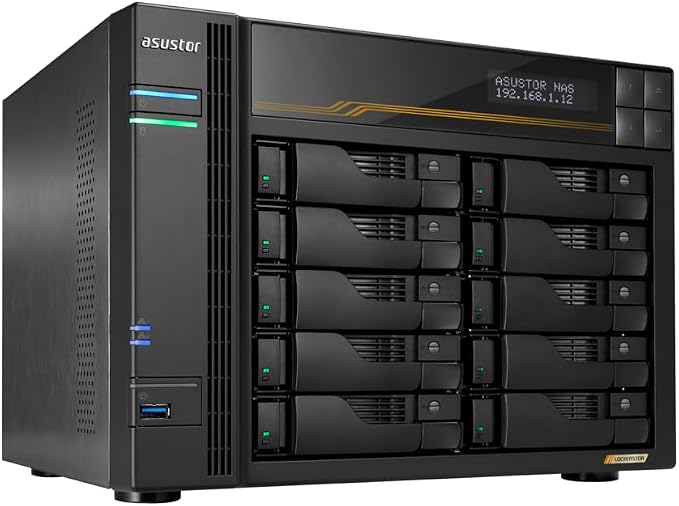
For a larger studio or production house preserving years of camera originals, exports, and project files, the AS6810T targets a sizeable archive. Its ten-bay design lets you add drives as capacity grows instead of replacing the entire NAS.
The manufacturer’s specifications list an AMD Ryzen Embedded V3C14 quad-core processor, 16 GB ECC DDR5 memory, ten SATA bays, and four M.2 NVMe slots. Its ECC memory and ample starting RAM suit a system expected to run continuously and serve a busy team.
The network port layout stands out: two 10GbE and two 5GbE ports help it fit a high-speed production network or serve several workstations. Your computers, switch, and cabling must support those speeds too, or transfers remain limited by the slower link.
The official datasheet also lists USB4 ports and support for expansion from ten to as many as 22 drive bays. That gives larger archives room to grow and provides faster external-connectivity options for compatible devices, without making the system solely dependent on internal bays.
This is a substantial tower with listed dimensions of 215.5 × 293 × 230 mm and a 6.55 kg weight before adding drives. The retail listing is diskless, so plan your drive set, RAID layout, permissions, and independent backups before storing master footage.
A few cautions:
-
Skip it if your archive is small and you will not use most of the bays.
-
Avoid it if your workspace cannot accommodate a larger tower and its drive cooling needs.
-
Plan for compatible multigigabit networking to get value from its fastest ports.
5. Synology DS225+ 2-Bay DiskStation NAS
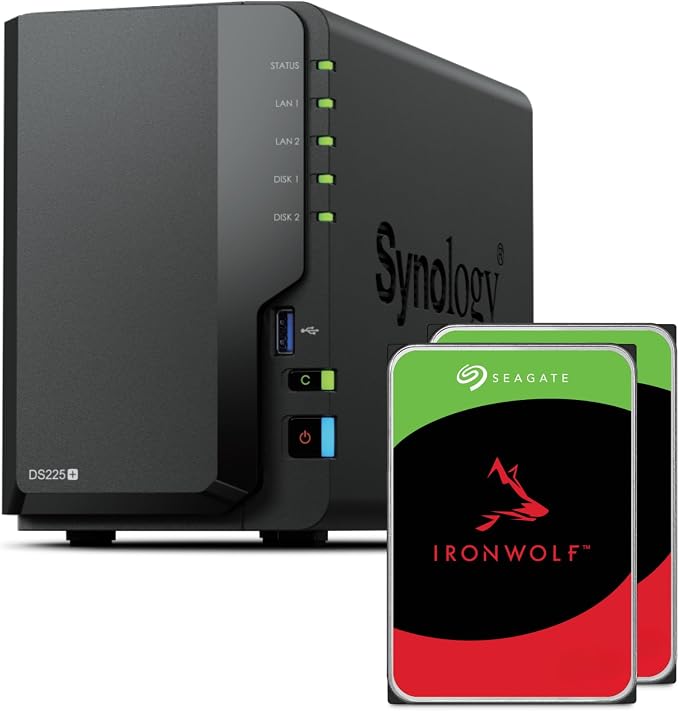
For a solo videographer, freelance editor, or small office with a modest archive, the DS225+ centralizes footage across a home or office network. Its two bays suit a smaller library better than a huge archive that expands every month, especially for finished projects.
Official specifications list an Intel Celeron J4125 processor, 2 GB DDR4 memory expandable to 6 GB, one 2.5GbE port, and one 1GbE port. The faster port helps only if your workstation and network support 2.5GbE. Up to 40 TB raw capacity is listed.
Synology’s DiskStation Manager supports shared folders, user permissions, backup tools, and RAID options including Synology Hybrid RAID and RAID 1. With two drives, mirroring can keep data available if one drive fails, but leaves less usable capacity than their combined total.
Simple shared access is this model’s strength, rather than high capacity. Its 165 × 108 × 232.2 mm footprint is compact, and USB ports let you connect an external drive for a separate copy. Check manufacturer dimensions and ports when planning your setup.
The main limitation is growth: two bays and a modest memory ceiling can constrain a busy team or applications beyond file storage. The retail listing can have bundled hardware, so check the included drives and accessories rather than assuming every package contains the same items.
A few cautions:
-
Skip it if you need many internal bays or expect a large team to access footage simultaneously.
-
Do not rely on mirrored drives as your only backup; keep a separate copy as well.
Final Thoughts
Choose by archive size, number of users, and whether you mainly store completed projects or move large files during editing. Start with bay count and drive compatibility, then match Ethernet speed to your computers and network equipment.
Keep a separate, tested offline backup of irreplaceable originals; RAID alone is not a complete safety plan. Allow for future growth, document your setup, and choose a system your team can manage reliably, so projects remain accessible years later.
Be First to Comment