Keeping an eye on things at home shouldn’t feel like a second job. Maybe you want to peek in on a napping toddler, see if the dog is snoozing on the couch again, or just confirm that the front door stayed shut. A good indoor camera gives you that quick peace of mind without forcing you to become a tech wizard.
We spent weeks living with a handful of popular models. We mounted them, moved them around, talked through them, and tested their night vision in pitch dark rooms. The goal was simple. Find the ones that actually work well in real homes, not just on a spec sheet.
This guide breaks down what matters most and lines up five solid options. You’ll walk away knowing exactly which camera fits your life, your budget, and your comfort level with smart home gear.
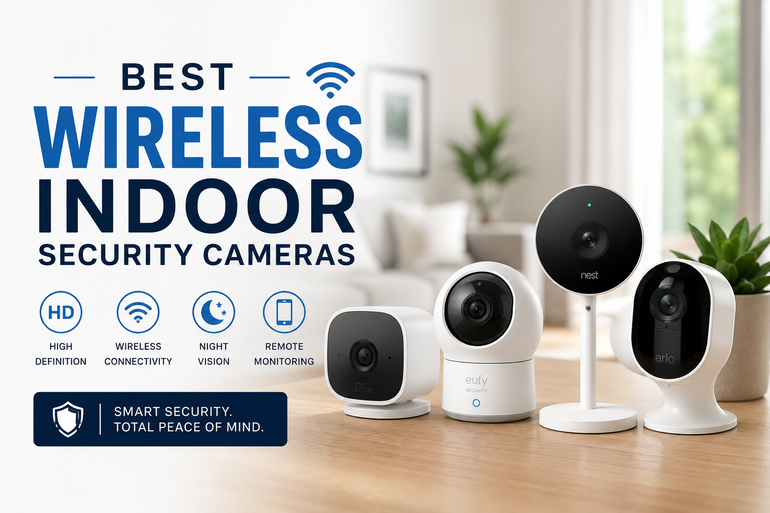
How We Selected the Best Wireless Indoor Security Cameras
Our team started with a wide pool of current wired indoor cameras that connect over Wi-Fi. We ignored anything requiring a base station or proprietary hub because that adds cost and clutter most people don’t need. From there we narrowed the field by setting up each camera in a busy living space over several days. We paid close attention to how quickly we could get a live feed, how motion alerts felt in daily use, and whether the overall experience caused more friction than comfort.
We evaluated every camera against these factors:
- Video clarity – Daytime sharpness matters, but low light performance is what separates the decent from the great.
- Field of view and movement – A fixed view is fine for a hallway. A pan tilt camera changes the game for larger rooms.
- Subscription free storage – We favored cameras that let you record locally to a microSD card without a monthly fee.
- Privacy controls – Physical shutters, app controls, and clear indicators that the camera is off are non-negotiable for indoor use.
- Smart home fit – Seamless integration with Alexa, Google Assistant, or both can make daily use much more natural.
- Alert intelligence – Distinguishing a person from a pet or a passing shadow reduces notification fatigue.
- Overall build and stability – A camera that drops offline constantly is useless. We noted connection reliability throughout testing.
We didn’t just read manuals. We lived with these devices. That hands on time means our picks reflect what you’ll actually experience when you plug one in at home.
Best Wireless Indoor Security Cameras (Expert Ranking & Review)
Below you’ll find our five favorites. Every single one is wired for power but connects wirelessly to your network, so you never worry about swapping batteries. They span a range of features and price points, and one of them is almost certainly right for your space.
1. Ring Indoor Cam: The Straightforward All Rounder
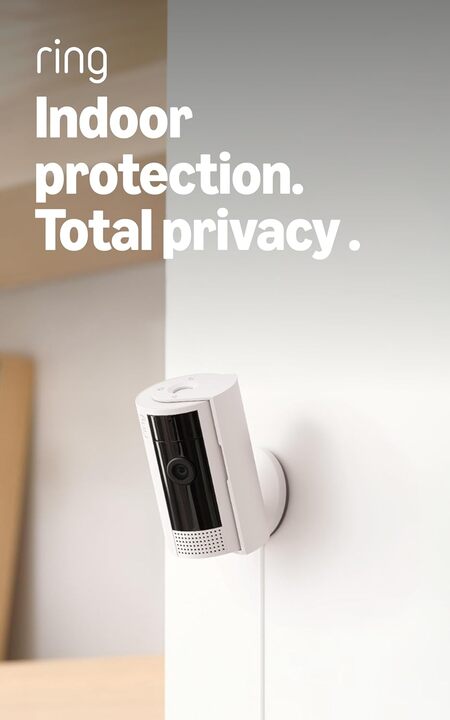
If you just want something that works without fuss, start here. The Ring Indoor Cam delivers clear 1080p HD video and reliable motion alerts in a compact package. It’s small enough to sit on a bookshelf without screaming “security camera,” and the plug in design means you can move it between rooms in seconds. We found the color night vision particularly useful for identifying details like the color of a pet’s collar after dark.
Setup took us under ten minutes. The Ring app holds your hand through the entire process, and pairing with an Echo Show gave us instant voice controlled video feeds. A standout feature is the manual privacy cover. You physically swivel it over the lens to disable both video and audio. That tangible assurance of privacy is something a software toggle simply cannot match.
The camera also includes a built in siren you can trigger from your phone. We tested it as a pet deterrent and found it surprisingly effective at getting a curious cat off a kitchen counter. Two way talk is clear enough for quick check ins, though we noticed a slight delay similar to most cameras in this class.
This model comes as a two pack in this listing, which makes it an excellent value for covering an entryway and a living area without buying separate units. You get the same great integration with Alexa routines and customizable motion zones to cut down on false alerts from ceiling fans or TV screens.
Key Specs:
- Video: 1080p HD, Color Night Vision
- Field of View: 143° diagonal
- Power: Plug in only
- Audio: Two way talk with noise cancellation
- Privacy: Manual privacy cover
- Smart Integration: Amazon Alexa
Pros:
- Incredibly simple setup and app experience
- Manual privacy cover provides genuine peace of mind
- Strong integration with Alexa smart displays and routines
- Built in siren adds a useful active deterrent
Cons:
- Many intelligent alerts and recording history require a Ring Protect subscription
- Field of view is fixed; you cannot pan or tilt remotely
For someone already using Alexa or just wanting a dependable set and forget camera, this pair is hard to beat. It covers the basics exceptionally well and stays out of your way.
2. Tapo C201: The Budget Pan Tilt Champion
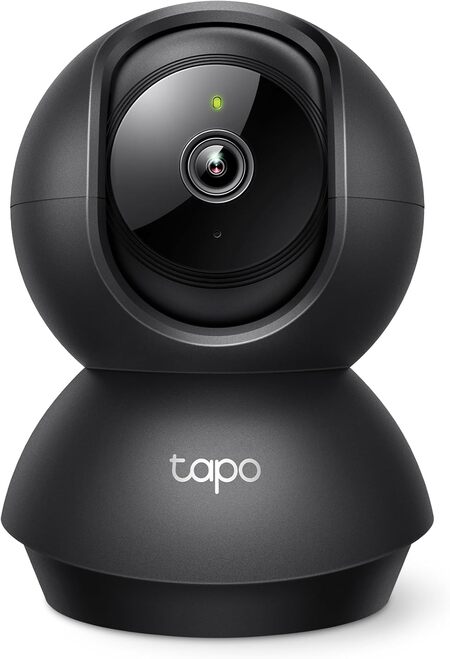
At a price that feels almost too good to be true, the Tapo C201 brings full pan and tilt control to your palm. This camera rotates a full 360 degrees horizontally and 114 degrees vertically. You can scan an entire open plan living area from a single corner shelf. In our testing, the motor moved smoothly and quietly enough to not disturb a sleeping baby.
Video quality is a crisp 1080p, and the night vision reaches up to 30 feet. That range easily covered a dark basement and a dim nursery during our tests. The camera also includes person detection and baby crying detection. We set it up as a nursery monitor and received a notification within seconds of a whimper, which is exactly the responsiveness a parent needs.
Local storage is a major strength here. You can slot in a microSD card up to 512GB for continuous recording with zero monthly fees. The Tapo app gives you playback controls that are easy to use, and you can also subscribe to Tapo Care for cloud storage if you prefer off site backup. This flexibility puts you in full control of your data and your wallet.
The camera feels stable and well built despite its light weight. It comes with a wall mounting kit, but we simply placed it on a dresser. The two way audio is functional, though we noticed a slight lag in voice transmission. That’s common for this price bracket and not a dealbreaker for quick check ins with a pet or a family member.
Key Specs:
- Video: 1080p Full HD
- Pan/Tilt: 360° horizontal, 114° vertical
- Night Vision: Up to 30 ft
- Storage: microSD up to 512GB, optional cloud
- Smart Integration: Alexa, Google Home
Pros:
- Exceptional value with pan tilt capability rarely found at this price
- No subscription needed for local recording and basic motion alerts
- Sensitive baby crying and person detection
- Compact size fits easily into any room
Cons:
- Two way audio has a slight but noticeable delay
- Connects only over 2.4GHz Wi-Fi, which can be congested in apartment buildings
If your budget is tight but you still want the freedom to look around a room remotely, the Tapo C201 delivers more than it should for the cost.
3. Kasa EC70: The Subscription Free Workhorse
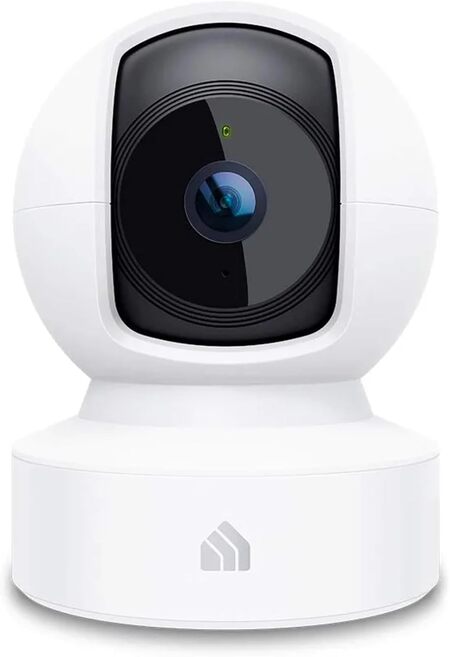
The Kasa EC70 feels like the Tapo C201’s slightly more polished sibling. It offers the same 360 degree pan and tilt functionality but adds a few thoughtful touches that elevate the daily experience. The standout feature is its subscription free local storage that can take a microSD card up to 256GB. You get continuous 24/7 recording right out of the box with no recurring costs.
We appreciated the “Patrol Mode” that lets the camera cycle between preset positions at intervals you define. One camera can effectively monitor a long hallway and a connecting living room in sequence. The image is clean 1080p, and the night vision includes a Night Color mode that keeps the scene in color rather than switching to black and white. Colors looked slightly muted in our tests, but the added detail was worth it.
Motion tracking is accurate and swift. We watched it follow a dog walking across a room without overshooting the target. Sound detection and motion only alert options help cut down on useless notifications. The Kasa app also enables Smart Actions, which can turn on a Kasa smart plug or light when the camera detects movement. This creates simple automations without a complex hub.
One small quirk we noticed is that the app can occasionally be slow to reconnect when you switch away and come back. A quick force close and reopen always solved it, but it’s worth mentioning. The camera itself feels solid, and the included mounting plate makes ceiling or wall installation straightforward.
Key Specs:
- Video: 1080p Full HD, Night Color
- Pan/Tilt: 360° horizontal, 133° vertical
- Storage: microSD up to 256GB, optional Kasa Care cloud
- Audio: Two way audio
- Smart Integration: Alexa, Google Assistant
Pros:
- True 24/7 local recording without a subscription
- Patrol Mode effectively monitors multiple areas with one camera
- Motion tracking follows subjects smoothly
- Smart Actions integrate with other Kasa devices
Cons:
- App occasionally requires a restart to reconnect
- Limited to 2.4GHz Wi-Fi
For anyone who refuses to pay a monthly fee and wants a camera that actively watches over a space, the EC70 is a perfect fit. It’s a true set it and forget it solution.
4. Ring Pan-Tilt Indoor Cam: The Full Room Guardian
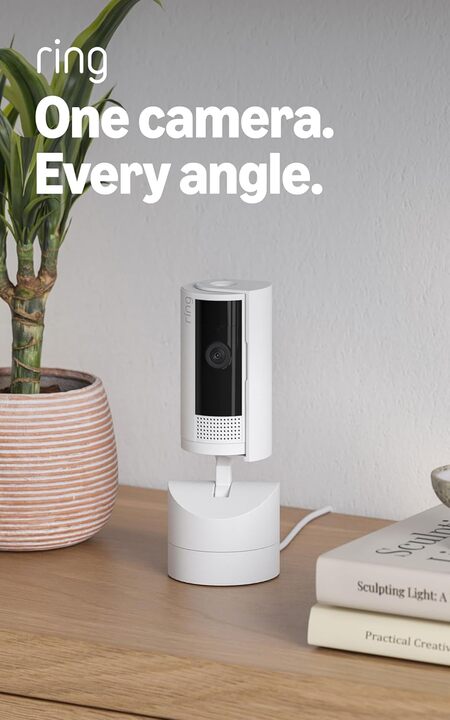
Ring’s Pan-Tilt Indoor Cam solves the biggest limitation of fixed cameras. You get a smooth 360 degree pan and 169 degree tilt range that you control from the Ring app with satisfying precision. We mounted one in a garage and could read labels on storage bins across the room by tilting down and zooming in. The motion felt fluid, with no jerky movements.
The camera outputs crisp 1080p HD video and includes Color Night Vision. During our tests, the feed stayed vivid even in very low light. A standout privacy feature is the removable cover that physically blocks the lens and microphone. You can swivel it open with a satisfying click when you want the camera active. That tactile feedback provides a level of trust a software icon never will.
Advanced Pre Roll is a clever addition that captures six seconds of footage before a motion event is triggered. This helped us piece together exactly why a box fell off a shelf. The built in siren is loud and can be triggered manually from the app. We used it once to startle a raccoon that had found its way into the garage.
This camera shines brightest inside the Ring ecosystem. If you already have a Ring Alarm or doorbell, adding this indoor unit ties everything together in a single app. The main trade off is that features like video history and intelligent alerts require a Ring Protect subscription. Without it you get live view and basic motion alerts, which still covers the essentials for many households.
Key Specs:
- Video: 1080p HD, Color Night Vision
- Pan/Tilt: 360° pan, 169° tilt
- Field of View (static): 143° diagonal
- Audio: Two way talk with noise cancellation
- Privacy: Removable manual privacy cover
- Smart Integration: Amazon Alexa
Pros:
- Exceptionally smooth and precise pan tilt controls
- Advanced Pre Roll captures critical moments before motion alerts
- Loud built in siren for active deterrence
- Deep integration with the Ring and Alexa ecosystem
Cons:
- Does not automatically track and follow moving subjects
- Subscription required to access recorded video history and rich notifications
If you want the ability to scan every corner of a large room from a single camera and you already live in the Ring world, this camera is a natural and powerful addition.
5. Google Nest Cam Indoor (3rd Gen): The AI Powered Premium Pick
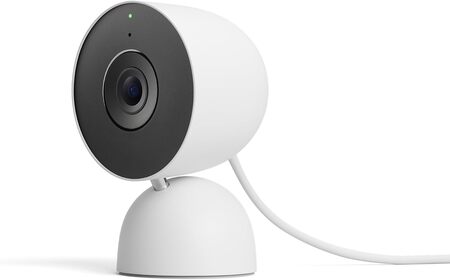
Google’s latest wired indoor camera is a significant leap forward in image quality. It records in 2K HDR, which produces noticeably sharper and more balanced video than any 1080p camera we tested. Details like text on a box or the expression on a kid’s face are crystal clear. The wider 152 degree diagonal field of view also means you see more of the room without needing to pan.
The real magic lives in the intelligent alerts powered by Gemini. With a Google Home Premium subscription, the camera can tell you “a dog is running through the living room” rather than a generic motion alert. We found this surprisingly useful. It meant we could ignore a pet alert but tune in immediately when a person was detected. The ability to search video history by asking “what happened to the plant in the hallway” felt futuristic and genuinely saved time.
Build quality is excellent. The camera has a weighted, premium feel and sits securely on a flat surface. The green LED lets everyone know when the camera is processing or streaming. Setup through the Google Home app was nearly instant. It found the camera, updated the firmware, and had us viewing a live feed in just a few minutes.
The biggest consideration is cost, both upfront and ongoing. To unlock the full feature set including 24/7 video history and those advanced AI descriptions, you need the premium subscription. Without it, you get live view, basic motion alerts, and a short event history. That still works well, but the product truly comes alive with the subscription.
Key Specs:
- Video: 2K HDR
- Field of View: 152° diagonal
- Night Vision: Color night vision
- Audio: Two way audio
- Smart Integration: Google Home, Gemini
Pros:
- Best in class 2K HDR video quality with excellent low light performance
- Gemini powered alerts offer specific, actionable descriptions
- Wide field of view reduces the need for pan tilt in many rooms
- Rock solid build and simple Google Home integration
Cons:
- Most advanced features require a Google Home Premium subscription
- Higher upfront cost compared to other indoor cameras
For those deeply embedded in the Google ecosystem who want the sharpest image and smartest alerts, this camera justifies its premium price tag. It’s less a simple monitor and more an intelligent home observer.
Best Wireless Indoor Security Cameras: A Quick Rundown
- Ring Indoor Cam: Best simple no fuss camera for Alexa households
- Tapo C201: Best budget pan tilt camera with free local storage
- Kasa EC70: Best subscription free workhorse with 24/7 recording
- Ring Pan-Tilt Indoor Cam: Best full room scanning for Ring users
- Google Nest Cam Indoor (3rd Gen): Best video quality and AI powered intelligence
Final Thoughts
Choosing a camera comes down to a few core priorities. Decide whether you want a fixed view or the ability to pan and tilt. Think hard about subscriptions. Some of these cameras work brilliantly without ever paying another cent, while others keep their best tricks behind a monthly fee. Also consider which voice assistant you already talk to every day because staying inside one ecosystem makes everything feel more seamless.
You really cannot make a wrong choice here. It all depends on the size of your room, your comfort with recurring costs, and how much smart detection you truly need. Pick the one that fits your actual daily habits. The peace of mind that comes from a quick glance at a live feed is something you will appreciate every single day.
Be First to Comment