A voiceover can sound clear as you read it and still play back with a sharp pop on the first word or a desk tap halfway through. Those small noises are easy to miss until you’re editing a take you wanted to keep.
Shopping for a mic brings its own complications. Two models can look almost identical on a boom arm, yet one may need more preamp gain than your interface can supply, while the other may need a different stand.
We researched the dynamic microphone market, compared models suited to spoken work, and selected five standouts for voiceovers. We explain where each one fits, what your setup needs to support it, and which tradeoffs matter for the way you record.
How We Selected the Best Dynamic Microphones for Voiceovers
We compared manufacturer specifications, setup guides, and independent reviews where they added detail about everyday use. We looked at each mic as part of a recording setup, since the arm, audio interface, and position of your script all affect how easily you can use it.
We gave priority to models that serve a clear purpose for home studios and small teams. A mic that travels well can make sense for recording between jobs, while a fixed desk setup can make better use of a larger mount or onboard tone controls.
- A mic’s pickup pattern helps you decide where to place it around a screen, keyboard, or computer fan.
- Checking gain needs against your interface helps you plan for quiet reads before you buy.
- For pop control, a built-in filter or included windscreen can help tame bursts of air from hard consonants.
- For mounting, check the mic’s weight and threads against the specs of your arm or stand.
- Accessible tone controls can help if you want to shape the sound before recording.
Each pick makes sense for a specific recording setup. We start with the one we’d take between jobs.
Best Dynamic Broadcast Microphones for Voiceovers
Start with where you record most often and how much gear you want to set up each time.
1. Shure SM58 Pro XLR Dynamic Vocal Microphone
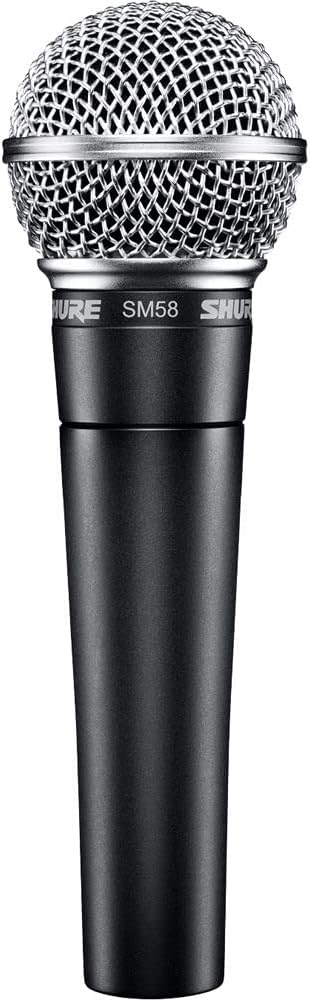
We’d pick the Shure SM58 for a business owner who records training clips in several locations and also needs a mic for live speech. The LC version comes with a clip and pouch, making it easy to move between setups.
Its cardioid pickup pattern favors sound from the front, which gives you a clear way to aim it. At a desk, that can mean pointing the grille at your mouth and turning the rear of the mic toward a nearby source of noise.
The handheld shape makes it stand out. Shure uses a steel mesh grille and an internal shock system that helps reduce handling noise. For a script, we’d use the stand adapter so both hands are free to turn pages or mark a line.
Shure shapes the vocal frequency response with a lifted midrange and reduced bass. That voicing can suit short announcements and instructional clips. If you deliver different kinds of reads, plan to make any tone changes through your recording setup, since the mic has fixed voicing.
For a close read, Shure’s vocal placement guide suggests speaking straight into the grille from within six inches. We would use that range to find a spot where the voice has enough body and the extra bass from moving closer suits the script.
Who should skip it
- You want to start recording with no extra cable purchase. The LC box contents cover the clip and pouch, so you’ll need to bring an XLR cable.
- You need a mute switch within reach during live reads. The variants with switches are the SM58S and SM58SE.
2. Shure SM7B Dynamic Vocal Microphone
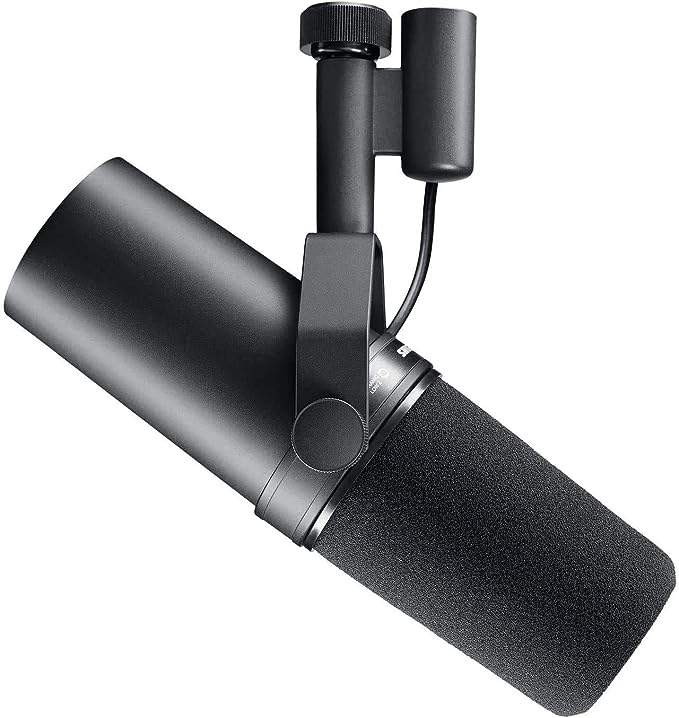
We’d choose the Shure SM7B for a narrator who records regularly at a fixed desk and wants to shape different reads before they reach the recording software. Its rear tone switches give you a flat setting, bass reduction, and a boost in the midrange.
Those options matter if one script calls for a softer delivery and the next needs crisp instructions. We would start with the flat response setting and compare a short passage with the presence boost engaged to hear how it changes the words.
The included windscreens add another choice. The thicker A7WS windscreen is intended for close speech, where hard consonants can send bursts of air into the mic. If you deliver quietly and like to work close, having that option in the box is useful.
The main demand is gain, the amount your interface can boost the mic signal. Shure’s preamp gain guidance calls for at least 60 dB for voiceover work. We’d look up that figure for your interface before ordering, especially if your delivery is naturally soft.
The placement instructions suggest speaking directly into the mic from one to six inches away. Start with a line at your usual delivery level. If it sounds too bassy, try a little more distance before changing the tone switches.
Who should skip it
- Your interface falls short of Shure’s gain recommendation and you want to keep your current setup as it is.
- Your boom arm can’t hold the 1.69-pound microphone securely in the position you need for reading.
- Your computer setup requires a direct USB connection. This model sends analog audio through XLR.
3. RØDE PodMic Cardioid Dynamic Broadcast Microphone, XLR
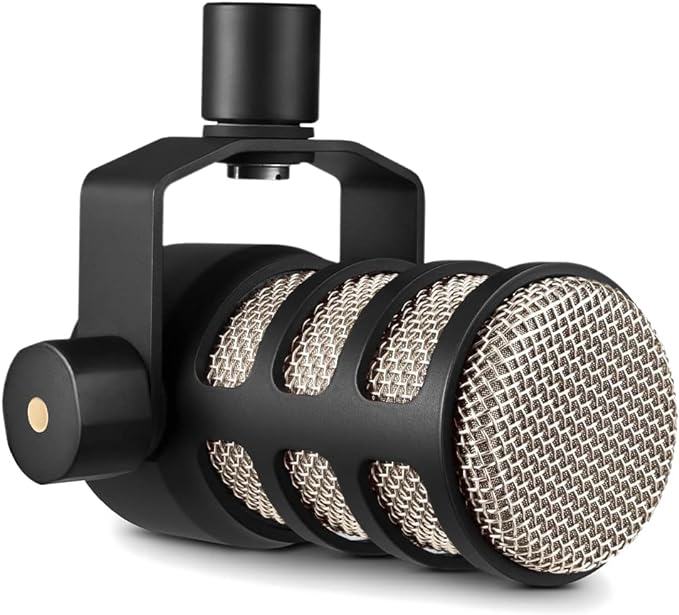
The RØDE PodMic is our pick for a shared recording desk where people take turns reading training scripts, course material, or product demos. Its integrated swing mount lets each speaker angle the mic toward their mouth while the stand stays in place.
RØDE puts a pop filter inside the mic to soften bursts of air from sounds like P and B. There’s also an internal shock mount to reduce vibration. That combination is handy at a shared desk where people adjust the setup between takes.
Despite its short body, the black XLR model weighs 937 grams, or about 2.1 pounds. That’s the detail we’d check first if you’re reusing an arm. An arm that holds the mic securely at the height you need makes the swing mount useful.
Aim the front of the mic at the reader and put the script where they can see it without turning away. RØDE uses a cardioid pattern, so the front is where the mic is most sensitive. Let each reader adjust the angle before starting.
Who should skip it
- You want to keep using a lightweight travel arm rated below the published mic weight. A heavier mic can exceed what that arm is built to hold.
- You need to record straight into a laptop’s USB port. The mic’s analog XLR output requires an audio interface to record on a computer.
- You want to set up from a single box. The standard package contents leave you to supply a mic cable and a stand or arm.
4. Audio-Technica AT2040 Hypercardioid Dynamic Podcast Microphone
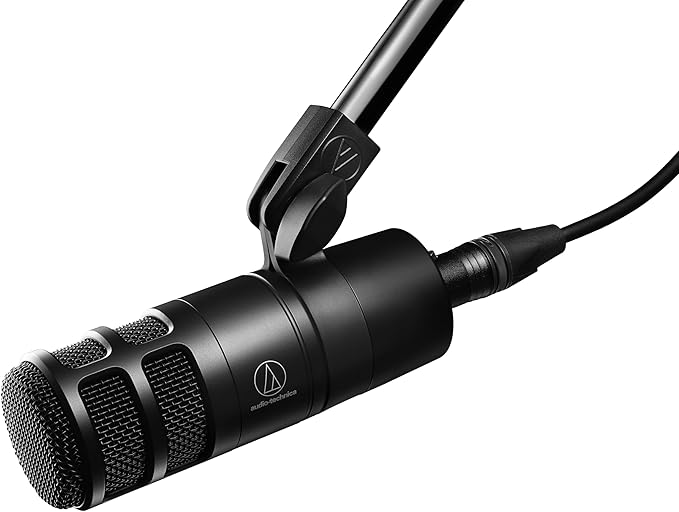
We’d pick the Audio-Technica AT2040 for a course creator or narrator who works at a desk with noise off to one side and can read facing the mic. Its hypercardioid pickup pattern gives it a narrow area of sensitivity in front.
That focus comes with a placement tradeoff. A hypercardioid pickup pattern still hears some sound from directly behind it. We would listen for a computer fan in a short test recording before settling on where the mic and computer should sit.
Audio-Technica pairs the directional capsule with an internal shock mount to reduce vibration that reaches the mic through a stand or arm. A layered windscreen softens breath pops. Both help when you read close and advance a script at the desk.
The included pivoting mount and thread adapter let you angle the mic once it’s on a compatible stand. We’d put the script where you can see the next line without leaning sideways. That way you can use the narrow pickup to your advantage.
The manual calls for a balanced microphone input and directs you to face the front of the mic toward the sound. Before a long session, record a line while glancing between your script and screen to hear how much that movement changes the take.
Who should skip it
- You often read while turning between screens. The narrow front pickup favors a steady position in front of the mic.
- Your setup depends on plugging the mic into a computer directly. This model’s three-pin XLR output requires a separate interface for computer recording.
5. Elgato Wave DX Dynamic XLR Microphone
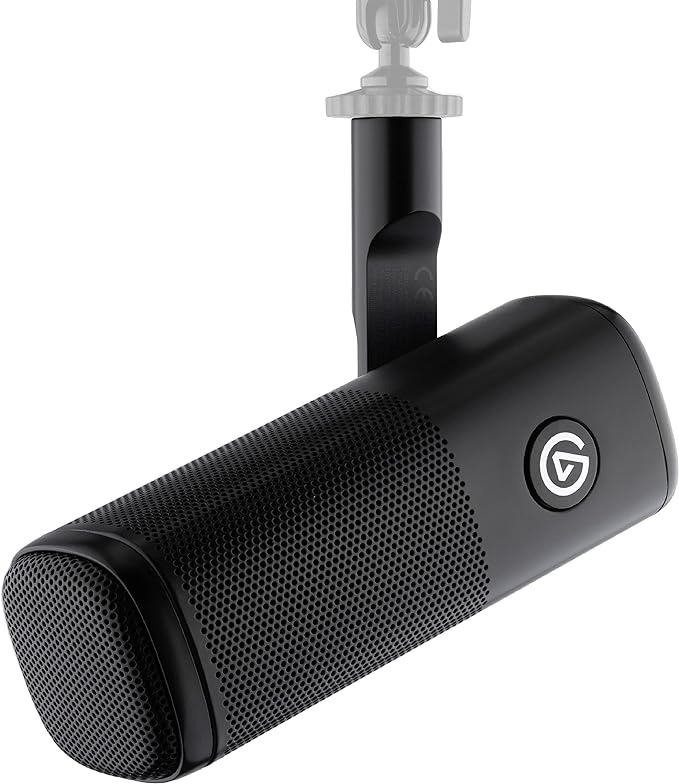
We’d choose the Elgato Wave DX for creators who narrate and record screen demos at the same desk. Its compact steel body is 5.7 inches long, so it takes up little space at the end of an arm.
The cardioid dynamic capsule favors sound entering through the end grille. Reviewers at MusicRadar found the internal pop filter effective, and a separate speech test reported similar results. That matters if an external screen would get in the way of your script.
What we’d look at first is how it fits your existing stand. The swivel mount and adapters support three common thread sizes. That gives you room to use an arm you already own, provided it can hold the one-pound mic securely.
The drawback is worth checking if you type or tap keys during a read. An independent hands-on review found that desk taps and bumps to the arm came through. A separate microphone review also reported weak rejection of knocks.
Elgato suggests speaking into the end from about three to five inches away and starting at 45 dB of gain before adjusting. Try the loudest line in your script at that distance before you settle on your recording level.
Who should skip it
- You want to cut bass on the mic itself. With this model, low-cut filtering is handled by your interface or software.
- Your desk gets bumped during recordings and you want to keep your current mounting setup. Tests of vibration pickup found that knocks reached the mic.
- You need the mic to include everything for a new setup. The listed setup requirements include a separate interface, XLR cable, and stand or arm.
How These Dynamic Microphones Compare
Use the table to match each mic to your recording setup and spot the gear or placement issue to check first.
| Product | Best for | Key feature | Main limitation |
|---|---|---|---|
| Shure SM58 | Recording in several locations | Handheld design with stand clip | XLR cable sold separately |
| Shure SM7B | Regular narration at a fixed desk | Bass and presence switches | Shure recommends at least 60 dB gain |
| RØDE PodMic XLR | A shared recording desk | Integrated swing mount | Requires support for about 2.1 pounds |
| Audio-Technica AT2040 | A steady reading position | Narrow hypercardioid pickup | Some pickup directly behind the mic |
| Elgato Wave DX | A desk used for demos and narration | Three supported mounting thread sizes | Desk taps can reach the mic |
Final Thoughts
We’d choose a mic around the longest session you expect to record. Think about where the script will sit, whether you can read comfortably in that position, and how often you’ll need to move the setup out of the way.
Set a budget for the complete setup, including anything your current gear can’t supply. Then record a short passage with what you already own and listen for the one thing you’d most like to improve. Let that guide your purchase.
Be First to Comment