A phone is easy to hold until you add a light, a microphone, and a cable that keeps brushing your hand. If you film product demos, client interviews, or social clips on your own, finding a place for that gear can slow down every shoot.
Shopping for a rig brings its own frustrations. A full cage and a small tripod clamp can look equally capable in listing photos. The differences show up when you turn the phone upright, plug in a receiver, or try to fit the phone with its case on.
We researched the market, compared how cages and clamps handle those jobs, and selected five options for different ways of filming. We’ll help you match your phone, accessories, and shooting routine to a rig that makes sense for your business.
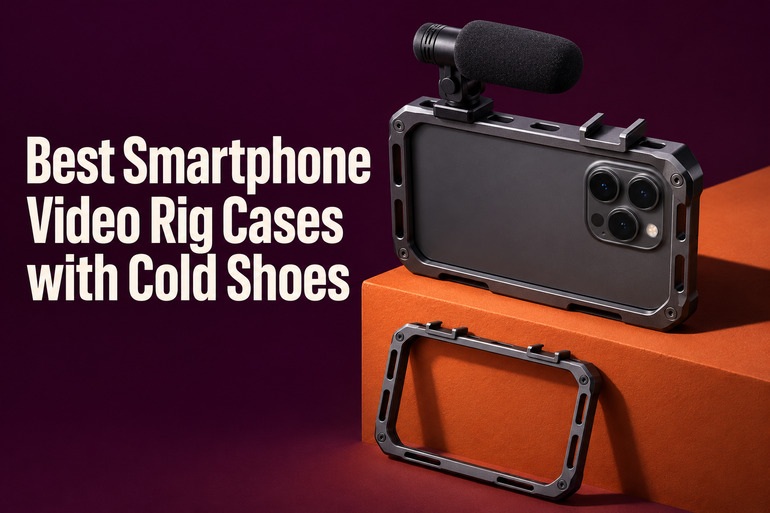
How We Selected the Best Smartphone Video Rigs
We compared manufacturer specifications and product listings to see how each rig holds a phone, where its accessories sit, and how it attaches to a support. We paid particular attention to dimensions and mount placement because those details can change how a setup fits together.
We also looked at the kinds of shots each design suits. A shop owner filming products at a table has different needs from a freelancer who records handheld interviews and regularly switches between vertical and horizontal video.
- Phone fit matters because a thick case can change the dimensions you need to measure.
- Shoe placement helps you judge whether a light and mic receiver can share the available space.
- Grip design affects where you can put your hands during a moving shot.
- Tripod connections help you decide whether the mount fits the support you already own.
- Angle adjustment matters if you record the same material for several formats.
- Port clearance gives your cables room to plug in without pressing against the frame.
Each pick serves a distinct filming routine. Start with the one that most closely matches yours.
Best Smartphone Video Rigs with Cold Shoes
Some of these rigs are built to hold in your hands. Others are best paired with the tripod you already use.
1. ULANZI U Rig Pro Smartphone Video Rig
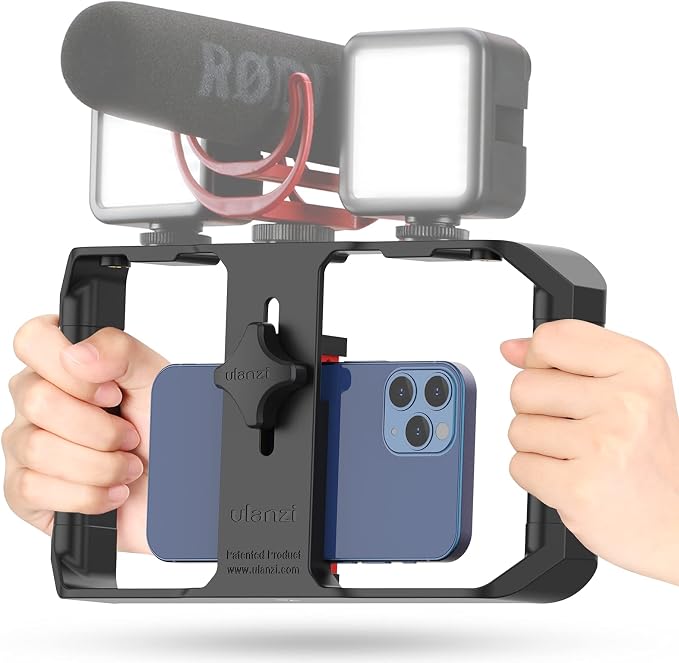
We’d choose the U Rig Pro for a solo business owner who films handheld product walkarounds or short updates with a small light and mic. Its three shoe mounts sit across the top, so you can keep the sides free for a two handed grip.
That top row gives you room to plan around the gear you already own. You can slide a compact mic into one cold shoe slot and place a small light in another. Check how far each accessory extends past its mounting foot before choosing their positions.
The bottom tripod thread lets you move the whole frame onto a compatible support. That’s useful when a product walkthrough ends at a counter and you want a fixed shot for the final closeup. You can keep the light and mic in place for the change.
Check the listed clamp range before buying. The featured version lists a phone width of 2 to 3.5 inches. We’d measure the phone with its usual case fitted, since the jaws need to close around whatever you actually bring to a shoot.
The setup instructions show how the spring clip and rear screw work together. Center the phone between the padded jaws, then tighten the screw before adding your accessories. Keep the space above the frame in mind if you usually film beneath a low shelf.
Who should skip it
- Skip it if your phone and everyday case together measure more than 3.5 inches across.
- Choose a compact clamp if you film at a tight desk and have little room around the phone for the cage and its top mounted gear.
2. PICTRON ST‑27 Metal Phone Tripod Mount
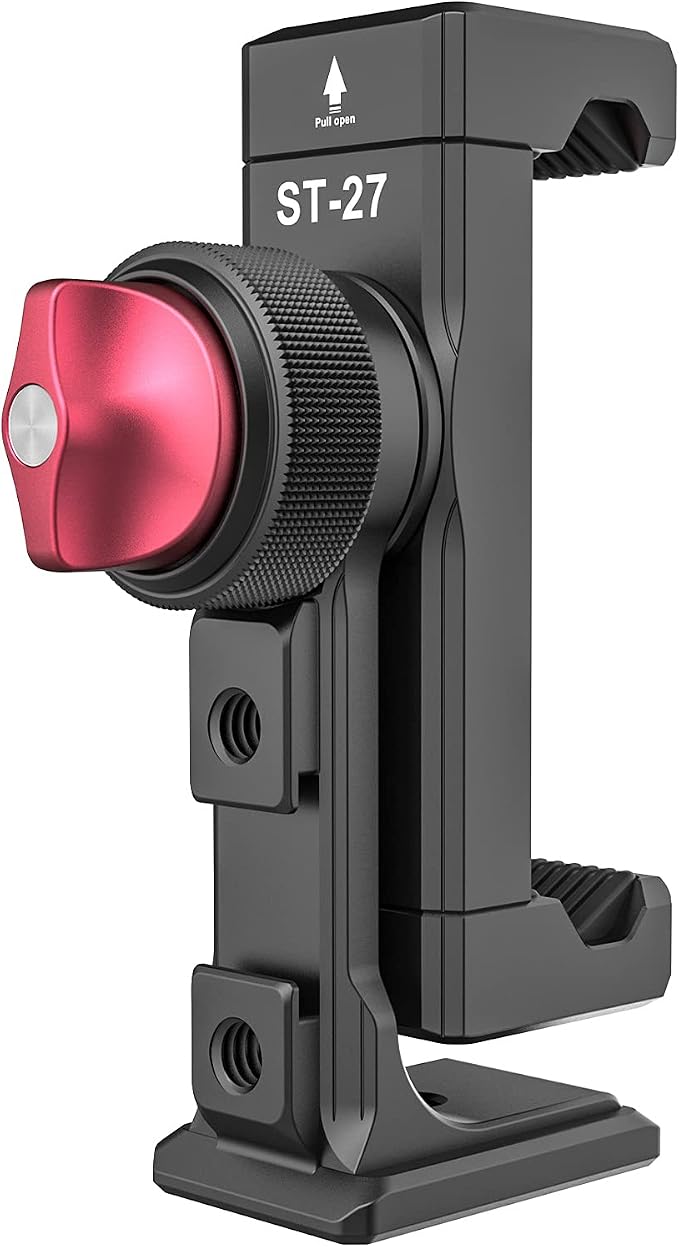
We’d pick the PICTRON ST‑27 for a small shop that records tripod videos and wants room for a light and wireless audio gear. The featured mount design puts two shoes at the sides of the clamp and a third on the back, where a receiver can sit.
That rear position is the reason we’d choose this layout for a counter setup. It gives the wireless receiver a dedicated place while leaving the other shoes available. If the receiver needs a cable, check which way the plug points before deciding where to slide it in.
The Arca mounting base fits a compatible quick release head, and the bottom also has a quarter inch screw socket. That gives you a choice if you use an Arca head for product footage and a small screw mount stand for clips at your desk.
A locking rotation dial on the ST‑27 lets you turn the phone through 360 degrees and secure the angle. For a product clip you’ll publish in two formats, frame the vertical shot separately after turning the phone so the item still fits comfortably in view.
This is a tripod clamp, so handheld work calls for a separate grip. We’d set the phone angle before loading the shoes. That makes it easier to see where a cable or light might meet the tripod head when you turn the phone.
Who should skip it
- Choose a cage if you need two built in grips for handheld filming away from a tripod.
- Skip it if your support lacks both a compatible Arca clamp and a matching quarter inch screw.
- Check clearance first if your tripod head sits close to the rear shoe.
3. NEEWER PA017 Universal Smartphone Video Rig
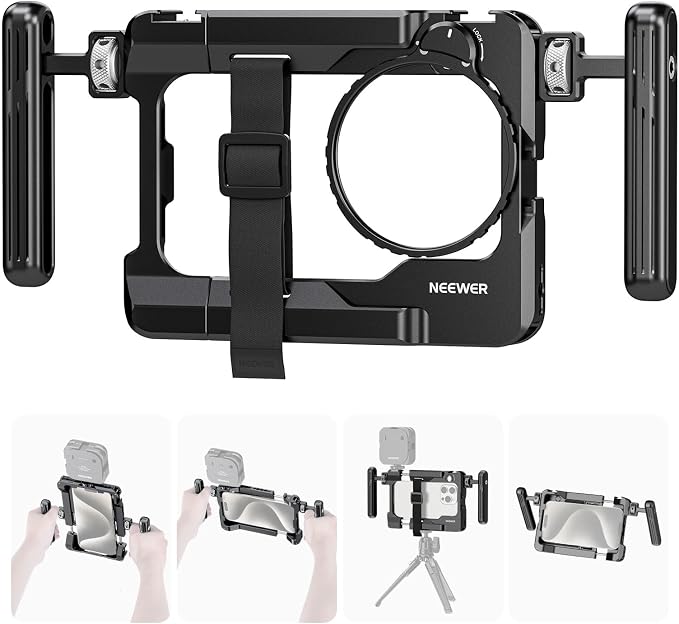
We’d choose the PA017 for a freelancer who films handheld product footage and already uses filters, or plans to add them. Its removable filter adapter takes NEEWER’s circular 67 mm filters, so you can add one for an outdoor shoot and remove the adapter for indoor work.
The aluminum cage has two rotating handles that can mount horizontally or vertically on either side. We like that flexibility for a shoot that starts with a wide view of a workspace and ends with a vertical clip showing someone using the product.
There’s also a shoe with retaining pins that NEEWER lists as compatible with the DJI Mic transmitter. Other shoes and threaded holes give you places to add gear. Check which part of your audio kit needs mounting, since a transmitter and receiver can have different fittings.
The filters are sold separately. That matters if the adapter is your main reason for buying the cage. Also check the specified clamp span of 140 to 175 mm against the phone you plan to use, especially if several people will share the rig.
To fit the adapter, NEEWER’s directions say to align it with the mounting hole and turn it clockwise. Once the filter is on, check the camera view you’ll actually record with. We’d make that part of framing the shot, especially when switching between phone lenses.
Who should skip it
- Skip it if the phone you plan to use falls outside the clamp’s stated 140 to 175 mm span.
- If you need a filter ready to use on arrival, plan to buy one separately from this kit.
4. NEEWER SP‑02 Metal Phone Tripod Mount Adapter
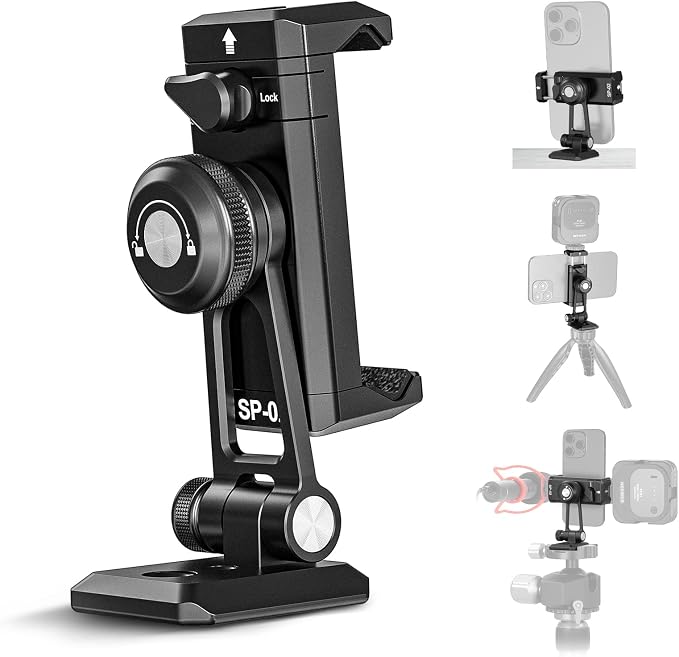
We’d pick the SP‑02 for a home office or workbench where the phone stays on a stand and the framing changes often. Its separate tilt control is useful when you need to point the phone down at a work surface, then bring it back up for a presentation.
The Arca dovetail base slides into a compatible head. The underside also has quarter inch and three eighths inch threads for matching supports. That makes the mount useful if your main tripod takes Arca but the small stand beside your computer uses a screw.
NEEWER lists 180 degrees of tilt and describes a separate adjustment for turning the phone upright or sideways. We’d set the phone orientation first, then fine tune the tilt. That keeps the framing work simple when you’re recording both a wide demo and a vertical excerpt.
The spring loaded clamp has curved rubber pads and a locking knob. It opens from 2.6 to 3.8 inches, so measure across the phone where the jaws will sit. We’d also check whether any case buttons or raised edges fall under those pads.
The main tradeoff is the single top shoe. It’s enough for a small light or a mic. If you run both during a livestream, decide which one needs to sit on the phone mount and where you’ll support the other before you set up.
Who should skip it
- Choose a mount with several shoes if both your mic and light need to sit on the rig.
- Skip it if your phone with its case fitted is narrower than 2.6 inches or wider than 3.8 inches.
- Choose a cage if your work calls for built in side grips.
5. ULANZI LINO Dual Handle Smartphone Video Rig
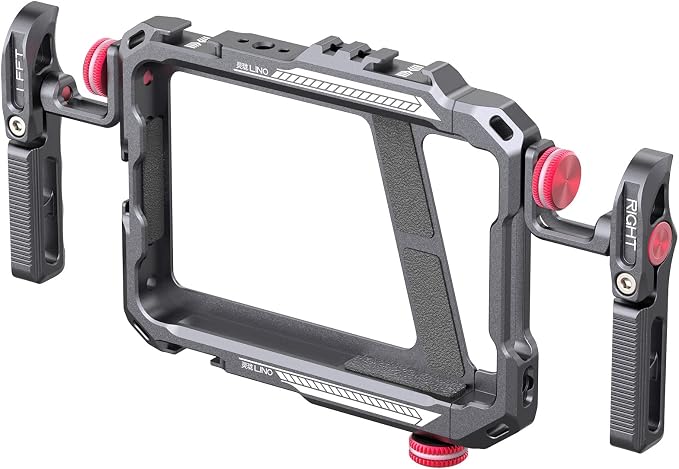
We’d pick the LINO for a freelancer who moves between handheld interviews and tripod shots during the same job. Its detachable rotating handles let you adjust your grip for a moving shot, then remove the handles when you need less gear around the phone.
The featured kit lists four cold shoes alongside threaded accessory points. That gives you room to plan a setup around both a light and a mic. We’d choose their positions with the cables and your grip in mind, especially if you switch between horizontal and vertical shots.
The bottom tripod socket takes a quarter inch screw. That’s handy for a client shoot where you want to record a moving introduction, then set the phone down for a fixed interview. The same cage can hold the phone and accessories for both shots.
ULANZI’s phone fit specifications give a length range of 130 to 165 mm and a maximum width of 82 mm. We’d check both dimensions with any case you intend to keep on, since a phone that fits one measurement can still fall outside the other.
Check the microphone port guidance if you use wired audio. ULANZI says the cage may interfere with a connection that sits away from the center of the phone’s bottom edge. We’d check that the plug seats fully before relying on it for an interview.
Who should skip it
- Skip it if your phone is wider than 82 mm or falls outside the stated length range.
- Choose a different rig if your wired mic needs an off center port and you can’t confirm plug clearance.
How These Smartphone Video Rigs Compare
Match the way you film most often with the mounting feature and limitation that matter to you.
| Product | Best for | Key mounting feature | Main limitation |
|---|---|---|---|
| ULANZI U Rig Pro | Handheld product walkarounds | Three top cold shoes | Phones up to 3.5 inches wide |
| PICTRON ST‑27 | Tripod filming with wireless audio | Rear shoe for a receiver | Separate grip for handheld use |
| NEEWER PA017 | Handheld filming with filters | Removable 67 mm filter adapter | Filters sold separately |
| NEEWER SP‑02 | Desk and workbench filming | Separate tilt control | One cold shoe |
| ULANZI LINO | Moving between handheld and tripod shots | Detachable rotating handles | Possible cable clearance issues |
Final Thoughts
We’d start with the video you record most often and lay out the gear it takes to make it. Include the phone case, cables, and support you already use. That gives you a better sense of the space and mounting points you’ll need.
Then weigh the complete setup against your budget and the space you have to work in. If you’re choosing between two rigs, pick the one that makes your most common shot easier to set up again tomorrow.
Be First to Comment