Your phone can frame a product demo perfectly and still leave your voice sounding far away. The farther you stand from the phone, the more useful it becomes to wear a mic that can move with you.
The listings can make a simple purchase surprisingly confusing. A direct Bluetooth connection can depend on your camera app, while a plug-in receiver needs the right phone port. Even two versions of the same kit can connect differently.
We researched the market, compared phone compatibility and recording features, and selected five options for different filming setups. One pairs directly over Bluetooth. The other four use receivers, so you can choose based on how you actually film.
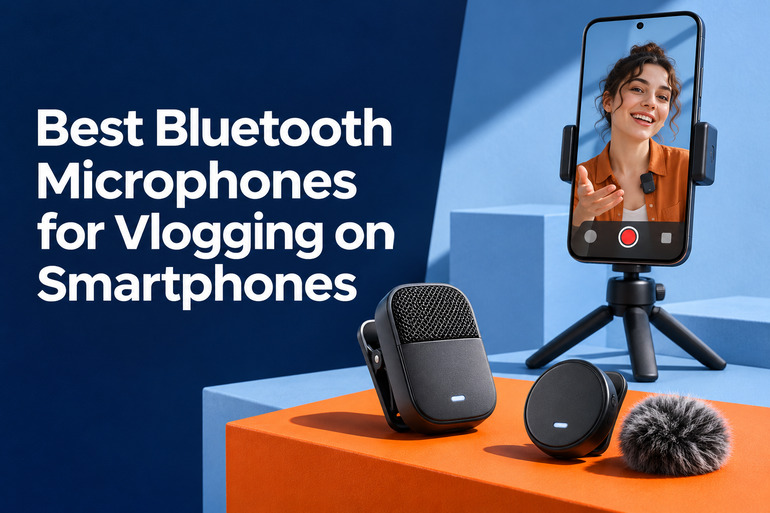
How We Selected the Best Wireless Microphones for Smartphone Vlogging
We compared clip-on wireless microphones for solo vlogs, product demos, and interviews. We checked the exact packages against manufacturer documentation and current listings, paying particular attention to which receiver, adapter, or second mic actually comes in the box.
We also looked at what changes between filming a quick update and recording several takes away from a charger. Where a feature or compatibility detail came only from a listing, we kept our assessment to what the seller documented.
- Phone fit: Matching the connector to your phone keeps a spare adapter from becoming one more thing to pack.
- Camera app compatibility: Checking the audio input helps you avoid filming an entire take through the phone’s own mic.
- Number of microphones: Two transmitters give you and a guest your own mics during an interview.
- Charging options: A charging case or receiver with a charging port helps you plan longer filming days.
- Controls and accessories: Accessible buttons, clips, and windscreens make it easier to manage sound while filming alone.
Each pick suits a specific recording setup. Start with the one that fits your phone and the way you shoot.
Best Wireless Microphones for Vlogging on Smartphones
We’d start with the connection you want and how many people you need to record.
1. DJI Mic 2 Transmitter (Shadow Black)
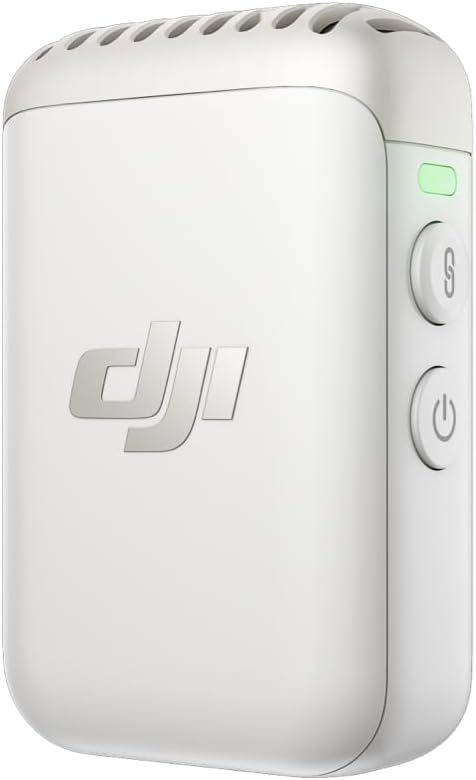
We’d pick the DJI Mic 2 Transmitter for solo vloggers who want to keep their phone port free. The standalone transmitter can pair directly over Bluetooth, which keeps a receiver out of the way when you’re holding the phone or using a compact grip.
The transmitter also works as a separate recorder. Its internal storage holds up to 14 hours of 24-bit audio, and it can record in 32-bit float. We see the appeal if you edit your videos and want a separate audio file to sync afterward.
Connection mode matters here. DJI’s Bluetooth recording notes say internal recording and intelligent noise cancellation are unavailable while the transmitter is paired to a phone over Bluetooth. If a separate local recording is part of your workflow, plan for it before setting up the shot.
At 28 grams, the transmitter is small enough to wear on a collar, and the box contents include a clip magnet and windscreen. We’d use the windscreen for outdoor takes and check the framing after attaching the mic, especially for close shots.
Before filming, follow DJI’s pairing instructions, then record and play back a short clip in your chosen app. DJI’s phone compatibility guidance warns that some built-in camera apps won’t capture the Bluetooth audio. Playback matters even if the phone shows the mic as connected.
Who should skip it:
- If you rely on your phone’s default camera, skip this package unless your phone and app can record from a Bluetooth mic.
- If you regularly film interviews with a guest, the single transmitter in this box leaves you with one wearable mic for two speakers.
2. Mini Mic Pro
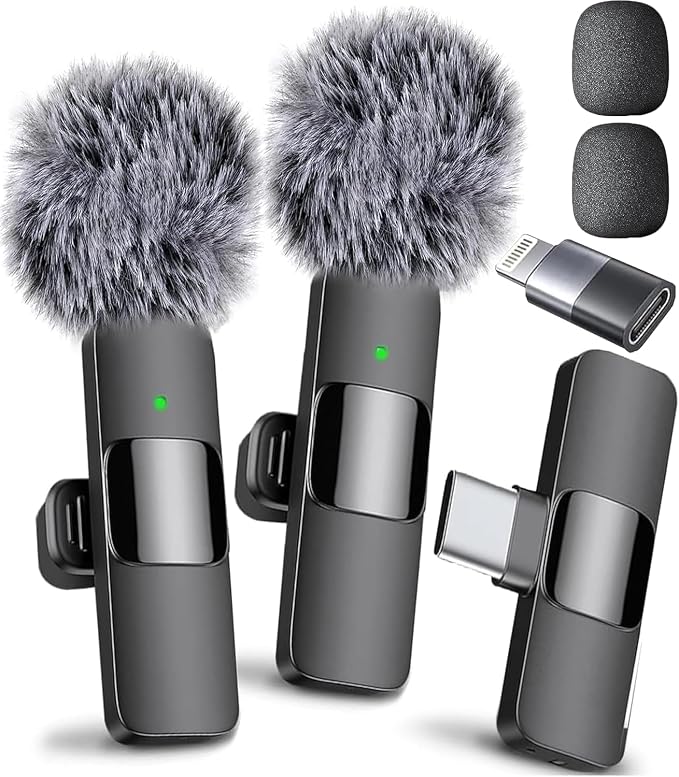
We’d choose the Mini Mic Pro for creators who film on a mix of Lightning and USB-C phones. The dual-connector kit includes two clip-on microphones and one receiver, with both phone adapters in the box. That’s handy if a colleague sometimes supplies the camera.
The plug-in connection keeps setup out of your phone’s Bluetooth menu. We’d connect the receiver with the adapter for that phone and play back a short test before recording. If two people are speaking, give each person a mic during that check.
We like that the kit comes with two windscreen styles. There are foam covers and furry covers for both mics, so you can switch from an indoor demo to an outdoor introduction with wind protection already in the bag.
The seller lists up to six hours per charge and says you can charge the phone while using the kit. We’d treat the runtime as a planning estimate for a busy shoot. A power source for the phone won’t extend the transmitters’ own charge.
Check the package contents if you’ve seen photos of a case. This listing names a USB charging cable alongside the microphones and receiver. The brand sells a charging case version under the same name, so it’s worth checking which one is in your cart.
Who should skip it:
- If your phone has to stay free of attachments for the way you mount it, the receiver and adapter can get in the way.
- If you want a case that recharges both transmitters between locations, choose a package that explicitly includes one in its box contents.
3. BOYA BY-V20 (V2.0)
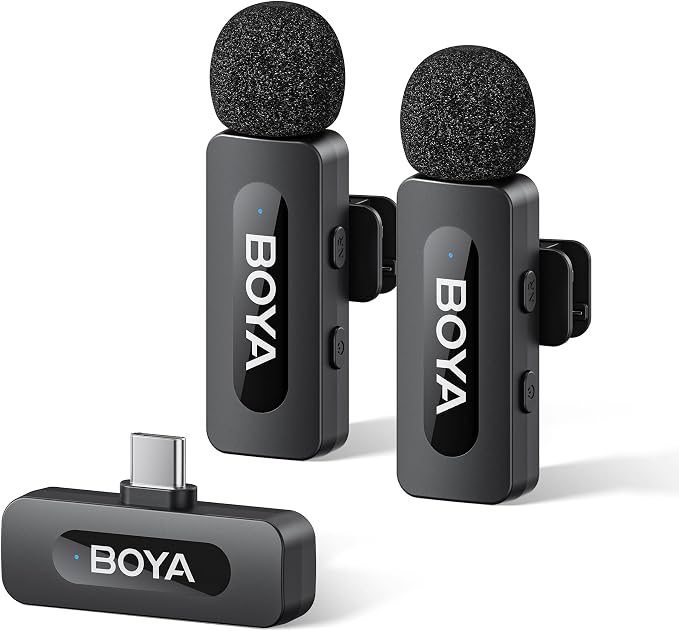
The BOYA BY-V20 is our pick for two-person interviews and demos filmed on a USB-C phone. The V2.0 kit uses two clip-on transmitters and one plug-in receiver, so a host and guest can keep their mics on while they work or talk.
BOYA’s setup manual describes a dedicated 2.4 GHz wireless link. Plug the receiver into the phone and switch on the transmitters to let them pair. We’d check both voices in a test clip so each mic is accounted for before the interview starts.
The receiver has a charging port that lets you power the phone while recording. BOYA also lists up to nine hours per transmitter. For a long livestream, you can hook the phone up to power before you start and leave it connected.
The rotating clips let you adjust the mic angle after attaching it to a collar or lapel. The kit also has a noise reduction button. We’d record a few seconds with it on and off when a fan or other steady sound is nearby.
Who should skip it:
- If you film on a Lightning iPhone, this version’s USB-C receiver won’t plug straight in. BOYA lists the BY-V2 as the Lightning kit for two speakers in the same series.
- If your phone must pair directly over Bluetooth because the port is inaccessible, skip this kit. Its wireless link runs between the transmitters and the receiver.
- If you need to recharge between locations, the listed box contents include a carrying bag and cables. Plan to bring a power source for those breaks.
4. NPTCL Wireless Lavalier Mini Microphone
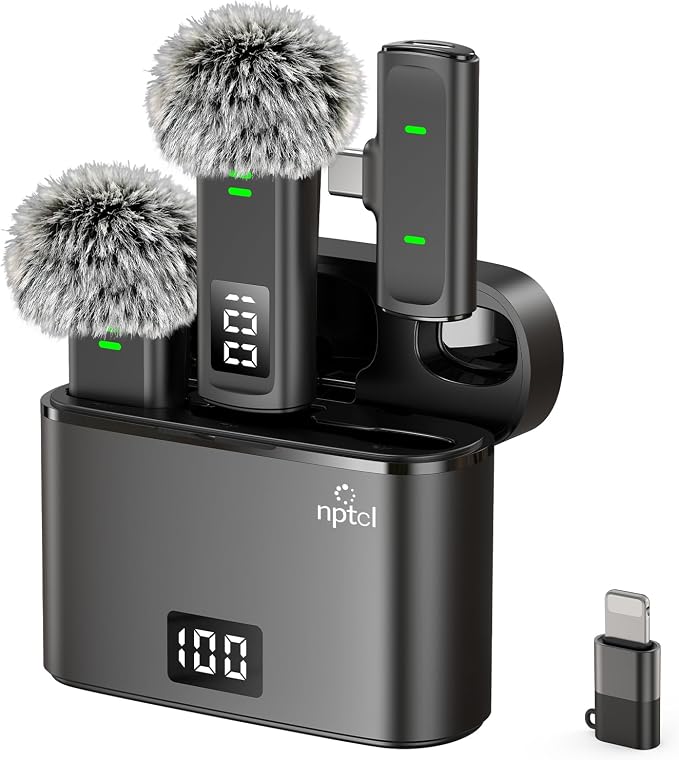
We’d consider this NPTCL kit for creators who still film on a Lightning iPhone and want to recharge between short shoots. The listed box contents identify a Lightning receiver, two microphones, and a charging case, a useful combination for interviews across several stops.
The case is the main reason we’d choose this package. The seller’s battery figures put each mic at up to seven hours on a full charge and the kit at up to 35 hours with the case. The larger figure includes recharging between sessions.
We also like having a battery readout on the mics and case. It gives you a quick check before handing a mic to a guest or starting a batch of videos. NPTCL says you can charge both mics in the case together.
Pay close attention to the connector when ordering. The general compatibility text mentions both USB-C and Lightning, while the box contents name a Lightning receiver. NPTCL’s compatibility FAQ describes those as receiver options. We’d confirm the plug shown for the selected package before checkout.
For setup, NPTCL describes automatic receiver pairing after you plug in the receiver and power on the microphones. If you’re filming with a guest, we’d have each person speak into their mic in a quick test and listen to the clip before starting.
Who should skip it:
- If you use a USB-C phone, skip this specific listing unless the seller confirms that your selected package includes the matching USB-C receiver.
- If you record long takes without breaks, judge the kit by the runtime per mic. The case’s larger figure includes charging stops.
5. CZOCPOS Wireless Lavalier Microphone 2 Pack
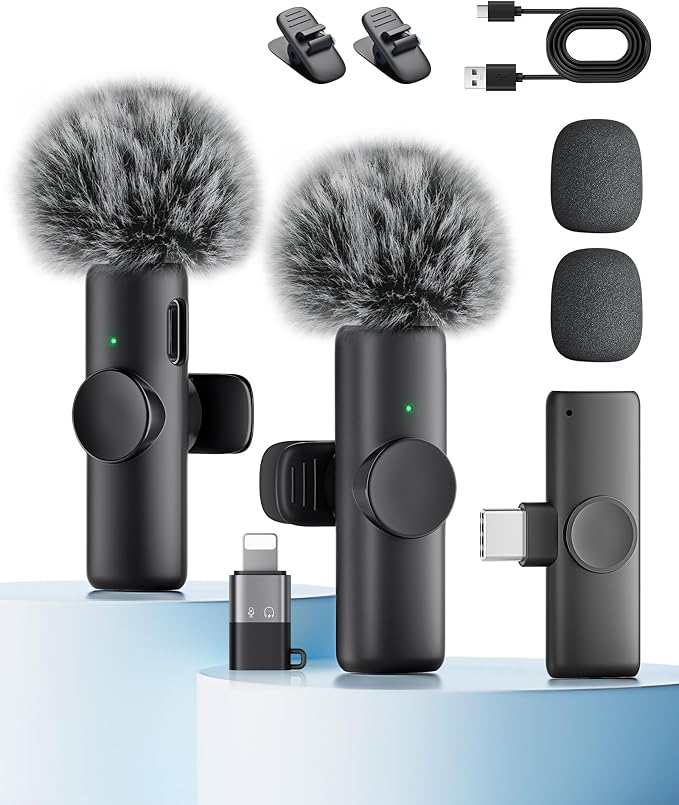
We’d consider the CZOCPOS Mic01 for occasional two-person interviews or short videos filmed on phones with different ports. The listed two-mic kit includes a USB-C receiver and an adapter for Lightning devices, so you can bring the same set when someone else is filming.
The microphones use a 2.4 GHz link to the receiver and pair automatically when powered on, according to the listing. We’d check that your camera app is getting audio from both mics before you start, particularly if you switch phones between shoots.
The seller describes a mute control on the mic. We’d use it to mute one speaker between takes and check playback after switching it back on. The listing also says noise reduction is the default mode, so listen for how it handles your room.
For longer recordings, the seller lists up to five hours per charge and says you can charge the phone through the receiver. If you’re filming several segments back to back, plan a break to recharge the transmitters even if the phone can stay plugged in.
On Android, check the seller’s USB setup directions, which call for enabling USB On-The-Go, often shown as OTG in settings. We couldn’t verify a phone-by-phone compatibility list for this model, so we’d check your exact device before relying on the kit for a scheduled interview.
Who should skip it:
- If you need documented support for a particular Android model or camera app, the listing gives general setup directions with few device-specific details.
- If you often shoot past five hours without a break, the listed battery estimate leaves little room for a longer session.
- If you need direct Bluetooth pairing, choose a mic that sends audio straight to the phone without using its port.
How These Wireless Microphones Compare
Use this side-by-side view to match your phone and filming routine to the right kit.
| Product | Best for | Mics included | Phone connection | Main limitation |
|---|---|---|---|---|
| DJI Mic 2 Transmitter (Shadow Black) | Solo vlogs with the port free | 1 | Direct Bluetooth | Built-in camera app support varies |
| Mini Mic Pro | Switching between phone ports | 2 | Receiver with USB-C and Lightning adapters | Charging case not listed |
| BOYA BY-V20 (V2.0) | Two-person shoots on USB-C | 2 | USB-C receiver | Requires a USB-C port |
| NPTCL Wireless Lavalier Mini Microphone | Lightning iPhone shoots with charging breaks | 2 | Lightning receiver listed | Check variant for USB-C |
| CZOCPOS Wireless Lavalier Microphone 2 Pack | Short interviews across phones | 2 | USB-C receiver with Lightning adapter | Limited device-specific guidance |
Final Thoughts
We’d choose a mic by looking at where you film, how many people speak, and what you want to carry. A setup for short clips at your desk can be simpler than one you’ll use for interviews across several locations.
Within your budget, favor a kit you can set up comfortably with the phone and camera app you already use. Before your first important shoot, record a short clip at your usual filming distance and listen back with headphones.
Be First to Comment