Finding a 4K webcam for professional video sounds simple until we start comparing the details. Resolution matters, but so do autofocus, framing, lighting, microphone quality, privacy, and how easily the camera fits into the way we actually work.
That can make shopping surprisingly frustrating. Two webcams can both promise sharp 4K video yet feel completely different in everyday use, especially when one focuses on simplicity and another adds tracking, gimbal movement, or advanced software.
We looked closely at the current market, compared the important features, and narrowed our choices to five models with different strengths. Our aim is straightforward: help you find a webcam that suits your workspace, workflow, and professional video needs without making the decision more complicated than it needs to be.
How We Selected the Best 4K Webcams
We started by looking beyond the 4K label. We compared imaging features, autofocus, sensor specifications, microphone capabilities, mounting options, connectivity, software requirements, and privacy controls to see what each camera actually brings to a professional setup.
From there, we considered how those features translate into everyday work. A presenter who moves around needs something different from someone who stays at a desk, so we focused on practical fit rather than simply choosing the camera with the longest specification list.
- Fit for purpose: We looked at whether each camera makes sense for calls, presentations, teaching, streaming, or other professional uses.
- Image capability: We considered resolution, sensor size, autofocus, HDR, and lighting-related features that can affect video quality.
- Framing and movement: We checked whether tracking, auto-framing, or gimbal movement can keep you properly positioned.
- Audio practicality: We considered whether the built-in microphones are useful for normal desk-based meetings and presentations.
- Setup and compatibility: We checked connections, operating-system support, software requirements, and included accessories.
- Privacy and control: We valued practical features such as physical shutters and easy ways to control the camera.
- Limitations: We also looked for genuine feature gaps that could affect whether a model fits your setup.
Taken together, these factors give us a more useful picture than resolution alone. The five picks below each earn their place by solving a slightly different professional video need.
Best 4K Webcams for Professional Video Quality
The right pick depends on how you work. We have included straightforward desk cameras alongside more advanced PTZ models, so you can focus on the features that will actually make your video setup better.
1. EMEET NOVA 4K Webcam for PC
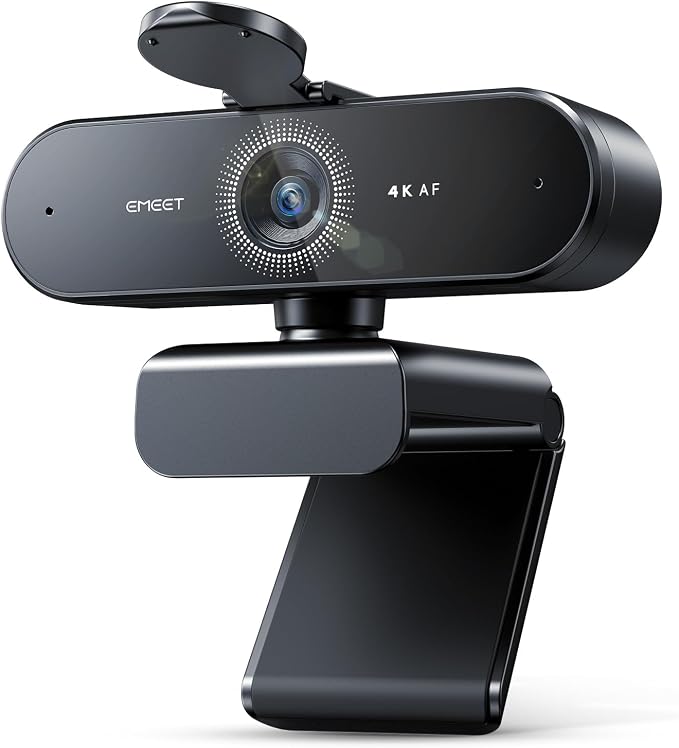
The EMEET NOVA 4K is a good fit for solo professionals who want a straightforward desk webcam for client calls, remote teaching, interviews, or streaming. Its current product page highlights 4K video, PDAF autofocus, and a 73° field of view suited to conventional personal framing.
The camera captures 4K video at 30fps, while PDAF helps it maintain focus as you move closer or farther from the lens. Automatic light correction also helps manage exposure, and the two built-in microphones provide voice pickup for everyday desk-based communication.
The NOVA keeps things pleasantly simple. It connects through USB, includes a physical privacy cover, and offers 360° horizontal rotation, 15° tilt, and 180° adjustment. A standard 1/4-inch tripod thread also gives us another way to position it when the monitor is not the best location.
One of its biggest strengths is that it does not try to turn a simple webcam into a complicated camera system. We can get a conventional professional frame without managing AI tracking or a motorized gimbal. The trade-off is that its 73° field of view is fixed, as the official specifications make clear.
For the best results, we would position it at a normal desk distance and keep the microphones unobstructed. EMEET’s software also lets us adjust settings such as brightness, contrast, and saturation, giving us some useful control over the final image.
A few cautions:
- The fixed field of view is less flexible for wider group shots.
- Anyone looking for automatic subject tracking will be better served by a PTZ model.
2. Insta360 Link 2 PTZ 4K Webcam
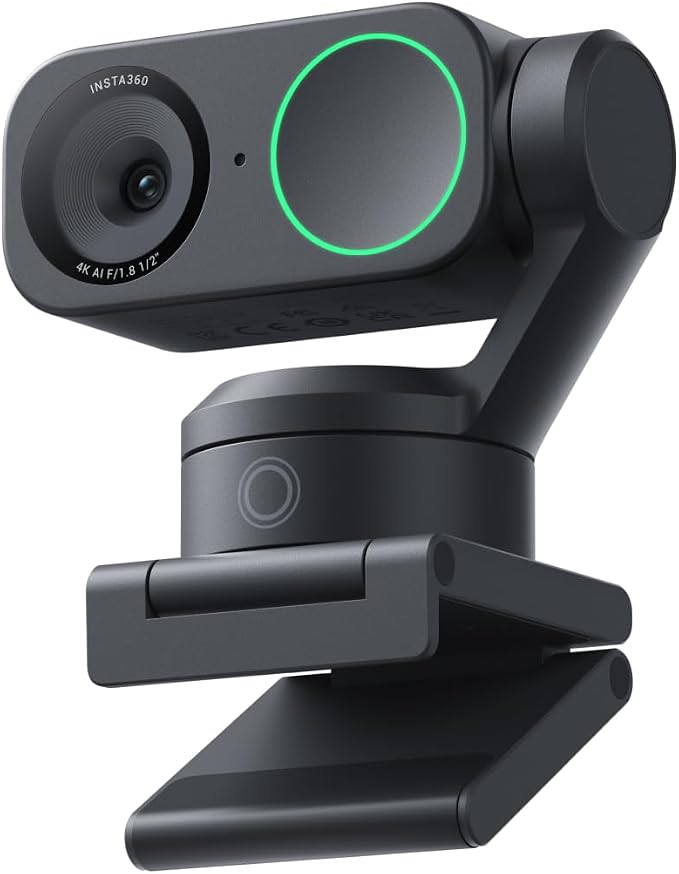
The Insta360 Link 2 makes the most sense for presenters, educators, consultants, and creators who move around during calls. It combines 4K video with a 1/2-inch sensor and a 2-axis gimbal, giving us much more flexibility than a conventional fixed webcam.
It records at up to 4K 30fps and 1080p 60fps, with HDR support across supported resolutions. PDAF autofocus helps maintain focus on close subjects, while AI noise cancellation gives us several audio options for different environments. These specifications are detailed on the official product page.
The real draw, though, is the tracking. AI Tracking physically pans and tilts the gimbal to follow a person or group, while DeskView Mode can point the camera toward a workspace. Whiteboard Mode is also designed to help with presentations by framing a whiteboard neatly.
There is plenty to explore in the software, including gesture controls for tracking, zoom, and whiteboard functions. Some advanced features have specific computer requirements, so we recommend checking the manufacturer’s compatibility guidance before relying on every software feature.
For everyday use, we would mount the camera securely, connect it through USB-C, and configure the tracking and audio settings before a presentation. The camera can rotate downward for privacy mode and can also enter sleep mode after inactivity, which makes it easier to leave connected between meetings.
Notes of caution:
- Some advanced software effects depend on your computer’s hardware.
- Tracking and gimbal features are most useful when you actually move while presenting.
3. Acer A640 4K Webcam with AI Noise Canceling Mic
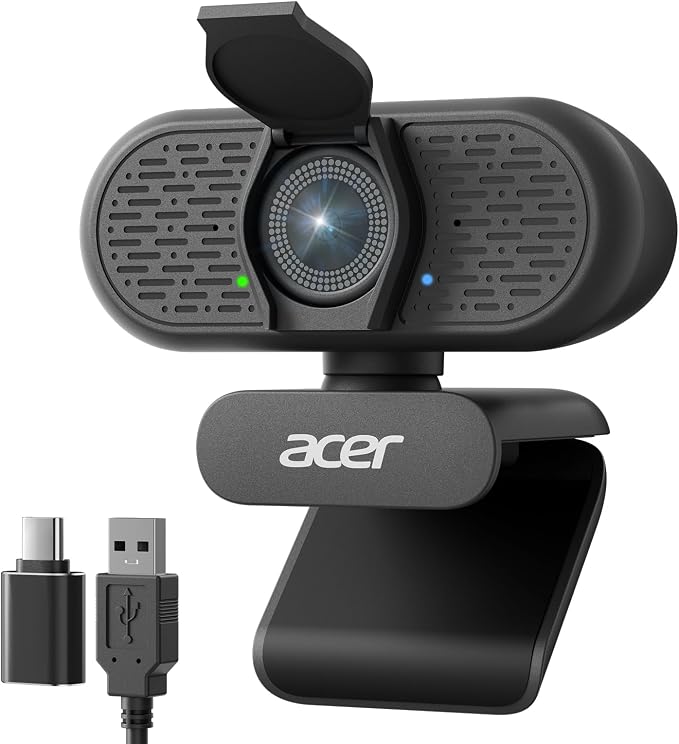
The Acer A640 is a strong choice for professionals and creators who want sharp video and useful autofocus without adding motorized tracking. Its current product listing identifies a Sony 1/2.8-inch sensor, PDAF autofocus, 4K capture, and an AI noise-canceling microphone.
The camera supports 4K at 30fps, while 2K and 1080p can reach 60fps for smoother movement. PDAF helps when we lean toward the camera or change position, and automatic low-light correction is designed to help the image cope with less-than-ideal lighting.
Setup is also refreshingly simple. The A640 connects through USB-A and includes a USB-A-to-C adapter for newer laptops, along with a physical sliding privacy shutter. Its microphone uses AI noise cancellation, but there is no motorized tracking or automatic framing.
That distinction is worth keeping in mind. The camera’s AI feature relates to microphone noise cancellation, while PDAF handles autofocus rather than subject tracking. For a professional desk setup where you generally remain in one position, that simpler approach can actually be a practical advantage.
We would connect it by USB, select it as the camera and microphone, and use 60fps when smoother movement matters more than maximum resolution. As product coverage notes, 4K remains limited to 30fps, so buyers should choose their preferred mode accordingly.
A few things to note:
- It is better suited to a fixed desk position than active presenting.
- Buyers seeking AI auto-framing should look toward a motorized PTZ webcam instead.
4. OBSBOT Tiny 3 Lite AI-Powered Spatial Audio 4K Webcam
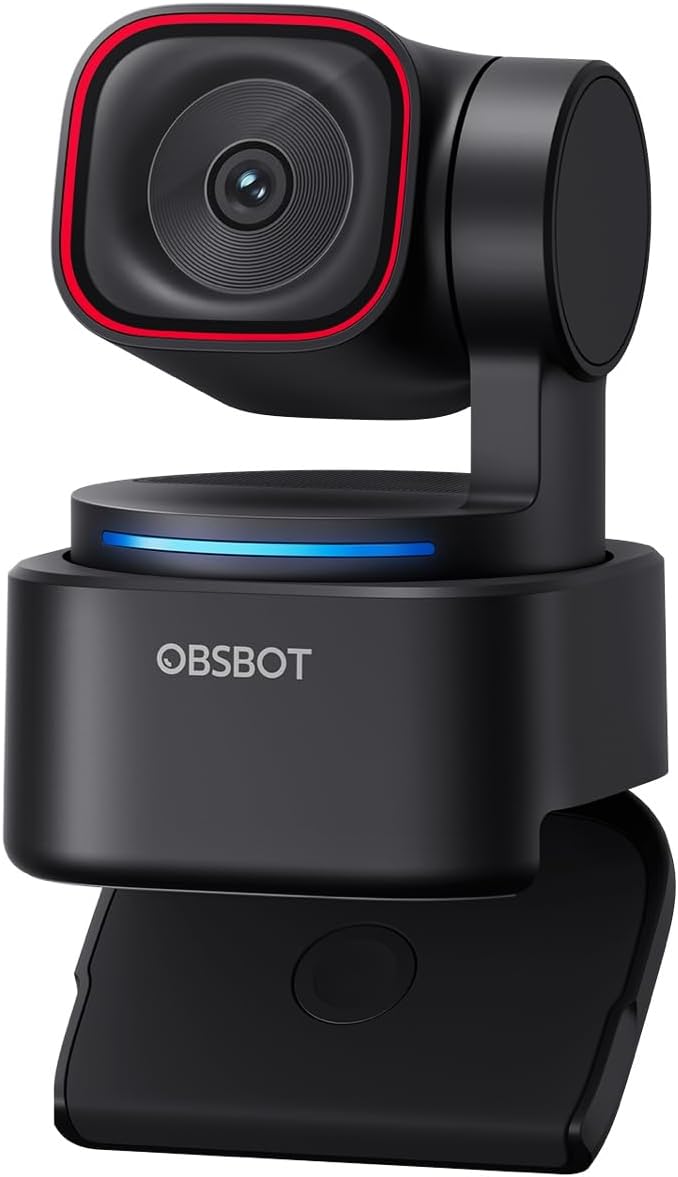
The OBSBOT Tiny 3 Lite is especially well suited to remote professionals, educators, creators, and presenters who want both movement tracking and more capable built-in audio. It uses a 1/2-inch CMOS sensor, 4K video, PDAF autofocus, and a compact integrated stand.
It supports 4K at 30fps and 1080p at up to 120fps, alongside HDR and an ISO range of 100 to 6400. Its AI Tracking 2.0 can follow people, while Voice Locator uses the microphones to identify the direction of speech. Those features are particularly useful when we are presenting rather than sitting still.
Audio is a major part of the design. The camera uses three microphones with omnidirectional and directional pickup and supports a stereo microphone system. That gives us a more self-contained setup for meetings, teaching, and streaming, even though a dedicated microphone can still make sense for demanding studio work.
The compact body also works well in smaller or shared workspaces. OBSBOT lists a 73g body with an integrated stand, while its software provides controls for tracking and other camera functions. The Tiny 3 family also supports voice control, adding another convenient way to interact with the camera.
To get the most from it, we would place the camera where the tracking area remains clear and configure the framing and audio before an important call. We would also check computer requirements for advanced functions before building our workflow around them.
A few cautions:
- Its advanced features are more valuable for active presenters than stationary callers.
- Some software features have specific computer requirements.
5. Insta360 Link 2 Standard Bundle
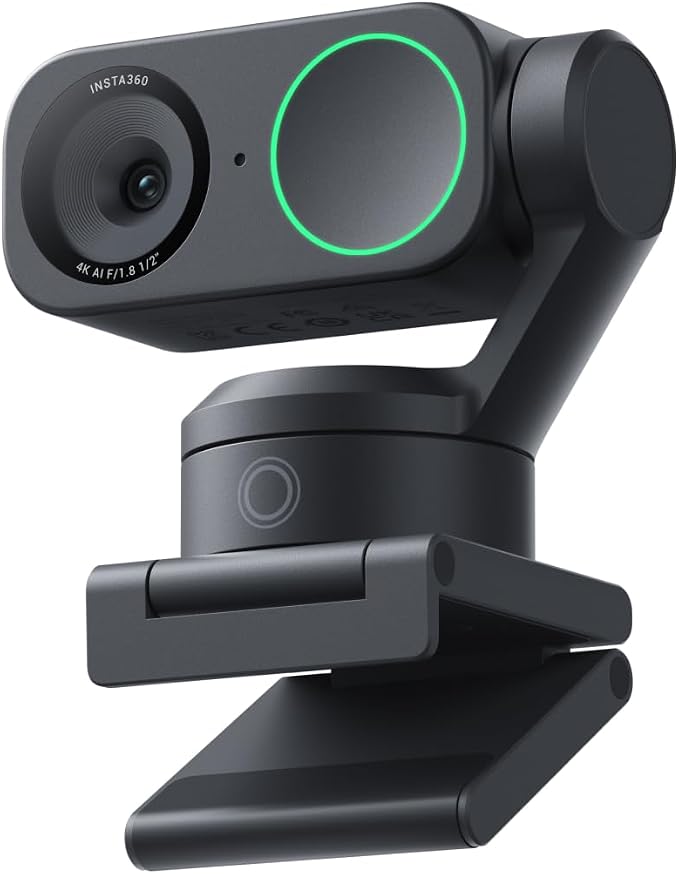
The Insta360 Link 2 Standard Bundle is a good fit for presenters, educators, and creators who want the Link 2 platform with the key mounting and connection accessories included. At its core, we get a 4K PTZ webcam with a 1/2-inch sensor, AI tracking, and a 2-axis gimbal.
The camera records 4K at 30fps and 1080p at 60fps, with HDR, PDAF autofocus, and AI noise cancellation. Its gimbal can follow movement, while Link Controller gives us options for individual or group tracking. Those features are particularly useful for demonstrations, lessons, and presentations.
The Standard Bundle also includes a magnetic mount, recognition markers, USB-C cable, and USB-C-to-USB-A adapter. That makes the package easier to work with from the start, since we are less likely to discover that a basic connection or mounting accessory is missing after purchase.
We also get DeskView and Whiteboard modes, along with gesture controls for functions such as tracking and zoom. The camera can rotate downward for privacy mode and enter sleep mode after inactivity, which makes it practical for people who switch between everyday calls and more presentation-heavy sessions.
For the best results, we would use the included mount on a stable display, connect through USB-C, and configure Link Controller before an important meeting. We would also review Insta360’s official product information for system requirements when using advanced effects.
A few things to note:
- The bundle does not change the camera’s core imaging capabilities.
- Some advanced effects may require more capable computer hardware.
Final Thoughts
The best webcam is not automatically the one with the biggest feature list. We should focus on what our work actually demands, whether that means dependable autofocus, better low-light handling, automatic tracking, stronger built-in audio, or a simpler plug-and-play setup.
Before choosing, we recommend checking your workspace, computer compatibility, meeting software, and how much you move while presenting. When those details line up, the right webcam can make your video calls, presentations, and streams look noticeably more polished.
Be First to Comment