Behind-the-scenes content gives your audience a closer look at the people, processes, and little details that make your work interesting. Whether you’re documenting a workshop, filming a product demonstration, or sharing everyday business activities, an action camera can help you capture those authentic moments while keeping your hands free.
Finding the right camera, however, isn’t always straightforward. Some models focus on image quality and stabilization, while others are designed for discreet mounting, immersive recording, or easier editing. With so many features to compare, it’s easy to end up with a camera that looks impressive on paper but doesn’t quite fit your workflow.
We researched the category, compared the available options, and selected five cameras that serve different content creation needs. From tiny wearable designs to advanced 360-degree systems, our recommendations will help you understand what each camera does well, where it falls short, and which features are worth prioritizing for your work.
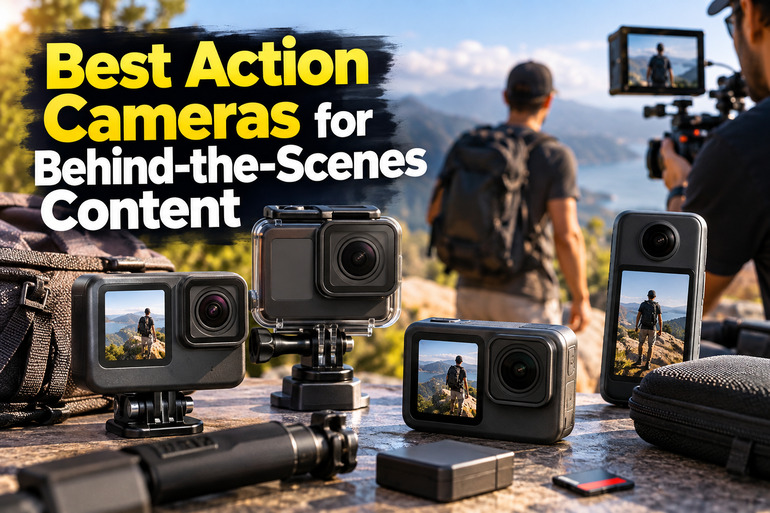
How We Selected the Best Action Cameras for Behind-the-Scenes Content
We focused on how each camera fits into everyday content creation. That meant looking beyond headline specifications to consider hands-free filming, moving footage, flexible framing, and the practical challenges of recording work as it happens.
We also considered what happens after filming. High resolution is useful, but mounting convenience, stabilization, battery life, file compatibility, and editing time can make just as much difference to your experience. When reliable product information was limited, we avoided treating unverified claims as established facts.
- Fit for purpose: We considered whether each camera suits practical demonstrations, business operations, outdoor activities, or creator-led storytelling.
- Image quality: We compared documented resolutions and frame rates to understand how much recording flexibility each model offers.
- Mounting options: We looked for practical ways to capture hands-free footage without constantly adjusting a separate camera rig.
- Stabilization and durability: We considered documented stabilization features, waterproofing, and other protections that matter during active filming.
- Editing workflow: We examined reframing options, compatible software, and potential limitations when transferring or editing recordings.
- Product transparency: We favored clear specifications and highlighted important gaps wherever available information left room for uncertainty.
Each recommendation brings something different to the table, so there isn’t one perfect choice for every creator. Let’s explore what makes each camera worth considering and what to keep in mind before buying.
Best Action Cameras for Behind-the-Scenes Content
Whether you prefer a discreet wearable camera, a dependable all-rounder, or the creative freedom of 360-degree footage, these options offer different ways to document your work.
1. i3 4K Thumb Action Camera, Tiny Size, Mount Anywhere
The i3 thumb action camera is worth considering if you’re a solo creator, maker, or small-business owner who wants hands-free footage without carrying a bulky setup. Its compact design makes it particularly appealing for recording practical tasks from your point of view while keeping both hands available.
According to the product listing, the camera supports 4K recording, Wi-Fi, MP4 video, and several mounting options. Its accessories include a magnetic lanyard pad, rotating spring clip, and magnetic attachment, giving you different ways to position the camera on clothing or compatible metal surfaces.
Battery life is another important consideration for hands-free filming. The published battery specifications list an 800mAh battery rated for up to 90 minutes of 4K recording, 120 minutes at 2K, or 150 minutes at 1080p. The listing also states that you can record while charging, although actual runtime will vary with conditions.
One useful detail is the included waterproof housing, which the listing rates for depths of up to 40 meters. The camera itself isn’t waterproof without that housing, so we’d make sure the case is properly sealed and follow its instructions before recording near or underwater.
The main drawback is the limited independently verifiable information about stabilization, low-light performance, and audio quality. Before relying on it for an important shoot, secure the mount, check your framing, and record a short test clip to see whether the footage and sound meet your needs.
Who should skip it
- Skip it if you regularly film in dim environments and need dependable low-light detail.
- Consider another camera if advanced stabilization and well-documented audio performance are priorities.
- Don’t use it underwater without the supplied waterproof housing.
2. GoPro HERO12 Black Waterproof Action Camera
The GoPro HERO12 Black is a strong option for creators who need a versatile camera for workshop demonstrations, event preparation, and moving footage. Its rugged design, front display, and rear touchscreen make it useful when you’re switching between different filming situations throughout the day.
According to the manufacturer’s specifications, it records at up to 5.3K at 60 frames per second and 4K at 120 frames per second. HyperSmooth 6.0 stabilization helps smooth out movement, while the 8:7 capture format gives you more room to reframe footage for horizontal and vertical videos.
The camera is also practical to mount. Its built-in mounting features include folding mounting fingers and a standard 1/4-20 mounting thread, making it easier to attach compatible accessories. It is waterproof to 10 meters without an additional housing, which is useful for outdoor filming and recording around water.
There’s plenty of flexibility for creators who want more control over their footage. The HERO12 supports HDR video, 10-bit recording at 4K and higher, scheduled capture, and looping video. For compatible memory cards, GoPro recommends using a microSD card rated V30 or higher.
One thing to consider is its age. The HERO12 is an older generation, so we’d compare its features with the current camera lineup before investing in a new setup. For everyday use, choose your recording settings ahead of time, keep the lens cover clean, and test stabilization with your intended mount.
Who should skip it
- Skip it if recording in native 8K is essential to your workflow.
- Consider a newer model if you need the latest generation of camera features.
- Choose a smaller wearable design if you want your camera to remain as unobtrusive as possible.
3. Insta360 X5 Motorcycle Bundle, Waterproof 8K 360° Action Camera
If you create motorcycle content, document vehicle builds, or film outdoor activities, the Insta360 X5 Motorcycle Bundle offers an interesting way to capture the action. Its 360-degree recording lets you choose your preferred viewing angle after filming, rather than having to point the camera perfectly before every shot.
The official camera specifications list 8K recording at 30 frames per second, dual 1/1.28-inch sensors, FlowState stabilization, and waterproofing to 15 meters. Instead of committing to a single viewpoint, you can record a wider scene and decide during editing which details deserve the viewer’s attention.
The bundle also includes accessories tailored to motorcycle filming. According to the official bundle details, the package includes an Action Invisible Selfie Stick, a heavy-duty clamp, one battery, and a lens cap. These additions make the kit particularly relevant if you want a dedicated mounting setup for rides and vehicle-related content.
The biggest trade-off is the extra work involved after recording. You’ll generally need to reframe 360-degree footage before publishing conventional videos, which can add time to your editing process. The X5 is also no longer Insta360’s newest X-series camera, so we’d compare its capabilities with newer options before making a decision.
For better results, use a compatible UHS-I V30 microSD card and check that the clamp is firmly secured before recording. A short test run can help you spot framing problems or stitching imperfections, particularly when subjects or objects move close to the camera.
Who should skip it
- Skip this bundle if you mostly film straightforward, stationary tutorials and don’t need 360-degree recording.
- Consider a conventional action camera if you’d rather spend less time reframing footage.
- Choose another package if you don’t need motorcycle-specific mounting accessories.
4. DJI Osmo Action 6 Essential Combo, 8K Waterproof Action Camera
The DJI Osmo Action 6 is designed for creators who move between indoor workspaces, outdoor locations, and fast-paced activities. Its combination of high-resolution recording, an adjustable aperture, and electronic stabilization makes it an appealing option for producing footage across a variety of filming conditions.
The official technical specifications list 8K recording at up to 30 frames per second, a 1/1.1-inch CMOS sensor, and a variable f/2.0 to f/4.0 aperture. Because the aperture controls how much light reaches the sensor, it gives you another way to manage exposure as lighting conditions change.
The camera also features RockSteady stabilization, 4K recording at up to 120 frames per second in supported modes, and waterproofing to 20 meters without a case. DJI lists 64GB of built-in storage, with approximately 50GB available for files, alongside support for compatible microSD cards. That built-in capacity can be handy when you don’t have a memory card immediately available.
There are a few limitations worth knowing before you buy. The 8K mode is restricted to 16:9 video, which may not suit creators who primarily publish vertical content. According to DJI’s app compatibility notes, downloading and editing 8K recordings in DJI Mimo is supported only on the iPhone 15 Pro series and newer models.
To avoid workflow headaches, choose your recording format before a shoot and test a short clip on your editing device. That way, you’ll know your preferred settings work with your existing equipment before recording footage you can’t easily process.
Who should skip it
- Skip it if your editing device can’t handle your preferred recording workflow.
- Consider another camera if native vertical 8K recording is essential.
- Choose a simpler model if you won’t use its more advanced recording features.
5. Insta360 X5 Waterproof 8K 360° Action Camera
The standard Insta360 X5 is a good fit for creators who want immersive behind-the-scenes footage without committing to a motorcycle-specific bundle. It’s worth considering for travel videos, event coverage, and solo filming, especially when capturing the entire scene matters more than choosing one exact camera angle before recording.
The official specification sheet confirms 8K 360-degree video at 30 frames per second, single-lens recording at up to 4K at 60 frames per second, and waterproofing to 15 meters. That combination gives you the flexibility to capture immersive footage or switch to a more conventional action-camera perspective when the project calls for it.
Its biggest advantage is the freedom to decide how your footage looks after the action has happened. You can record a complete scene and select the most useful angles during editing. Insta360’s official editing information describes AI-assisted framing tools and desktop editing through Insta360 Studio for both Mac and Windows.
Of course, that flexibility comes with a little extra work. Reframing and exporting 360-degree recordings takes time, and some AI-assisted features depend on compatible devices. The X5 is also a previous-generation model, so it’s worth checking Insta360’s official launch announcement for information about the newer X6 before deciding which generation best suits your needs.
For a smoother workflow, use a compatible memory card and think about your intended framing before you start recording. We’d also recommend capturing a short test clip, especially when filming people or objects close to the camera, where stitching imperfections may be more noticeable.
Who should skip it
- Skip it if conventional action footage already covers everything you need.
- Consider another option if you want to publish clips with minimal editing.
- Compare the newer generation if having the latest 360-camera features is a priority.
Final Thoughts
Choosing an action camera comes down to how you work and the kind of footage you want to create. Compact models can make hands-free documentation easier, conventional action cameras offer familiar controls and stabilization, and 360-degree systems give you more freedom to experiment with different viewpoints during editing.
Before making your choice, think about your filming environment, mounting requirements, editing equipment, and preferred publishing format. We recommend focusing on dependable results and a workflow you’ll actually enjoy using rather than chasing impressive specifications alone. The right camera should make sharing your work easier, not create another complicated task.
Be First to Comment