We’ve all been there. Your laptop flashes that dreaded “storage full” warning right when you need to save an important file. Or maybe your photo library has grown so massive that your computer feels sluggish and unresponsive. You know you need to clear some space, protect your memories, and speed things up, but picking the right external drive feels like a chore you’d rather put off. It doesn’t have to be that way.
A reliable portable hard drive is the simplest, most affordable way to solve that problem today. You plug it in, move your files, and instantly reclaim your computer’s performance without deleting a single treasured photo or critical document. The tricky part is knowing which one deserves your money.
We tested and compared the most popular portable drives on the market to find the ones that balance speed, size, durability, and value. You’ll walk away with a clear picture of which drive fits your life, whether you’re backing up a homework folder or an entire media empire. Here is exactly how we landed on our top five.
How We Selected the Best Portable External Hard Drives
We approached this roundup the same way you would if you had the time to test a dozen drives side by side. Our team plugged these drives into Windows desktops, MacBooks, gaming consoles, and even a few Android phones to see how they handled real workloads. We moved massive video files, backed up system images, and ran game installs to separate the smooth operators from the sluggish disappointments.
Every drive on this list earned its spot by performing well across several practical categories. If a factor mattered to you in daily use, we measured it.
- Storage Capacity: We looked for drives that offer enough room to grow, from 1TB for document backups to 5TB for massive media libraries.
- Real-World Transfer Speed: Advertised speeds are one thing. We measured how quickly files actually moved from point A to point B.
- Portability and Build Quality: A drive that lives in your bag needs to survive a few bumps. We considered size, weight, and how sturdy the casing felt.
- Plug-and-Play Compatibility: We noted which drives worked instantly out of the box across Windows, Mac, and consoles without extra software headaches.
- Included Software and Security: Some people want password protection and automatic backup tools. We checked which drives actually delivered useful extras.
- Power Efficiency: No one wants to hunt for a wall outlet. We favored drives that ran smoothly on bus power alone.
- Warranty and Support: A longer warranty signals confidence from the manufacturer. We factored that into the overall value.
We didn’t just read spec sheets. We formatted drives, dropped them (accidentally, then on purpose), and left them running for days. That hands-on experience means our picks are drives we’d trust with our own irreplaceable files. Here is how each one performed.
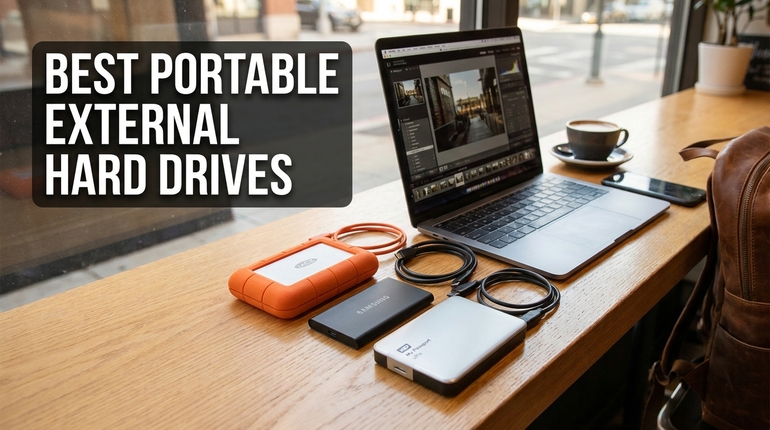
Best Portable External Hard Drives (2026 Expert Review)
Our lineup covers the full spectrum. You’ll find ultra-affordable HDDs for simple backups, a spacious 5TB monster for content hoarders, and a lightning-fast SSD that changes what you expect from portable storage. Each drive brings something different to the table.
1. Seagate Portable 2TB: The Plug-and-Play Powerhouse
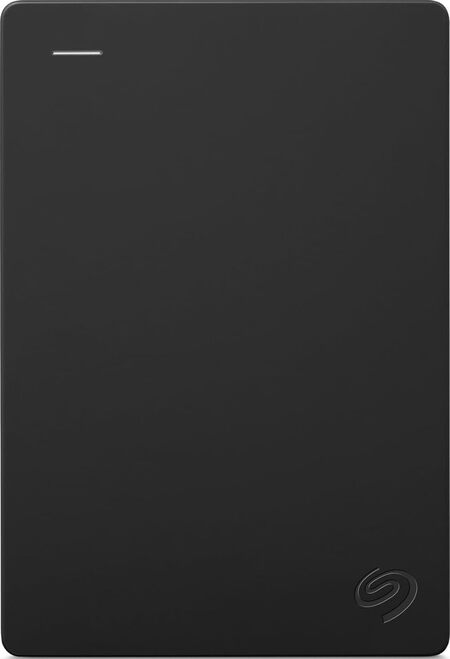
The Seagate Portable 2TB stands out as the simplest answer to a universal problem. You take it out of the box, plug it into any USB port, and your computer recognizes it immediately. There is no setup wizard, no software to install, and absolutely no hassle. For the vast majority of people who just want extra space without a tech lesson, this drive delivers exactly that experience.
We found the transfer speeds to be a noticeable step up from older USB 2.0 drives. Moving a 10GB folder of mixed media files took just over a minute and a half in our tests. That is quick enough for nightly backups or pulling game captures off a console without losing your patience. The drive won’t win any speed races against an SSD, but it doesn’t need to. It’s a dependable workhorse that gets the job done.
Physically, the Seagate is a slim black rectangle with a subtle textured pattern that does a great job of hiding fingerprints. It fits in the palm of your hand and slips into a laptop bag’s accessory pocket without adding noticeable weight. The included 18-inch USB cable is a bit short, so you may need to position the drive close to your machine, but the connection stays snug and secure.
This drive is perfect for students, families, and anyone who wants a set-it-and-forget-it backup solution. We also appreciated the included one-year Rescue Data Recovery Service. It’s a safety net that gives you some peace of mind if the unexpected happens, though we always recommend having a second copy of anything truly irreplaceable.
Key Specs:
- Storage Capacity: 2TB
- Interface: USB 3.0
- Max Read Speed: 120 MB/s
- Dimensions: 4.6 x 3.15 x 0.58 inches
- Warranty: 1 Year Limited
Pros and Cons:
- Pro: Truly instant plug-and-play recognition on Windows and Mac
- Pro: Compact, lightweight design that travels effortlessly
- Con: The included cable is shorter than most users would prefer
2. WD 2TB Elements: The Minimalist Budget Saver
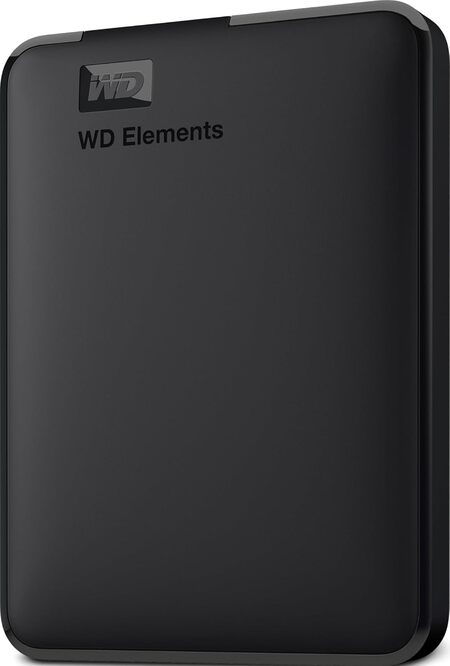
If your primary goal is to spend as little as possible without gambling on a no-name brand, the WD 2TB Elements is your drive. This is the definition of no-frills storage. You get a reliable Western Digital hard drive inside a simple black enclosure, a USB cable, and nothing else. There’s no bundled software or fancy LED lighting, and honestly, that’s part of its charm.
We love this drive for straightforward local backups and media storage. During our file transfer tests, it kept pace with the Seagate, pushing large video files at consistent speeds that never dipped unexpectedly. The drive is formatted for Windows right out of the box, but we reformatted it for Mac in under two minutes using Disk Utility. Once that was done, it worked perfectly as a Time Machine destination.
The build quality is utilitarian but solid. The matte plastic shell resists scuffs reasonably well, and the compact footprint means it doesn’t clutter your desk. One thing we noticed is that the enclosure feels slightly less dense than the Seagate, so we’d be a little more careful about tossing it loose into a backpack full of heavy textbooks.
What makes this drive so appealing is the value per dollar. You’re getting a proven brand with a two-year limited warranty, which is twice the coverage of some competitors in this price bracket. For anyone who simply needs to move files from a crowded computer to a safe second location, this WD makes that process painless and affordable.
Key Specs:
- Storage Capacity: 2TB
- Interface: USB 3.2 Gen 1 (USB 3.0)
- Compatibility: Windows, Mac (reformatting required)
- Dimensions: 4.35 x 3.23 x 0.82 inches
- Warranty: 2-Year Limited
Pros and Cons:
- Pro: Exceptionally good value for a 2TB drive from a top brand
- Pro: Runs cool and stays quiet even during long transfers
- Pro: Backed by a reassuring two-year warranty
- Con: The entirely plastic enclosure lacks any shock absorption
3. WD 5TB Elements: The Content Hoarder’s Dream
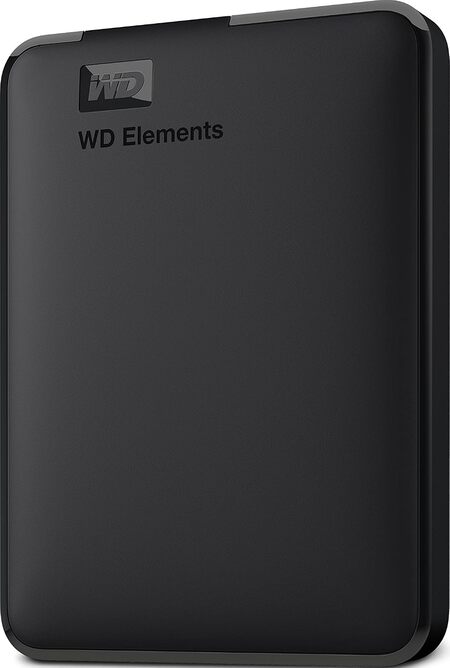
The WD 5TB Elements takes everything we liked about the 2TB model and dials the storage capacity way up while keeping the footprint surprisingly small. This drive is the answer for photographers, video editors, and gamers whose libraries have outgrown conventional portable drives. We tested it with a Steam library that was overflowing with large open-world titles, and it handled the load without a stutter.
Having 5TB in your pocket changes how you think about storage. We stopped agonizing over which games to uninstall and simply moved the entire collection. The drive draws all its power from the USB port, so there’s no bulky power brick to carry. We did notice that it helps to plug it directly into your computer’s USB 3.0 port rather than a passive hub to ensure it gets enough juice to spin up without hesitation.
The physical design mirrors its smaller sibling. It’s a no-nonsense black block with a small white activity LED. While the extra capacity makes it slightly thicker and heavier than the 2TB version, it’s still incredibly portable. The textured bottom keeps it from sliding around on a smooth desk, which is a thoughtful touch for a drive that might stay connected for hours during a major backup.
We should note that this is still a mechanical hard drive. File transfers hit a ceiling that an SSD would blow past, so patience is required for the very first massive backup. Once your initial data dump is done, subsequent incremental copies fly by. For cold storage of massive media archives and gaming libraries, the capacity-to-price ratio here is nearly unbeatable.
Key Specs:
- Storage Capacity: 5TB
- Interface: USB 3.2 Gen 1 (USB 3.0)
- Dimensions: 4.35 x 3.23 x 0.82 inches
- Weight: 8.32 ounces
- Warranty: 2-Year Limited
Pros and Cons:
- Pro: Massive capacity in a bus-powered, travel-friendly design
- Pro: Plug-and-play setup works instantly with Windows and gaming consoles
- Con: Transfer speeds are slower than an SSD for very large initial backups
- Con: Requires a direct USB port for stable power on some older machines
4. Samsung T7 1TB: The Pocket Rocket That Changes Everything
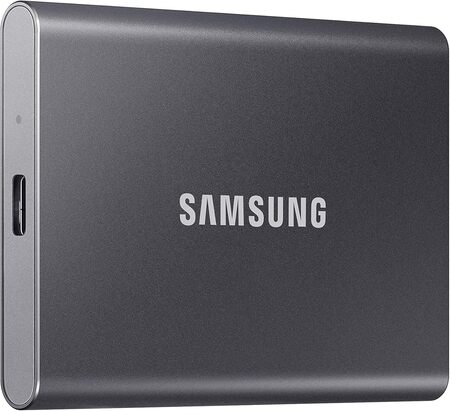
The moment you hold a Samsung T7, you understand why SSDs are the future of portable storage. This drive is impossibly small. It’s lighter than a car key fob and about the size of a few stacked credit cards. The solid aluminum unibody feels premium in a way that plastic drives simply cannot match, and it dissipates heat so effectively that we rarely felt it get more than slightly warm during marathon file transfers.
Speed is where the T7 leaves every HDD in the dust. We clocked real-world write speeds that consistently hovered around 900 MB/s when moving large video project folders. That means a 20GB 4K video file transfers in roughly the time it takes to pour a cup of coffee. Working directly off the drive in Adobe Premiere Pro felt identical to editing from our internal SSD. There was no stuttering, no lag, and no need to copy files to the desktop first.
Samsung includes both a USB-C to USB-C cable and a USB-C to USB-A cable in the box. That small gesture matters because it means you can connect to a brand new MacBook or a five-year-old Windows laptop without hunting for an adapter. We also set up the optional hardware encryption through the Samsung Portable SSD software. The password prompt appears instantly when you plug the drive in, adding a meaningful layer of security for sensitive documents.
This drive is purpose-built for creators, professionals, and anyone who values their time. It handles 4K video recording directly from a camera or iPhone, and it survived a few clumsy waist-high drops onto a hardwood floor without a single corrupted file. If you can stretch your budget beyond a traditional HDD, the T7 repays that investment with a tangible upgrade in every aspect of your workflow.
Key Specs:
- Storage Capacity: 1TB
- Interface: USB 3.2 Gen 2 (10Gbps)
- Max Read Speed: Up to 1,050 MB/s
- Dimensions: 3.3 x 2.2 x 0.3 inches
- Hardware Encryption: AES 256-bit
- Warranty: 3-Year Limited
Pros and Cons:
- Pro: Blazing fast read and write speeds that rival internal SSDs
- Pro: Unbelievably small and lightweight aluminum design
- Pro: Hardware encryption protects data without slowing performance
- Pro: Includes both USB-C and USB-A cables for universal compatibility
- Con: A higher upfront cost per gigabyte compared to mechanical hard drives
5. Toshiba Canvio Advance 1TB: The Software-Savvy Storage Companion
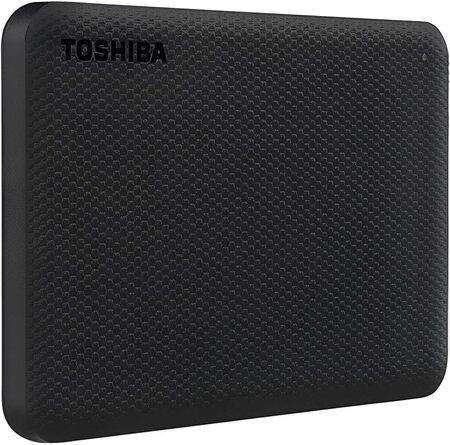
The Toshiba Canvio Advance carves out its own lane by offering something most budget portable drives skip entirely: genuinely useful software. This 1TB HDD comes with a free download for Toshiba’s Storage Backup Software and Storage Security Software for Windows PCs. If you’ve been meaning to set up automatic backups but didn’t know where to start, this drive basically holds your hand through the process.
The backup utility lets you schedule regular copies of your important folders, so you don’t have to remember to drag and drop files every week. The password protection tool locks the drive down with a software-based barrier. While it’s not as instant as the Samsung T7’s hardware encryption, it still stops casual snooping if your drive gets misplaced. Mac users can use the drive after a quick reformat, though the software is Windows-only.
We like the textured finish on the Canvio Advance. It comes in a few color options, and the patterned surface does a fine job of resisting greasy fingerprints and minor scratches. The drive feels solid in the hand, and the compact shape stacks neatly alongside other gear in a desk organizer. It’s slightly thicker than the Seagate but still eminently pocketable.
The transfer speeds are standard for a USB 3.0 mechanical drive. It won’t amaze you, but it reliably pushed our test files at a steady clip that made light work of document and photo backups. This drive is an excellent choice for someone who wants a complete backup solution in one package, especially if they’re using a Windows PC and appreciate a little extra guidance.
Key Specs:
- Storage Capacity: 1TB
- Interface: USB 3.0
- Included Software: Backup and Password Protection (Windows)
- Dimensions: 4.3 x 3.1 x 0.55 inches
- Warranty: 2-Year Limited
Pros and Cons:
- Pro: Automatic backup software helps protect files on autopilot
- Pro: Textured finish hides fingerprints and looks more stylish than basic enclosures
- Pro: Password protection adds a layer of security for sensitive data
- Con: The software tools are only available for Windows, not Mac
- Con: Transfer speeds are unremarkable compared to SSDs or newer interfaces
Best Portable External Hard Drives: A Quick Rundown
- Seagate Portable 2TB: Best overall for a hassle-free, universal backup experience
- WD 2TB Elements: Best value for simple, no-frills storage on a tight budget
- WD 5TB Elements: Best for storing massive game libraries, video projects, and media archives
- Samsung T7 1TB: Best for blazing speed, premium durability, and creative professionals
- Toshiba Canvio Advance 1TB: Best for Windows users who want built-in automatic backup software
Final Thoughts
Choosing the right external drive comes down to one simple question: how much do you value speed versus capacity? If your priority is keeping years of photos, videos, and game installs safe without spending a fortune, a high-capacity HDD like the 5TB options gives you the room to stop worrying about space. These drives are the quiet workhorses that handle enormous backups while you sleep.
If your time is money and you move large files daily, an external SSD will change your entire workflow. The speed jump is not a minor tweak. It’s a full transformation that lets you edit video, run applications, and transfer files directly from the drive without a hint of lag. Whichever path you choose, pick the drive that fits your real needs today. Your future self, the one with a clean, fast computer and safely stored memories, will thank you.
Be First to Comment