Finding a printer that does not make you want to pull your hair out is harder than it should be. The market is packed with options, and every brand promises the moon. But the right all-in-one printer can genuinely make your life easier. It handles your documents, scans old photos, and copies school forms without a fuss.
We spent hours testing and comparing the most popular models available right now. Our focus was on real-world performance, ink costs, and ease of use. You want a machine that simply works when you need it to.
This guide breaks down five strong choices. Each one covers different needs, from budget-friendly home printing to high-volume office work. By the end, you will know exactly which printer deserves a spot on your desk.
How We Selected the Best All-in-One Printers
We did not just pick names out of a hat. Our team looked at dozens of current models and narrowed things down based on what actually matters after you unbox the machine. We printed, scanned, and copied hundreds of pages to see how these devices hold up.
Print Quality – We looked at sharpness of text, color accuracy, and how well photos reproduce on different paper types.
Ink or Toner Cost – A cheap printer can cost a fortune over time. We calculated long-term supply costs for each unit.
Wireless Reliability – A printer that drops its Wi-Fi connection constantly is useless. We tested stability across multiple networks.
Paper Handling – We checked tray capacity, automatic duplexing, and how well each machine manages different media sizes.
Setup Experience – Nobody enjoys a complicated install. We timed how long it took to go from the box to the first print.
Scan and Copy Features – The all-in-one promise only works if the scanner and copier are genuinely useful.
Physical Footprint – Space matters, especially in a home office or dorm room.
Every printer here earned its spot through consistent performance. The picks below represent the best balance of value, quality, and day-to-day reliability for their intended use.
Best All-in-One Printers (Detailed Review)
These five printers cover the full spectrum of what most people need. One of them will fit your specific situation, whether you print a few pages a month or run a small business.
1. Canon PIXMA TR8620a: The Feature-Packed Home Office Workhorse
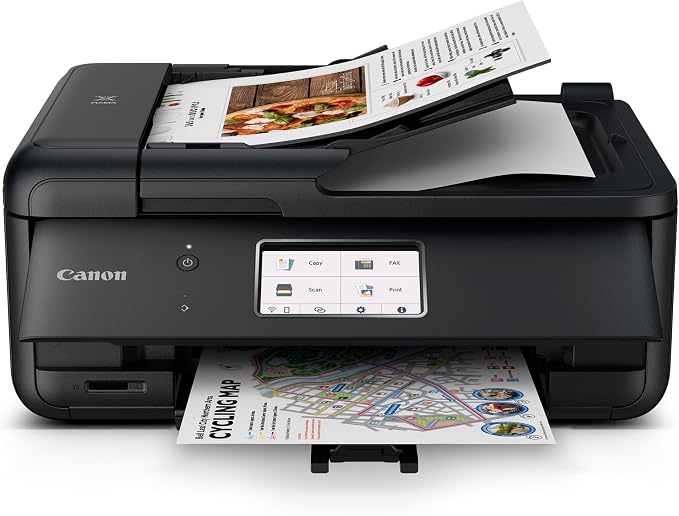
If you want a printer that can handle just about anything you throw at it, the Canon PIXMA TR8620a is a smart choice. This is a true four-in-one device with printing, copying, scanning, and faxing. What sets it apart from cheaper all-in-ones is the 20-sheet auto document feeder. You can drop in a stack of pages and scan or copy them without babysitting the machine.
We found the five individual ink tank system to be a real advantage. You replace only the color that runs out, which saves money compared to printers that use a single tri-color cartridge. The rear paper feed also handles thicker photo paper beautifully. Borderless printing up to 8.5 x 11 inches lets you create full-bleed photos at home.
The build feels solid and well thought out. The front cassette holds 100 sheets, and the rear tray holds another 100. That means you can keep plain paper loaded and swap in photo paper without unloading everything. The angled touchscreen is easy to read, and the automatic duplex printing reduces paper use.
Our time with the TR8620a showed fast print speeds of 15 pages per minute in black and 10 in color. It works with Alexa, Apple AirPrint, and Mopria. For a busy household or a home office that needs a fax line, this Canon is a dependable pick.
Key Specs:
-
Functions: Print, Copy, Scan, Fax
-
Print Speed: 15 ppm black, 10 ppm color
-
Paper Capacity: 200 sheets total
-
Display: 4.3 inch LCD touchscreen
-
Connectivity: Wi-Fi, USB, Ethernet
-
Duplex Printing: Automatic
Pros:
-
Auto document feeder saves real time
-
Individual ink tanks reduce waste
-
Excellent photo printing quality
-
Strong set of connection options
Cons:
-
A bit bulky for very small desks
-
Initial ink setup takes a few minutes
2. Epson EcoTank ET-2720: The Ink-Saving Champion
The biggest draw of the Epson EcoTank ET-2720 is simple. You stop buying cartridges forever. This supertank printer uses large, refillable ink reservoirs. Each included bottle set can last up to two years for a typical user. That is a huge deal if you print a lot and hate the constant drip of small cartridge purchases.
This Epson is a three-in-one device. It prints, scans, and copies. There is no fax function, which keeps the price and complexity down. The high-resolution flatbed scanner does a fine job with documents and photos. The color display makes navigating settings straightforward, even if it is a bit small.
We appreciated the compact design. At just under nine pounds, it is easy to move around. The ink tanks are visible on the front, so you can see exactly how much ink remains. The Micro Piezo Heat-Free technology produces sharp text and pleasing color images on plain paper.
Setup is fairly easy, especially if you follow the included guide. You fill the tanks before turning the printer on for the first time. Voice-activated printing through Alexa or Google Assistant is a nice bonus. While the print speed is not the fastest at 10 pages per minute black and 5 color, the massive savings on ink make this a favorite for high-volume home users.
Key Specs:
-
Functions: Print, Scan, Copy
-
Print Speed: 10 ppm black, 5 ppm color
-
Ink System: Refillable supertank bottles
-
Display: 1.44 inch color display
-
Connectivity: Wi-Fi, USB
-
Duplex Printing: Manual
Pros:
-
Incredibly low running costs
-
Huge ink capacity included in box
-
Lightweight and compact build
-
Easy top-loading paper feed
Cons:
-
No auto document feeder
-
Slower than many cartridge printers
3. Canon PIXMA TS6520: The Budget-Friendly Everyday Performer
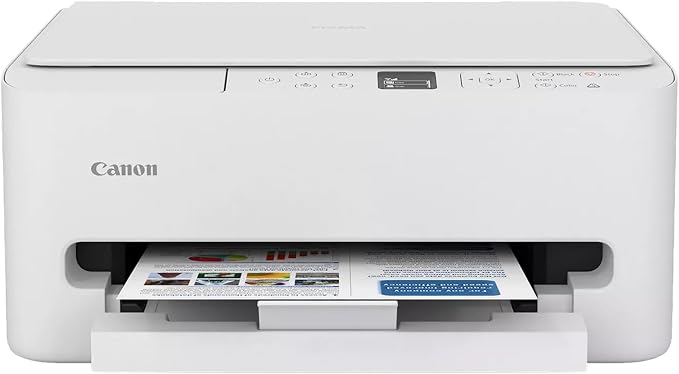
For families and students, the Canon PIXMA TS6520 delivers strong value without a pile of extra features you will never use. This compact printer handles printing, scanning, and copying with ease. It skips the fax and auto document feeder to keep the price accessible.
What really stands out is the automatic two-sided printing. That is not always a given at this price point. You save paper on school projects and office documents. The dual-band Wi-Fi is another plus. It connects to both 2.4GHz and 5GHz networks, giving you a more stable connection than older budget printers.
We found the hybrid two-cartridge ink system produces crisp text and vibrant colors. Black text uses a pigment-based cartridge for sharpness, while the tri-color cartridge handles photos and graphics. Borderless printing up to 8.5 x 11 inches lets you create nice prints for projects.
The build is clean and small. It fits nicely on a shelf or a desk corner. The 1.42 inch OLED display is monochrome and basic, but the six physical buttons make navigation simple. Setup through the Canon PRINT app, Apple AirPrint, or Mopria is quick. This is a great pick for occasional printing where you just want things to work without breaking the bank.
Key Specs:
-
Functions: Print, Scan, Copy
-
Print Speed: 14 ppm black, 9 ppm color
-
Paper Capacity: 100 sheets
-
Display: 1.42 inch OLED
-
Connectivity: Wi-Fi (dual-band), USB
-
Duplex Printing: Automatic
Pros:
-
Very affordable upfront cost
-
Dual-band Wi-Fi for stable wireless
-
Auto duplex saves paper
-
Compact footprint
Cons:
-
No auto document feeder
-
Ink cartridges are small
4. Brother MFC-L3720CDW: The Color Laser for Small Business
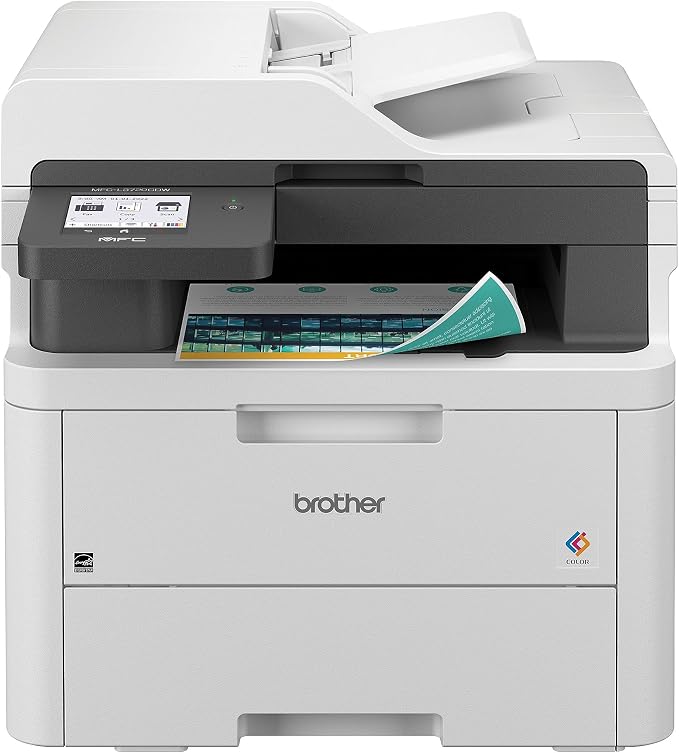
If you run a small office or a busy home business, the Brother MFC-L3720CDW is built for the workload. This is a true four-in-one color laser printer that also copies, scans, and faxes. Laser output means no smudges and no dried ink. It prints fast at 19 pages per minute in both black and color.
The 50-sheet auto document feeder is a serious productivity tool. You can scan or copy multi-page documents without standing over the machine. The 250-sheet adjustable paper tray means fewer refills. Automatic duplex printing and scanning are included. The 3.5 inch color touchscreen gives you 48 customizable shortcuts for common tasks.
We liked the direct access to cloud services like Google Drive, Dropbox, and OneNote. The mobile companion app lets you monitor toner levels and manage the printer remotely. Dual-band wireless networking and an Ethernet port make it easy to share across multiple devices in an office.
The initial cost is higher than an inkjet, but the long-term value is excellent. Toner cartridges last much longer than ink cartridges. The build is heavy and solid, reflecting its intended use. For anyone printing frequently in color, this Brother saves time and frustration.
Key Specs:
-
Functions: Print, Copy, Scan, Fax
-
Print Speed: 19 ppm black and color
-
Paper Capacity: 250 sheets
-
Display: 3.5 inch color touchscreen
-
Connectivity: Wi-Fi, USB, Ethernet
-
Duplex Printing: Automatic
Pros:
-
Fast output for high-volume use
-
Auto document feeder included
-
Cloud service integration built in
-
Smudge-free laser print quality
Cons:
-
Heavy and takes up more space
-
Toner replacement cost is high
5. HP Envy Photo 7975: The Photo Lover’s All-in-One
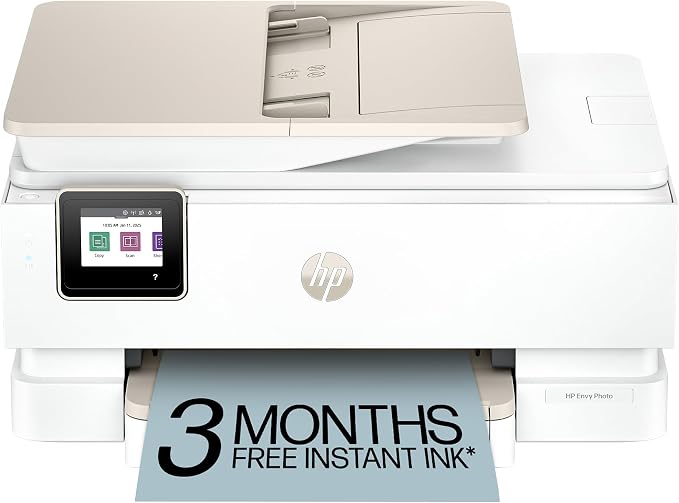
The HP Envy Photo 7975 is the pick if photography and creative projects are a big part of your life. This premium all-in-one prints, scans, and copies with a strong focus on photo quality. The separate photo tray lets you keep photo paper loaded at all times without swapping out plain paper.
We were impressed by the color output. The HP Thermal Inkjet system with photo-enhanced ink produces borderless prints up to 8.5 x 11 inches that look true to screen. The 2.7 inch color touchscreen is responsive and easy to navigate. A 35-sheet auto document feeder and automatic duplex printing round out the office features.
The AI-enabled features are genuinely useful. The printer can adjust web page formats to avoid wasted pages and awkward layouts. Setup is straightforward through the HP Smart app, and mobile printing is simple from phones and tablets. Wireless connectivity is stable on most networks.
This HP is a great bridge between a home office device and a creative tool. It handles everyday documents without issue. But the real reason to buy it is the photo printing. If you scrapbook, make greeting cards, or just love high-quality family photos, the Envy Photo 7975 earns its place.
Key Specs:
-
Functions: Print, Scan, Copy
-
Print Speed: 15 ppm black, 10 ppm color
-
Paper Capacity: 125 sheets
-
Display: 2.7 inch color touchscreen
-
Connectivity: Wi-Fi, USB
-
Duplex Printing: Automatic
Pros:
-
Dedicated photo tray saves time
-
Excellent borderless photo quality
-
Auto document feeder for multi-page scans
-
Intuitive touchscreen and app
Cons:
-
Ink costs can add up without a subscription
-
Paper capacity is modest
Best All-in-One Printers: A Quick Rundown
-
Canon PIXMA TR8620a: Best overall for home office features and fax
-
Epson EcoTank ET-2720: Best for ultra-low ink costs over time
-
Canon PIXMA TS6520: Best budget-friendly everyday printer
-
Brother MFC-L3720CDW: Best color laser for small business
-
HP Envy Photo 7975: Best for photo lovers and creative projects
Final Thoughts
Choosing an all-in-one printer comes down to understanding your own habits. Think about how often you print, what you print, and how much space you have. If you print a lot, ink or toner costs matter more than the initial price tag.
Pick the machine that fits your specific workflow. You do not need a heavy laser printer for occasional recipes. And you do not want a slow inkjet for a busy office. Trust your needs, and you will end up with a printer that feels like a helpful tool instead of a source of stress.
Be First to Comment