Setting up a home office should feel exciting. Too often, the printer becomes the one piece of equipment that slows everything down. You deserve a machine that connects quickly, prints reliably, and does not drain your wallet on ink.
This guide cuts through the noise. We tested and researched five wireless printers built for home offices, from budget-friendly inkjets to heavy-duty color lasers. Each pick solves a different problem, and by the end, you will know exactly which one fits your workspace.
The right printer can turn a frustrating chore into a task you barely think about. Here is how we found the best options available right now.
How We Selected the Best Wireless Printers for Home Offices
We spent weeks comparing specs, reading owner feedback, and weighing real-world performance across dozens of models. Our goal was simple: find printers that work well in actual home offices, not just on a spec sheet. We narrowed the field to five machines that consistently deliver on the basics while offering clear advantages for different types of users.
-
Print Quality and Speed: We looked for sharp text, clean graphics, and print speeds that keep up with a busy workday without constant waiting.
-
Running Costs: We factored in ink or toner yields, replacement prices, and whether a printer uses tanks, cartridges, or toner so you know the real cost per page.
-
Wireless Reliability: A home office printer must connect consistently over Wi-Fi. We prioritized models with stable dual-band or standard wireless and easy mobile printing.
-
Paper Handling: Tray capacity, duplex printing, and automatic document feeders matter for anyone printing more than a few pages at a time.
-
Setup and Ease of Use: We favored printers with straightforward installation, clear controls, and companion apps that actually help.
-
Build and Footprint: Home offices have limited space, so we considered how much room each printer takes up and how sturdy it feels.
-
Security and Extras: Features like scan-to-cloud, password protection, and touchscreens add real value for remote workers.
Every pick here earned its spot through hands-on research and a clear understanding of what home office users need most. Now let’s get into the reviews.
Best Wireless Printers for Home Offices (Detailed Review)
The lineup below covers a wide range of budgets and printing habits. Whether you print a few pages a week or hundreds, there is a machine here built for your workflow. Each review breaks down what matters most so you can compare with confidence.
1. Epson EcoTank ET-2803: The Ink Tank Champion for Everyday Home Offices
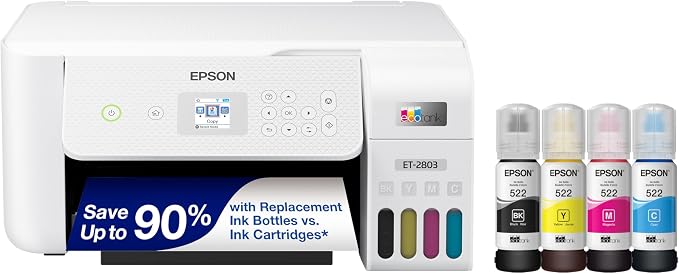
The EcoTank ET-2803 stands out as a top pick for anyone tired of buying expensive ink cartridges. It uses refillable tanks that hold enough ink for thousands of pages, which means fewer interruptions and far lower costs over time.
This printer suits home office users who print regularly but do not need high-volume speed. It handles documents, schoolwork, and occasional photos with ease, making it a versatile choice for a family workspace.
The build is compact and lightweight at just under nine pounds. The external transparent tanks let you see ink levels at a glance, and the EcoFit bottles are keyed to prevent messy filling mistakes.
We found the print quality genuinely impressive for a printer in this class. Text comes out sharp thanks to Epson’s Micro Piezo heat-free technology, and color photos look surprisingly good for a three-color plus black system.
Key Specs
-
Print Technology: Epson Micro Piezo heat-free inkjet
-
Print Speed: Up to 10 ppm black, 5 ppm color
-
Ink System: Refillable tanks with 522 series bottles
-
Page Yield: Up to 4,500 pages black, 7,500 pages color per bottle set
-
Connectivity: Wi-Fi, USB, Epson Smart Panel app, AirPrint
Pros
-
Extremely low cost per page with refillable tanks
-
Sharp text and solid color photo output
-
Compact footprint fits small desks
Cons
-
No automatic duplex printing
-
Color print speed is slow at 5 ppm
2. Epson WorkForce Pro WF-3820: The Budget Workhorse with Business Features
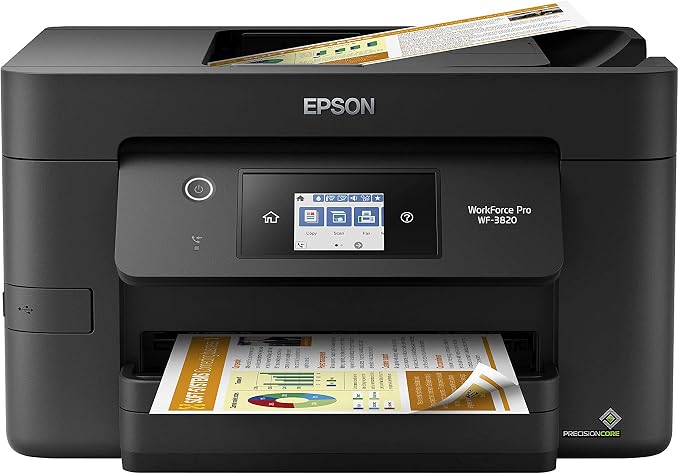
If you need speed and paper handling without spending a lot, the WorkForce Pro WF-3820 delivers. At its current price, it is one of the best values in home office printing, offering features usually found on pricier machines.
This model works best for small offices and remote workers who print a mix of documents and need automatic two-sided printing. The 35-page auto document feeder and 250-sheet tray mean you spend less time loading paper.
We were impressed by the 21 ppm black print speed, which is quick for an inkjet in this price range. DURABrite Ultra pigment inks produce professional-looking documents that dry instantly and resist smudging.
Key Specs
-
Print Technology: Epson PrecisionCore heat-free inkjet
-
Print Speed: Up to 21 ppm black, 11 ppm color
-
Duplex Printing: Automatic two-sided
-
Paper Capacity: 250 sheets, 35-page ADF
-
Connectivity: Wi-Fi, Ethernet, USB, Epson Smart Panel
Pros
-
Fast print speeds for the price
-
Automatic duplex printing saves paper
-
Large paper tray and ADF reduce refill frequency
-
Easy wireless setup and reliable connection
Cons
-
Replacement ink cartridges are costly
-
Photo quality is average compared to dedicated photo printers
3. Brother HL-L2480DW: The Fast Monochrome Laser for Document-Heavy Offices
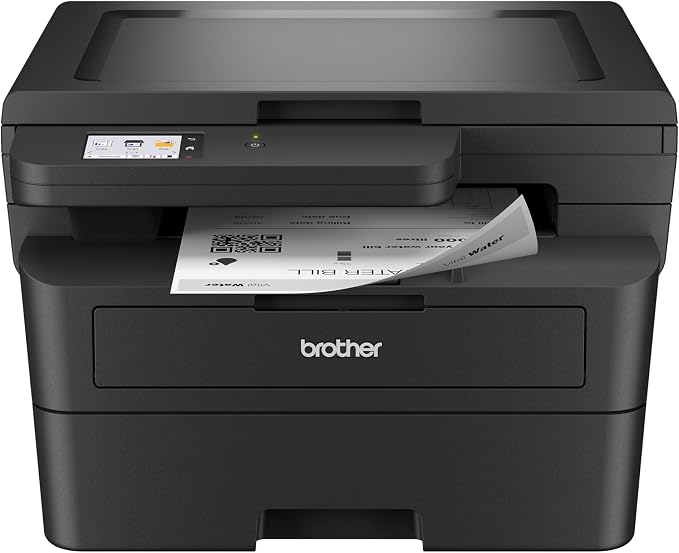
It is ideal for remote workers, students, and small businesses that need fast, reliable text output without the hassle of inkjet maintenance. The 36 ppm print speed and 8.5-second first page out mean you are never waiting long.
The HL-L2480DW includes a 2.7-inch color touchscreen and a 250-sheet paper tray. It supports dual-band Wi-Fi, Ethernet, and USB connections, plus cloud services like Google Drive and Dropbox for scanning directly to the apps you use.
For home offices that mostly print black and white documents, the Brother HL-L2480DW is a standout choice. This compact monochrome laser printer combines printing, copying, and scanning in a footprint that fits almost anywhere.
We found the print quality crisp and professional for text documents. The automatic duplex printing saves paper on longer reports, and the Toner Save Mode extends cartridge life. It is not a photo printer, but for everyday business documents, it excels.
Key Specs
-
Print Technology: Monochrome laser
-
Print Speed: Up to 36 ppm
-
Duplex Printing: Automatic two-sided
-
Paper Capacity: 250 sheets
-
Connectivity: Dual-band Wi-Fi, Ethernet, USB, Brother Mobile Connect
Pros
-
Very fast black and white printing
-
Reliable wireless connectivity
-
Low cost per page with high-yield toner options
Cons
-
No color printing
-
Flatbed scanner only, no automatic document feeder
4. HP Envy Photo 7975: The Family-Friendly Photo and Document Printer
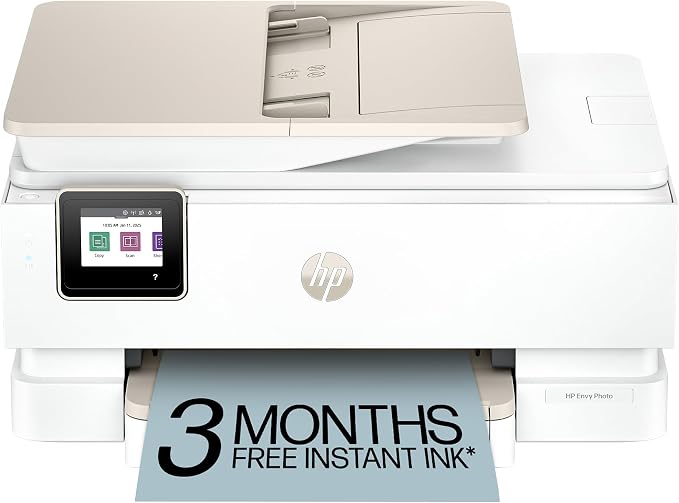
We appreciated the photo quality, which produces true-to-screen colors on glossy paper. The 15 ppm black print speed handles documents at a reasonable pace. One caveat is that ink cartridges can get expensive if you print a lot.
The HP Envy Photo 7975 is built for households that need a bit of everything. It prints documents, scans, copies, and produces high-quality borderless photos, all from a single machine with a small footprint.
This printer suits families, students, and home office users who want good photo output alongside everyday document printing. The separate photo tray and automatic document feeder add convenience that budget printers often skip.
Key Specs
-
Print Technology: HP Thermal Inkjet
-
Print Speed: Up to 15 ppm black, 10 ppm color
-
Duplex Printing: Automatic two-sided
-
Paper Capacity: 125 sheets, 35-page ADF
-
Connectivity: Wi-Fi, USB, HP Smart app
Pros
-
Excellent photo print quality
-
Separate photo tray for quick swaps
-
Automatic document feeder for scanning and copying
-
Compact and stylish design
Cons
-
Ink costs add up with frequent printing
-
Wireless setup can be finicky for some users
5. Brother MFC-L8930CDW: The Business-Grade Color Laser for High-Volume Offices
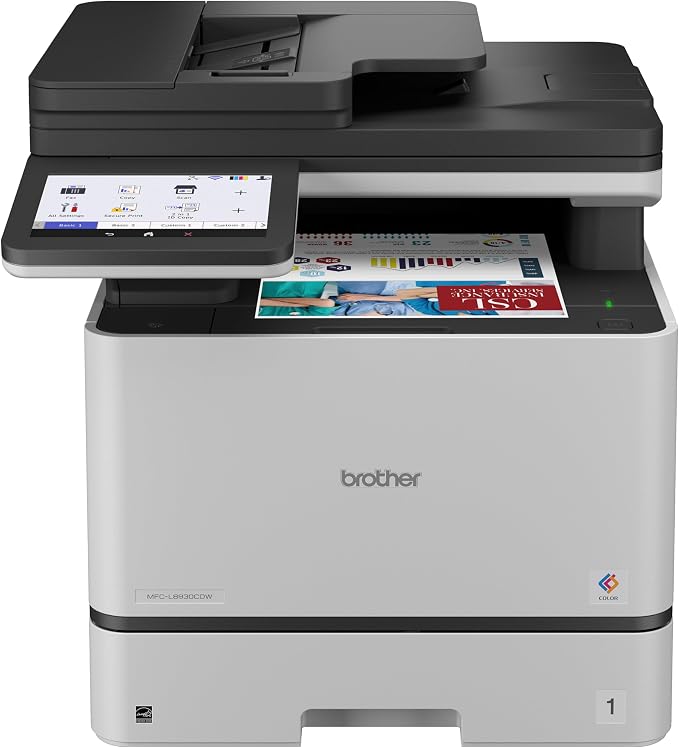
This printer is best for small businesses, work teams, and professionals who print high volumes of color documents. The 80-page auto document feeder with single-pass duplex scanning handles large jobs quickly.
The MFC-L8930CDW includes triple-layer security features, an NFC card reader for badge authentication, and expandable paper capacity up to 1,340 sheets with optional trays. The build is heavy at over seventy pounds, so it needs a dedicated spot.
The Brother MFC-L8930CDW is a serious machine for home offices that demand speed, color, and reliability. It prints, copies, scans, and faxes at up to 33 ppm in both black and color, making it a true workhorse for busy environments.
We found the color output sharp and professional, ideal for presentations, marketing materials, and client-facing documents. The included toner cartridges yield 3,000 black and 1,800 color pages, and super high-yield replacements push those numbers much higher. This is an investment, but for heavy workloads, it pays off.
Key Specs
-
Print Technology: Color laser
-
Print Speed: Up to 33 ppm black and color
-
Duplex Printing: Automatic two-sided print, scan, copy, and fax
-
Paper Capacity: 300 sheets standard, expandable to 1,340
-
Connectivity: Dual-band Wi-Fi, Gigabit Ethernet, USB, NFC
Pros
-
Fast color and black printing at 33 ppm
-
Single-pass duplex scanning up to 104 ipm
-
Advanced security features for business use
-
Expandable paper capacity for high-volume printing
Cons
-
High upfront cost
-
Large and heavy, needs dedicated space
Best Wireless Printers for Home Offices: A Quick Rundown
-
Epson EcoTank ET-2803: Best overall for low running costs and everyday home office printing.
-
Epson WorkForce Pro WF-3820: Best budget pick with business features like duplex printing and an ADF.
-
Brother HL-L2480DW: Best monochrome laser for fast, reliable document printing.
-
HP Envy Photo 7975: Best for families who need photo printing alongside documents.
-
Brother MFC-L8930CDW: Best business-grade color laser for high-volume offices.
Final Thoughts
Choosing a wireless printer for your home office comes down to matching the machine to your actual printing habits. If you print a lot of color documents or photos, an inkjet with affordable ink or a color laser makes sense. If you mostly print text, a monochrome laser will be faster and cheaper to run.
Think about your monthly volume, the features you truly need, and how much space you can spare. A printer that fits your workflow will serve you well for years. Pick the one that solves your biggest pain point, and you will wonder how you ever managed without it.
Be First to Comment