Running a small business means every dollar has to pull its weight. A printer that jams, drinks ink or quits after a year costs you time and money you cannot recover. We spent some time comparing five machines built for small offices. We looked at print costs, speed, scan quality, and how each one holds up under steady daily use.
By the end of this guide you will know which printer fits your workload and your budget. Here is what our testing and research turned up.
How We Selected the Best Printers for Small Business
We started with more than thirty printers sold on Amazon and cut the list down using spec sheets, owner feedback, and long term reliability reports. From there we compared real running costs and matched every machine to the way a small business actually prints, not the way a marketing page says it should.
-
Cost Per Page: We estimated what you pay for ink or toner across a typical year of office printing, not just the price on the box.
-
Print Speed: We checked pages per minute ratings and real world output so you know how long a big job will tie up your desk.
-
Scan and Copy Tools: Auto document feeders, two sided scanning, and flatbed glass got close attention because paperwork never really stops.
-
Connectivity: We looked at WiFi bands, Ethernet ports, USB options, and mobile apps so every computer and phone in your office can reach the printer.
-
Build and Footprint: Desk space is tight in most small offices, so we noted dimensions, weight, tray capacity, and how sturdy each unit feels.\
-
Supplies and Running Costs: We compared toner systems, refillable ink tanks, subscription plans, and how easy it is to find affordable replacements.
-
Support and Warranty: We reviewed warranty length, support channels, and how quickly you can reach a real person when something goes wrong.
Every printer below earned its spot through a mix of value, dependability, and features that matter to a working office. Here is how they stack up.
Best Printers for Small Business (Expert Ranking & Review)
These five machines cover the full range of small business needs, from bare bones black and white volume to full color laser output. Each review covers what the printer does well, where it falls short, and who should buy it.
1. HP OfficeJet Pro 9015: The All in One That Handles Every Office Task
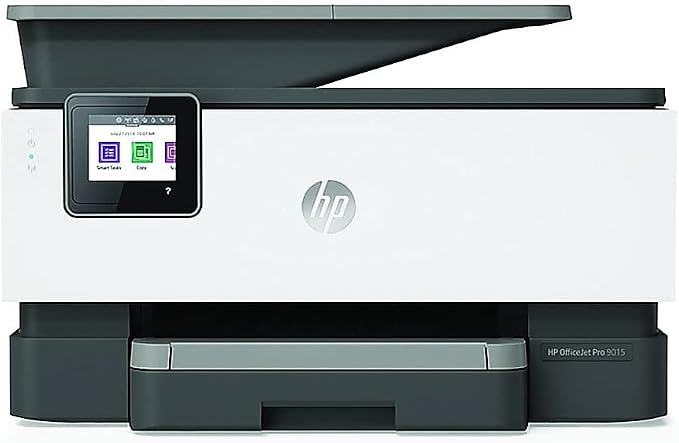
The 9015 has a compact body with a front facing color touchscreen and a slide off scanner glass that makes cleaning and copying quick. At roughly 17 inches wide, it fits on most office desks without crowding your workspace.
It prints up to 22 pages per minute in black and 18 in color, and the dual pass automatic document feeder handles two sided scanning without you flipping pages by hand.
This is the machine for a busy office that needs color documents, fax, scanning, and copying from one device. Smart Tasks shortcuts in the HP Smart app let you scan a receipt and email it in a single tap.
Our team found the self healing WiFi kept the connection stable across several devices, and the 250 sheet tray meant fewer refills during long print runs.
Key Specs:
-
Print speed: 22 ppm black, 18 ppm color
-
Resolution: 4800 x 1200 dpi color
-
Functions: Print, scan, copy, fax
-
Document feeder: 35 sheets, two sided
-
Paper tray: 250 sheets
-
Connectivity: WiFi, Ethernet, USB, Bluetooth
Pros:
-
Fast color and black printing
-
Two sided scanning and copying
-
Strong HP Smart app with shortcuts
Cons:
-
Ink replacements add up over time
2. Brother DCP-L2640DW: The Budget Workhorse Built for Black and White Volume
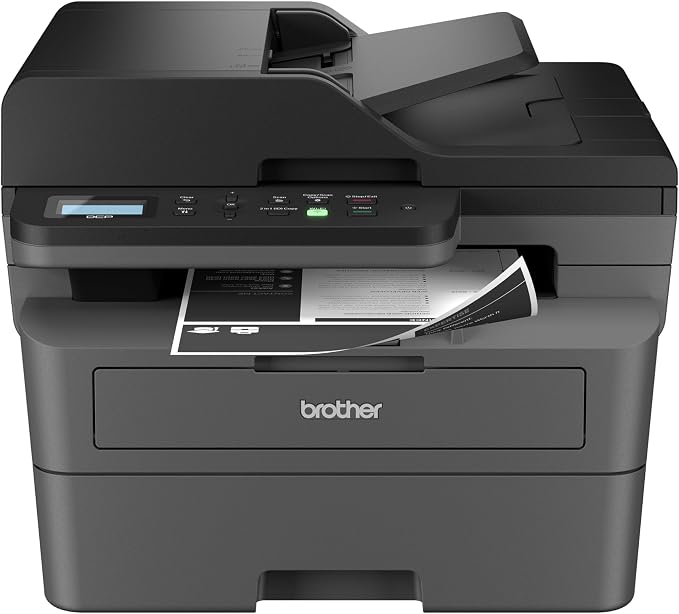
If your office prints mostly invoices, contracts, and packing slips, this is the machine to beat. It skips color entirely and focuses on fast, cheap black and white output that keeps your supply budget under control.
It runs at 36 pages per minute, and the 50 page auto document feeder chews through multi page scans and copies without babysitting. Automatic duplex printing cuts your paper use roughly in half.
The body is compact and light at 25 pounds, so it slides onto a shelf or side table. A two line backlit display and physical buttons keep the controls simple for anyone in the office.
We liked that toner does not dry out between jobs, which matters a lot if you print in bursts. The Brother Mobile Connect app also handled scanning to a phone better than the printer menu did.
Key Specs:
-
Print speed: 36 ppm black
-
Functions: Print, copy, scan
-
Document feeder: 50 pages
-
Paper tray: 250 sheets
-
Connectivity: Dual band WiFi, Ethernet, USB
-
Toner: TN830 and TN830XL
Pros:
-
Very low cost per page
-
Fast for the price
-
Toner will not dry out
-
Compact footprint
Cons:
-
No color printing
-
Basic two line display
3. Brother MFC-L3720CDW: The Color Laser for Professional Looking Documents
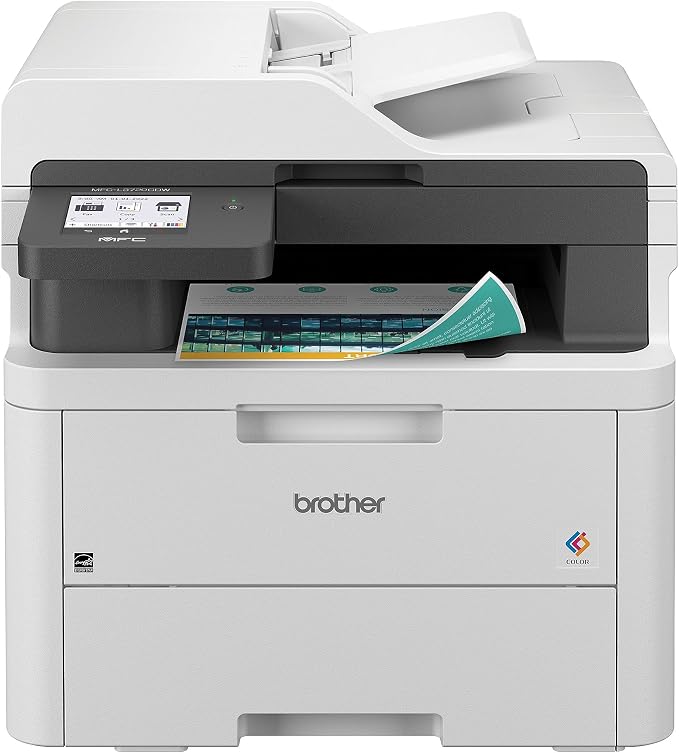
Color laser output is the headline here. Text and graphics come out sharp at 19 pages per minute in both black and color, and the 3.5 inch touchscreen gives you 48 shortcuts so common jobs take seconds.
The chassis is heavier at 44 pounds and feels solid. A 250 sheet tray and a 50 sheet document feeder sit up front, and the angled control panel is easy to read from a standing position.
Small firms that hand clients color proposals or marketing sheets will get the most from this model. Our team found duplex printing and cloud scanning to Google Drive or Dropbox worked without extra setup.
Key Specs:
-
Print speed: 19 ppm black and color
-
Functions: Print, scan, copy, fax
-
Document feeder: 50 sheets
-
Paper tray: 250 sheets
-
Display: 3.5 inch color touchscreen
-
Connectivity: Dual band WiFi, WiFi Direct, USB
Pros:
-
Sharp color laser output
-
Touchscreen with 48 shortcuts
-
Built in cloud app access
Cons:
-
Color toner replacements are pricey
-
Heavy at 44 pounds
4. Brother MFC-L2820DW: The Compact Office Machine With Fax Built In
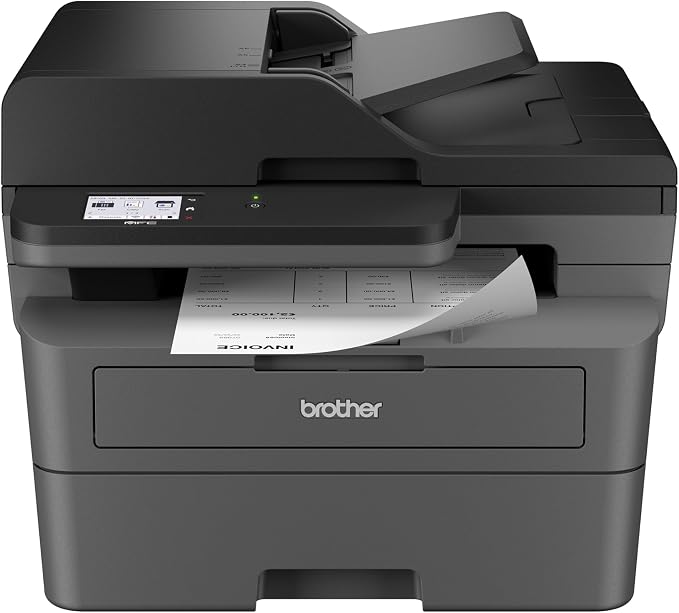
This model adds fax to the print, scan, and copy lineup, which matters for offices that still send signed paperwork. It delivers 34 pages per minute in black and keeps running costs low on toner.
A 2.7 inch touchscreen handles cloud printing and scanning to services like Google Drive, Dropbox, and OneNote. The 50 page feeder and automatic duplex printing round out the daily workflow tools.
The unit weighs 22.5 pounds and measures about 16 inches wide, so it suits a small desk or a shared counter. Controls sit on an angled panel that is easy to reach.
Our team found setup quick over Ethernet, and the Brother Mobile Connect app made phone printing straightforward. Fax worked on the first try over a standard line.
Key Specs:
-
Print speed: 34 ppm black
-
Functions: Print, scan, copy, fax
-
Document feeder: 50 pages
-
Paper tray: 250 sheets
-
Display: 2.7 inch touchscreen
-
Connectivity: Dual band WiFi, Ethernet, USB
Pros:
-
Fax included at a fair price
-
Touchscreen with cloud app access
-
Fast black and white output
-
Low toner cost per page
Cons:
-
No color printing
5. Epson EcoTank ET-3950: The Ink Tank That Slashes Color Printing Costs
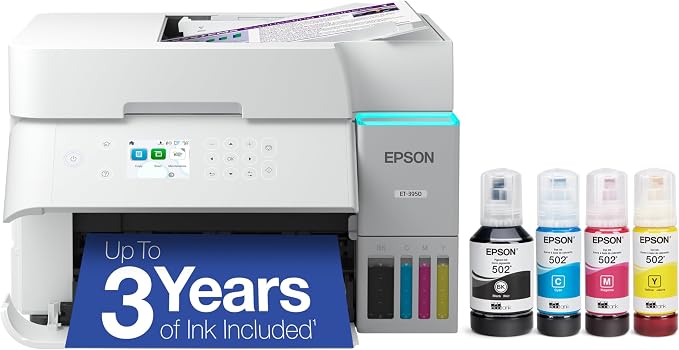
The EcoTank system replaces cartridges with refillable tanks, and the box includes enough ink for up to three years of typical printing. Black bottles hold 127 mL and each color bottle holds 70 mL.
That makes this printer the smart pick for offices that print color regularly, like bakeries, schools, and design shops. Borderless photo printing and 4800 x 1200 dpi resolution add flexibility beyond everyday documents.
The build is light at 15.9 pounds with a 2.4 inch color touchscreen and a 250 sheet tray. Our team noted quick setup over WiFi and Ethernet, though the software install on a Mac took extra effort for one tester.
Key Specs:
-
Print speed: 18 ppm black, 9 ppm color
-
Resolution: 4800 x 1200 dpi
-
Functions: Print, scan, copy
-
Document feeder: Included, two sided scanning
-
Paper tray: 250 sheets
-
Ink: Epson 502 bottles, refillable tanks
Pros:
-
Very low ink cost per page
-
Up to three years of ink in the box
-
Strong color and photo quality
Cons:
-
Slower than laser models
-
Needs regular printing to keep heads clean
Best Printers for Small Business: A Quick Rundown
-
HP OfficeJet Pro 9015: Best overall for offices that need color, fax, and fast scanning in one machine.
-
Brother DCP-L2640DW: Best value for high volume black and white printing.
-
Brother MFC-L3720CDW: Best color laser for client ready documents.
-
Brother MFC-L2820DW: Best compact all in one with fax included.
-
Epson EcoTank ET-3950: Best for cutting color ink costs over the long run.
Final Thoughts
Focus on your actual print mix before anything else. If most jobs are black and white, a mono laser will save you the most money. If color documents go out to clients every week, an ink tank or color laser pays off over cartridge based machines.
Match the machine to your space, your monthly page count, and your budget for supplies, then buy with confidence. The right printer quietly saves you money every single month.
Be First to Comment