Paper receipts have a way of taking over. They pile up in drawers, crumple at the bottom of bags, and fade into illegible scraps right when you need them for a return, a warranty claim, or tax season. You have probably told yourself you would get organized. You bought a folder. Maybe you even bought a binder with little plastic sleeves. But the pile kept growing.
That is where a dedicated receipt scanner changes the game. These small machines turn those fragile slips of paper into clean digital files you can actually find later. No more faded ink or lost proof of purchase. Just a simple search away from whatever you need.
We put several popular models to the test to see which ones are worth your money. This guide breaks down the five best receipt scanners we found, what makes each one shine, and who should buy which. You will walk away knowing exactly which scanner fits your life and your budget.
How We Selected the Best Receipt Scanners
We looked at this category from the perspective of someone who is tired of paper clutter but not interested in becoming a scanning technician. Our team gathered a wide range of portable and desktop models, then put them through their paces with real receipts, business cards, and standard documents. We paid close attention to how each machine handled thin thermal paper, which is what most receipts are printed on.
Our evaluation focused on the details that matter when you are scanning dozens or even hundreds of receipts at once. Here are the factors that guided our final picks.
- Scan Speed: How quickly the machine processes a single receipt and how that speed holds up over a stack.
- Portability: The physical size and weight of the scanner and whether it can easily fit in a laptop bag or desk drawer.
- Software Experience: The quality of the bundled app, how easy it is to organize scans, and whether OCR text search actually works.
- Paper Handling: The ability to manage thin, wrinkled, or unusually long receipts without constant jamming.
- Connectivity: Whether the scanner uses USB, Wi-Fi, or both, and how simple the initial setup feels.
- Build Quality: The durability of the feed mechanism and the overall construction of the unit.
We did not just rely on spec sheets. We ran these scanners through messy, real world conditions. That means receipts that were crumpled, faded, and mixed in with other paper types. The models that survived this process are the ones we feel confident recommending.
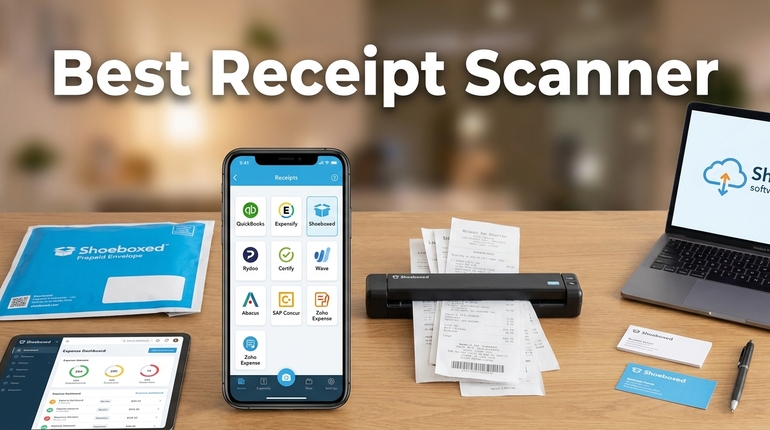
Best Receipt Scanners (Expert Review)
This lineup covers everything from ultra portable travel scanners to full desktop workhorses. One of them will fit your specific situation. We have organized the reviews so you can easily compare strengths and weaknesses without getting lost in technical jargon.
1. Brother DS-640: The Compact Powerhouse for On-the-Go Scanning
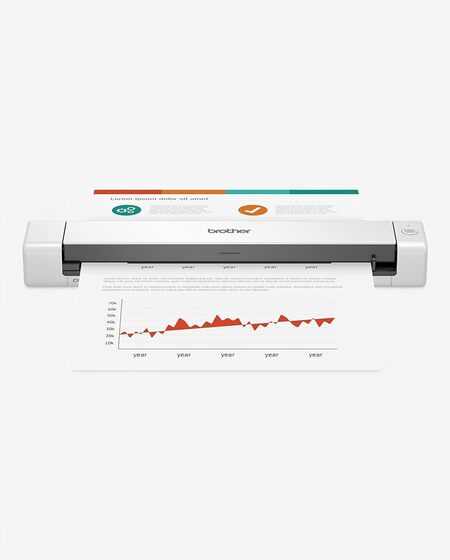
The Brother DS-640 is a fantastic choice if your main priority is portability without giving up too much speed. This little scanner is built for people who need to digitize receipts from a coffee shop, a client’s office, or a home desk with limited space. We found that it plows through a single receipt in just a couple of seconds once you get into a rhythm.
Its strongest point has to be the sheer convenience of its design. The scanner is powered entirely by the included USB cable, so there is no bulky power adapter to carry around. You just plug it into your laptop and start scanning. The device measures less than a foot long and weighs just over a pound, making it easy to slide into a backpack pocket.
The physical build feels sturdy for such a light unit. The paper path is straightforward, and Brother includes a dedicated slot for plastic cards and IDs. That is a nice touch if you want to digitize your wallet as well as your receipts. The software bundle is also solid, offering OCR and scan-to-cloud options without a steep learning curve.
We did notice one recurring frustration during testing. The single sheet feed means you are loading receipts one at a time. That is fine for personal use or light business needs. But if you have a shoebox full of receipts, this will take a while. It also requires a steady hand to feed thin paper perfectly straight.
Key Specs:
- Scan Speed: Up to 16 pages per minute
- Connectivity: USB 3.0
- Weight: 1.03 pounds
- Max Document Length: 72 inches
- Compatibility: Windows, Mac, Linux
Pros:
- Incredibly light and compact
- USB powered with no extra cords
- Scans ID cards and business cards
- Good OCR software included
Cons:
- No automatic document feeder
- Can struggle with very thin or crumpled receipts if not fed carefully
This scanner is for the person who wants to eliminate paper clutter from their bag or briefcase. It is not a high volume machine, but for daily personal scanning, it is one of the best options on the market.
2. Epson Workforce ES-50: The Fastest Lightweight Option
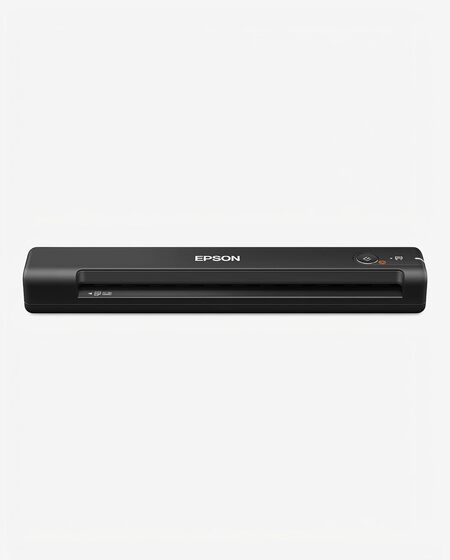
If you liked the idea of the Brother DS-640 but want something even lighter, the Epson Workforce ES-50 deserves your attention. This scanner weighs just over nine ounces. That is less than a can of soda. We were genuinely surprised by how small it felt in hand while still managing to deliver crisp scans.
The standout feature here is speed relative to size. Epson claims this is the fastest scanner in its class for single sheet feeding. Our testing backed that up. A standard receipt was digitized in about five and a half seconds. The software also has a fantastic automatic feeding mode that combines multiple pages into one file, which is perfect for expense reports.
This model works best for mobile professionals who need to scan receipts immediately after a purchase. The USB powered design means you are limited only by your laptop’s battery life. It is incredibly easy to set up. We simply plugged it in, downloaded the ScanSmart software, and started scanning without any issues.
The build quality is decent but not exceptional. The paper guides feel a little flimsy compared to the Brother. You have to be careful to line up receipts straight because the machine does not correct skew very aggressively. For thicker documents or photos, you may want to look elsewhere. This scanner is really optimized for standard paper and receipts.
Key Specs:
- Scan Speed: One page in as fast as 5.5 seconds
- Connectivity: USB 2.0
- Weight: 9.4 ounces
- Max Document Length: 72 inches
- Compatibility: Windows, Mac
Pros:
- Extremely lightweight
- Fast single page scanning
- Automatic feeding mode for multi page scans
- Simple software experience
Cons:
- No physical paper guides for perfect alignment
- Lacks the build heft of heavier models
The ES-50 is ideal for frequent travelers who refuse to carry a heavy bag. It handles the basics brilliantly, and it does so with almost zero setup friction.
3. ScanSnap iX1500: The Desktop Organizer for Heavy Users
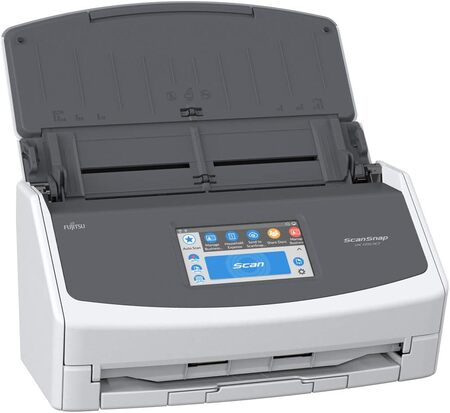
Moving up to a completely different class of machine, we have the ScanSnap iX1500. This is a desktop scanner with a massive 50 sheet automatic document feeder. It is built for people who have piles of paper to digitize, not just the occasional receipt. We found that it absolutely flies through mixed stacks of documents.
The big advantage here is the 4.3 inch touch screen. You can set up custom profiles for different scan jobs. One profile might be for black and white receipts going to a specific folder. Another might be for color contracts going straight to Google Drive. The machine remembers your preferences, making one touch scanning a reality. This feature alone saves hours if you scan regularly.
The iX1500 also handles mixed document sizes beautifully. During testing, we loaded a stack that included full page letters, small receipts, and business cards. The scanner pulled them all through without a single jam. The image cleanup is automatic and effective, removing blank pages and correcting orientation without you lifting a finger.
You should know that this is not a portable device. It weighs over seven pounds and needs a dedicated spot on your desk. The initial setup can also be a little finicky, especially when configuring Wi-Fi or user profiles. But once it is running, it is a legitimate workhorse.
Key Specs:
- Scan Speed: 30 pages per minute
- Connectivity: USB, Wi-Fi
- Weight: 7.5 pounds
- Document Feeder: 50 sheets
- Touch Screen: 4.3 inches
Pros:
- Huge automatic document feeder
- Touch screen with custom profiles
- Flawless handling of mixed paper sizes
- Automatic image cleanup
Cons:
- Takes up significant desk space
- Initial Wi-Fi setup can be confusing
This is the scanner to buy if you are digitizing an entire filing cabinet. It is overkill for a few receipts a week, but it is a lifesaver for a home office or small business with heavy paper flow.
4. Epson Workforce ES-400 II: The Balanced Desktop Performer
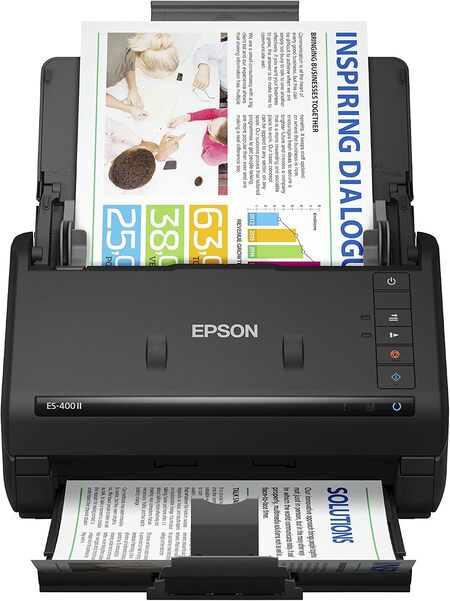
The Epson Workforce ES-400 II sits in a sweet spot between the portable models and the high end ScanSnap. It has a 50 sheet automatic feeder like the iX1500, but it comes in at a lower price and with a smaller footprint. We found it to be one of the most practical machines for everyday receipt and document scanning.
This scanner’s dual sided scanning is a standout feature. It grabs both sides of a page in one pass, which is huge if you deal with receipts that have terms and conditions printed on the back. The speed is excellent too. We clocked it at around 35 pages per minute, which is plenty fast for even a serious home office.
The software suite from Epson is intuitive and powerful. ScanSmart allows you to preview scans, email them, or upload them to the cloud with just a few clicks. The automatic file naming feature is a small touch that makes a big difference when you are processing hundreds of documents. It saves you from the tedious task of renaming every file manually.
The physical design is clean and functional. The input tray folds up neatly when not in use, which helps keep dust out. The ultrasonic double feed detection prevented missed pages in our tests. The only real downside is that it lacks a touch screen, so you are tethered to your computer for all scanning tasks.
Key Specs:
- Scan Speed: 35 pages per minute / 70 images per minute
- Connectivity: USB
- Weight: 8.14 pounds
- Document Feeder: 50 sheets
- Duplex Scanning: Yes
Pros:
- Fast two sided scanning
- Automatic file naming saves time
- Ultrasonic double feed detection
- Compact footprint for a desktop scanner
Cons:
- No wireless connectivity
- Lacks a physical control panel or touch screen
The ES-400 II is perfect for someone who wants desktop level speed without the desktop level complexity. It is a reliable choice for organizing taxes, warranties, and business expenses.
5. Canon imageFORMULA R40II: The Speedy Desktop Specialist
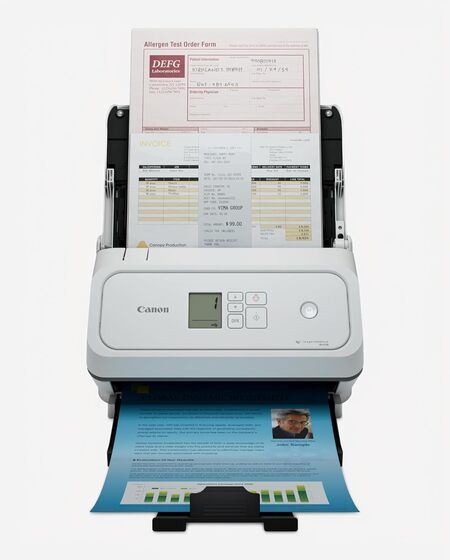
The Canon imageFORMULA R40II is a serious contender for anyone who prioritizes raw scanning speed. This machine is rated to scan both sides of a document at up to 45 pages per minute. In our testing, it felt even faster than that. It chewed through a 60 sheet stack in what felt like seconds.
Its build is compact for a desktop unit. The paper feed tray folds over the top when not in use, turning it into a neat little box that protects the internals. The 60 sheet feeder is slightly larger than the Epson ES-400 II, which gives you a bit more capacity before you need to reload.
This model is designed for people who scan a high volume of mixed documents. It handled thin receipts, thick cardstock, and long contracts without skipping a beat. The included CaptureOnTouch software is simple but effective. It offers straightforward scan to cloud and searchable PDF options.
There are a few trade offs to keep in mind. The software is exclusive to Canon’s own app. If you rely on TWAIN or ISIS drivers for a specialized document management system, this scanner will not work for you. The plastic paper guides also feel less durable than those on the Epson. But for pure speed and reliability, it is hard to beat.
Key Specs:
- Scan Speed: 45 pages per minute
- Connectivity: USB-C
- Document Feeder: 60 sheets
- Duplex Scanning: Yes
- Compatibility: Windows, Mac (with included software)
Pros:
- Extremely fast scanning
- Compact foldable design
- Handles a wide range of paper types
- USB-C connectivity for modern computers
Cons:
- Does not support TWAIN or ISIS drivers
- Paper guides feel slightly flimsy
The Canon R40II is best for a busy professional who needs to digitize receipts and documents quickly, without fussing over complicated software settings.
Best Receipt Scanners: A Quick Rundown
- Brother DS-640: Best overall for portable scanning on a budget.
- Epson Workforce ES-50: Best for featherlight travel and speed.
- ScanSnap iX1500: Best for heavy volume desktop scanning with touch screen control.
- Epson Workforce ES-400 II: Best balanced desktop scanner for the price.
- Canon imageFORMULA R40II: Best raw speed for high volume office use.
Final Thoughts
The right receipt scanner saves you from the slow creep of paper clutter. Focus on the volume of scanning you actually do. If you scan a few receipts a week, a portable model keeps your desk clean and your bag light. If you face a mountain of paper every month, invest in a desktop model with an automatic feeder.
Think about your workflow too. The software that comes with your scanner is just as important as the hardware. A fast scanner with clunky software will gather dust. A slightly slower scanner with one touch organization will become a daily habit. Pick the one that matches how you actually work, and you will never have to dig through a shoebox of faded receipts again.
Be First to Comment