Choosing a black-and-white laser printer should be simple, but once we start comparing print speeds, paper capacity, duplexing, wireless features, scanning, and office workloads, the decision can get surprisingly complicated. For a small business or home office, the wrong fit can mean paying for features you rarely use or living with limitations every day.
The tricky part is that several printers can look very similar on paper while serving completely different needs. A compact print-only model can be exactly what you need for forms and documents, while a multifunction machine can save valuable space by handling printing, copying, and scanning in one place.
We looked closely at the category, compared the available features, and examined the specifications of five notable models. Our goal is to make the decision easier by showing where each printer fits best, what makes it useful, and what limitations you should know about before buying.
How We Selected the Best Black-and-White Laser Printers
We focused on the things that actually affect your day-to-day printing rather than simply chasing the longest specification sheet. That meant looking at print performance, paper handling, connectivity, multifunction features, and the kinds of workloads each printer is designed to handle.
We also paid attention to what each printer does not offer. A missing ADF, manual duplexing, or lack of scanning may not matter to one buyer at all, but it can become a major inconvenience for another. That distinction matters when you’re choosing equipment for real work.
- Fit for purpose: We considered whether each printer makes sense for your home office, small business, or regular document workload.
- Print capability: Print speed, resolution, and automatic duplexing can make routine document work noticeably easier.
- Paper handling: Larger trays and flexible feeding options can save you from constantly stopping to reload paper.
- Connectivity: Wi-Fi, Ethernet, USB, and mobile printing options matter when several devices need access.
- Multifunction usefulness: Copying, scanning, faxing, and ADF features can save space and eliminate extra office equipment.
- Ease of use: Simple controls, mobile apps, and straightforward setup can make everyday printing less frustrating.
- Limitations: We highlighted missing features and compatibility considerations that could affect your workflow.
Taken together, these factors give us a practical way to compare very different printers without losing sight of what matters to you. With that in mind, let’s get into the five models.
Best Black-and-White Laser Printers for 2026
Each printer below has a slightly different sweet spot, so we’re focusing on the type of user and workflow it suits rather than treating them as interchangeable.
1. HP LaserJet M110w Wireless Black & White Printer
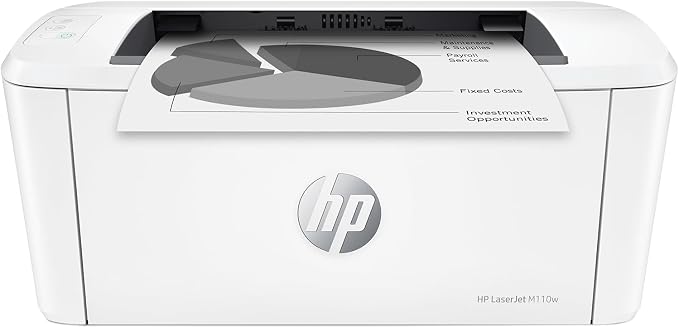
The HP LaserJet M110w is a sensible fit for individuals, freelancers, and compact home offices that mainly need dependable black-and-white document printing. Its small footprint is especially helpful when desk space is tight, while wireless connectivity lets you keep your workspace relatively uncluttered. You can check HP’s official specifications for the full configuration.
HP rates the M110w at up to 21 pages per minute, with 600 x 600 dpi black resolution and a 150-sheet input tray. Its recommended monthly volume is 100 to 1,000 pages, which gives us a useful indication of the kind of workload this compact printer is intended to handle. The product specifications spell out those limits.
Connectivity is one of the printer’s more convenient features. It supports 2.4 GHz Wi-Fi, USB, Wi-Fi Direct, Apple AirPrint, Mopria, and HP’s mobile app. That gives you several practical ways to print from computers and mobile devices without having to stay tied to a cable, as HP explains in its mobile printing support.
The compact 8.4-pound body is another advantage when space is limited. HP also lists a 100-sheet output bin and ENERGY STAR certification, while its official product details confirm the printer’s core configuration. The main drawback is that duplex printing is not automatic, so two-sided documents require manual handling.
For the smoothest experience, keep the printer connected to the network you use most often and choose the HP app or your operating system’s supported printing method. This model is really about simple document printing rather than broader office duties.
A few cautions:
- Skip it if you need automatic two-sided printing.
- It is less suitable for offices that need scanning, copying, or a heavier recommended monthly workload.
2. Brother MFC-L2820DW Wireless Compact Monochrome All-in-One
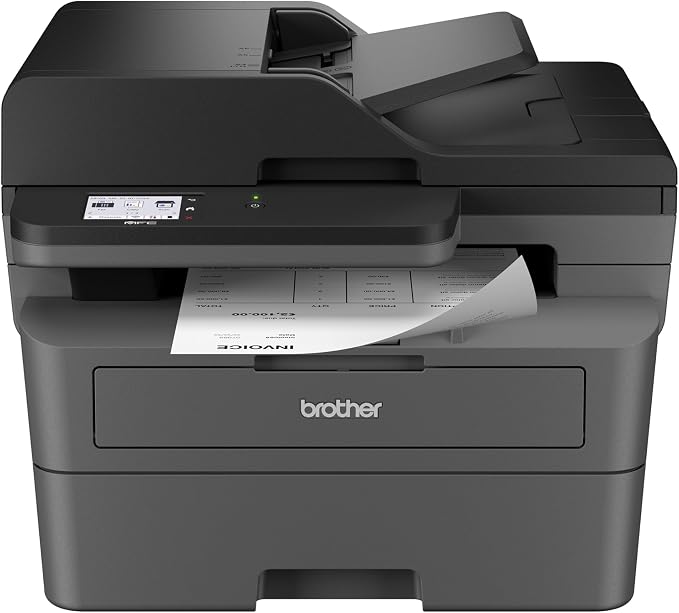
The Brother MFC-L2820DW is a better match when printing is only part of your office routine. It combines black-and-white printing, copying, scanning, and faxing, while the 50-page automatic document feeder makes multipage jobs much easier to handle. Brother’s official product listing provides the full feature set.
It prints at up to 34 pages per minute and includes automatic duplex printing, a 250-sheet main tray, and a 2.7-inch touchscreen. You also get dual-band wireless connectivity, Ethernet, and USB, giving you plenty of flexibility when setting it up around a small office. The product specifications cover these details.
The 50-page ADF is particularly useful when you regularly deal with invoices, forms, contracts, or other multipage documents. Brother also supports Brother Mobile Connect, AirPrint, Mopria, and Wi-Fi Direct, so you can move between computers and mobile devices without completely changing your workflow. Those connectivity details are worth checking if mobile printing matters to you.
For everyday office work, the 250-sheet tray, automatic duplexing, and touchscreen create a convenient combination. Brother lists a recommended monthly print volume of up to 2,500 pages in its monthly volume guidance, although that figure is better viewed as a planning guide than a target you need to hit.
One important limitation is that duplex scanning is not supported. So, while the ADF is handy for multipage documents, double-sided originals still require some manual work.
Notes of caution:
- Skip it if you only need basic printing and would not use the extra functions.
- It is less convenient for workflows that depend heavily on automatic two-sided scanning.
3. Brother HL-L2480DW Wireless Compact Monochrome Multi-Function Laser
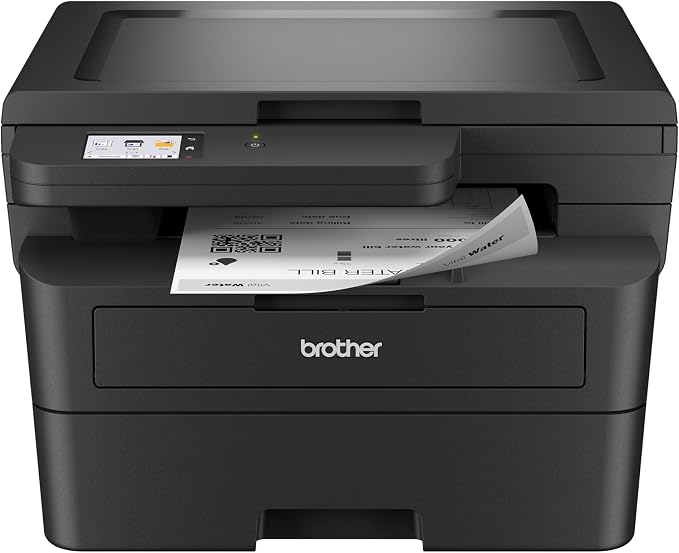
The Brother HL-L2480DW makes sense for a home office or small business that wants more than a printer but does not need a fax machine. It combines printing, copying, and scanning in a compact design, with a flatbed that works well for individual pages and occasional document jobs. Brother’s official product page lays out the configuration.
This model prints at up to 36 pages per minute and supports automatic duplex printing. It also has a 250-sheet paper tray, up to 1200 x 1200 dpi print resolution, and a 2.7-inch touchscreen. For regular document work, that combination gives you useful speed and less manual paper handling, while the print specifications provide the technical details.
Connectivity is flexible enough for most small offices. We get Ethernet, dual-band wireless, USB 2.0, AirPrint, Mopria, Wi-Fi Direct, and Brother Mobile Connect. Brother also supports cloud-related workflows through its software and services, which can be useful when documents need to move between your printer and other devices. You can review the connectivity options for the supported methods.
The 250-sheet capacity and automatic duplex printing can make routine document runs feel much less interrupted. Brother also lists ENERGY STAR certification and a one-year limited warranty in its manufacturer specifications. The main tradeoff is the scanner: there is no automatic document feeder.
That flatbed design is perfectly reasonable for individual pages, receipts, books, and occasional scans. It becomes less convenient when your regular workflow involves processing large stacks of documents one after another.
A few things to note:
- Skip it if you regularly scan large multipage stacks.
- It does not provide fax functionality for offices that still rely on fax workflows.
4. HP LaserJet Pro MFP 3101sdw Wireless Black and White All-in-One Laser

The HP LaserJet Pro MFP 3101sdw is aimed at small businesses that need a more capable all-in-one machine for regular printing, copying, and scanning. Its 50-sheet ADF, automatic duplex printing, and 250-sheet input tray make it a practical fit for recurring document-heavy office work. HP’s official specifications provide the detailed configuration.
HP rates the printer at up to 35 pages per minute, with black printing up to 1200 x 1200 dpi and a 2.7-inch touchscreen. It also includes 512 MB of memory, Wi-Fi Direct, AirPrint, Mopria, and HP app support, giving you several convenient ways to manage everyday printing. The technical specifications outline the supported features.
The ADF is especially useful when you regularly copy or scan several pages at once, while automatic duplex printing helps when you’re producing longer documents. HP recommends a monthly print volume of 350 to 2,500 pages, according to its monthly volume specifications, which places it comfortably in the small-office category.
The scanner combines a flatbed with a 50-sheet ADF, and HP lists optical scan resolution up to 1,200 dpi from the flatbed. However, the ADF does not automatically scan both sides of a document, so double-sided originals still need manual handling. HP’s scan specifications clarify the distinction.
For smoother day-to-day use, the main tray works well for routine printing while the ADF is better suited to multipage jobs. This model is particularly useful when printing, copying, and scanning all need to happen from one workstation.
A few cautions:
- Skip it if you specifically need automatic duplex scanning through the ADF.
- It is not designed for offices that require built-in fax functionality.
5. Canon imageCLASS LBP172dw Monochrome Duplex Wireless Laser Printer
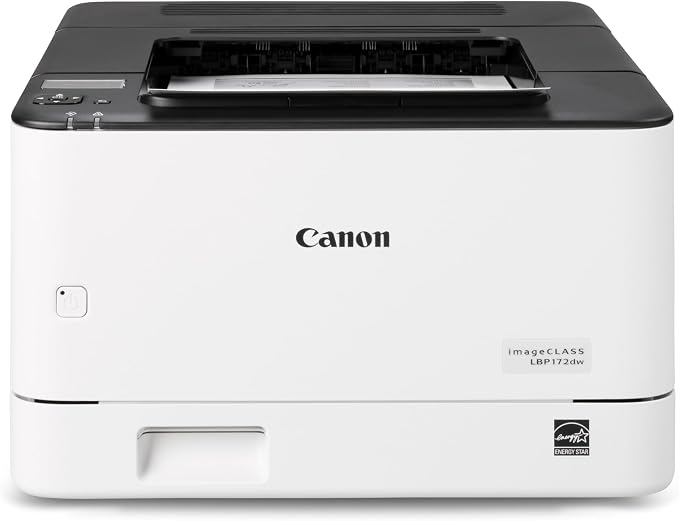
The Canon imageCLASS LBP172dw is a good fit for small offices that want a dedicated printer with fast output, automatic duplexing, and flexible networking. Its single-function design keeps the focus on printing, which can be perfectly practical when scanning and copying are already handled elsewhere. Canon’s official specifications provide the current configuration.
Canon rates it at up to 35 pages per minute on Letter-size paper, with a first print time of about 4.9 seconds and a standard 250-sheet cassette. Automatic duplex printing is especially useful when you regularly produce two-sided reports, forms, or internal documents because you do not have to turn each sheet manually. The product specifications outline these capabilities.
Connectivity includes USB 2.0, Ethernet, and 802.11b/g/n Wi-Fi, while supported operating systems include Windows, macOS, and Chrome OS. Canon also lists a five-line LCD, 256 MB of memory, and a recommended monthly print volume of 250 to 2,500 pages in its current technical details.
For offices where network security matters, Canon documents features including TLS 1.3, SNMPv3, IP/MAC address filtering, and IEEE 802.1X authentication. The printer is also ENERGY STAR certified and carries an EPEAT Silver designation, giving organizations useful documented information to consider alongside its core printing features. Canon explains the relevant options in its security specifications.
Its biggest limitation is also its defining feature: it only prints. That is perfectly reasonable for a dedicated document station, but less convenient if you expect one device to handle scanning and copying too.
Notes of caution:
- Skip it if you need integrated copying or scanning.
- Confirm the regional model and power requirements before importing or purchasing from another market.
Final Thoughts
The right black-and-white laser printer comes down to how you actually work. We would pay close attention to automatic duplexing, paper capacity, connectivity, ADF functionality, and the manufacturer’s recommended workload before choosing a model for your office.
From there, let your workspace and workflow make the final call. Focus on the features you will genuinely use, avoid unnecessary complexity, and choose a machine that fits naturally into the way you handle documents every day.
Be First to Comment